Chapter 10 Component Management
10.2 Functions in the Action Area for Component
ETERNUS Web GUI User’s Guide
432
Copyright 2011 FUJITSU LIMITED P2X0-1090-02ENZ0
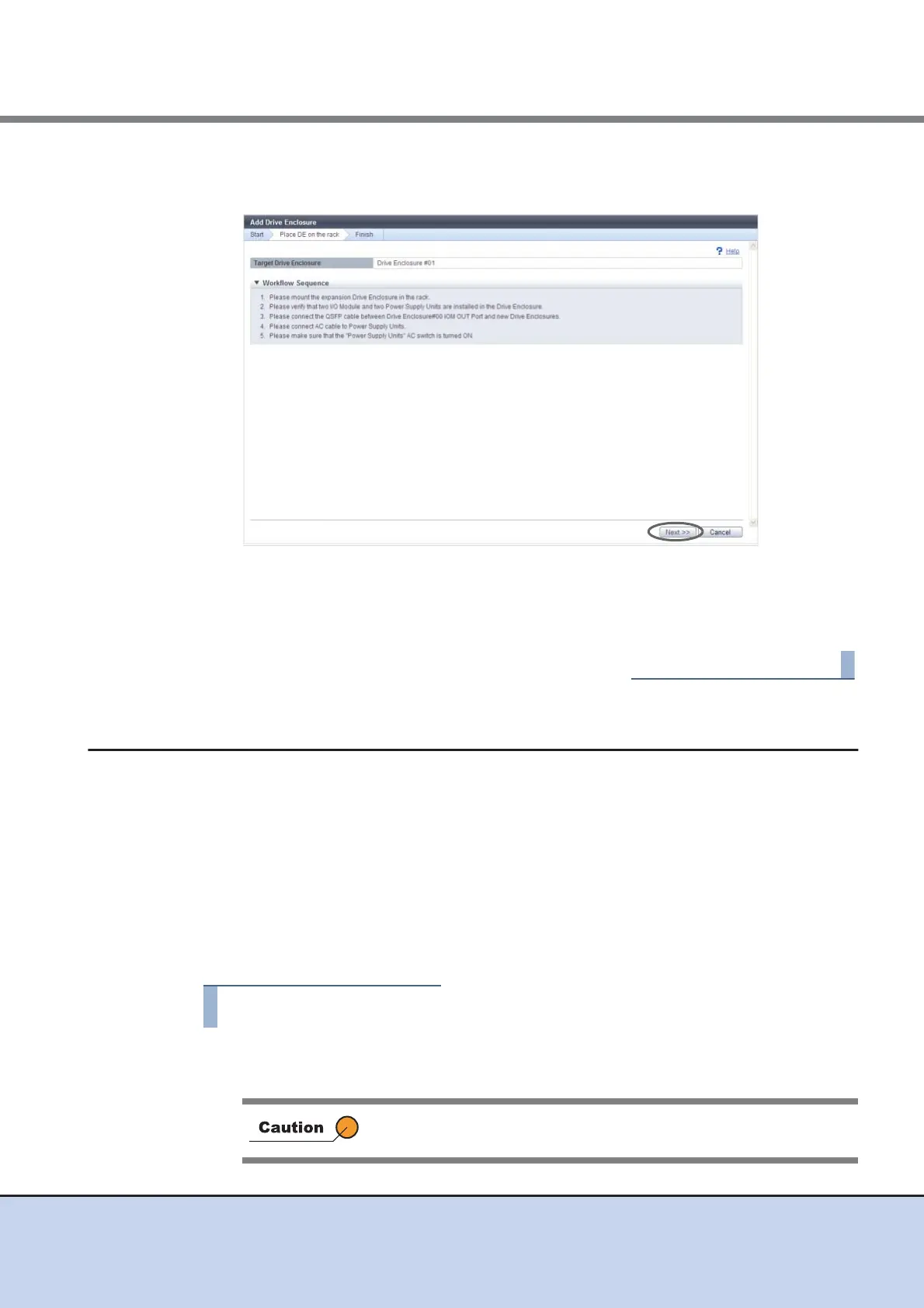
4 Perform the DE expansion according to the displayed procedure, and click the
[Next] button.
→ The DE installation starts and the [Status Check] screen appears. After the installation
is complete, the [Finish] screen appears.
5 Click the [Done] button to return to the [Component] screen.
10.2.2 Turn on Locator Beacon/Turn off Locator Beacon
This function blinks or turns off the locator beacon of the CE or the CM to identify the component
that requires maintenance.
The "IDENTIFY LED" blinks or is turned off at the following locations:
• The front cover of the CE
• The CM in the rear of the CE
■ Turning on the LED
The procedure to turn on an LED is as follows:
1 Click [Turn on locator beacon] in [Action].
→ A confirmation screen appears.
If the LED is already turned on, [Turn on locator beacon] cannot be
selected.



 To Next Page