Chapter 5 Volume Management
5.1 Volume Status
ETERNUS Web GUI User’s Guide
67
Copyright 2011 FUJITSU LIMITED P2X0-1090-02ENZ0
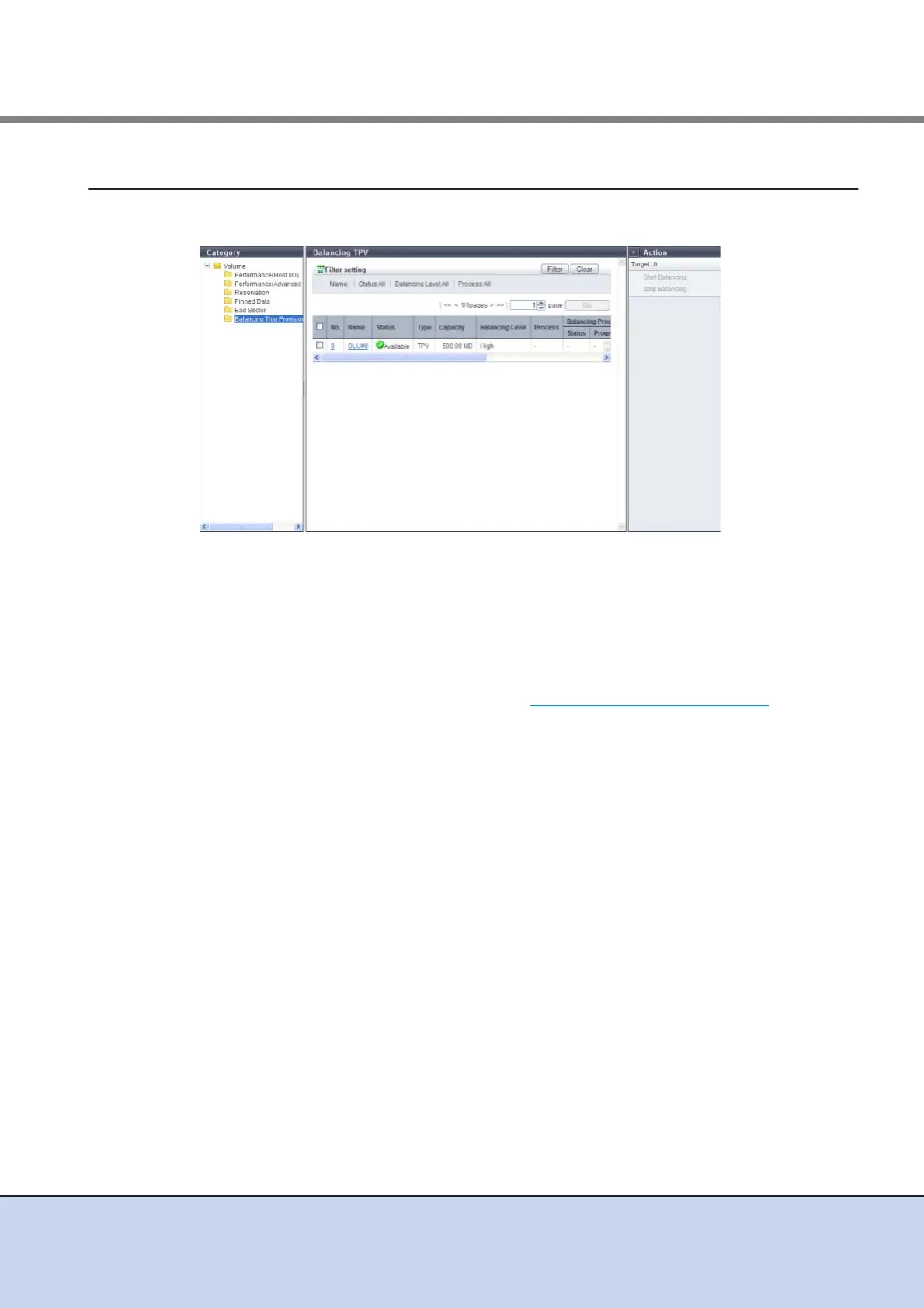
5.1.7 Balancing Thin Provisioning Volume
This function displays the information of balancing Thin Provisioning Volumes (TPVs).
The following items are displayed in the Main area:
• No.
The volume number is displayed.
• Name
The volume name is displayed. Clicking this item displays the [Volume] screen.
• Status
The volume status is displayed. Refer to "B.2 Volume Status" (page 613)
for detailed
information of volume status.
• Type
The volume type (fixed to "TPV") is displayed.
• Capacity
The total volume capacity is displayed.
• Balancing Level
The balancing level of the volume is displayed.
- When the volume is balanced: High
- When the volume is almost balanced: Middle
- When the volume is not balancing well: Low
- When the ETERNUS DX Disk storage system is abnormal: "-" (hyphen)
• Process
A process that is being performed for the volume is displayed. When no process is being
performed, a "-" (hyphen) is displayed.
- Balancing
- Formatting
- Encrypting
- Migrating



 To Next Page