Chapter 5 Volume Management
5.2 Functions in the Action Area for Volume
ETERNUS Web GUI User’s Guide
97
Copyright 2011 FUJITSU LIMITED P2X0-1090-02ENZ0
3 Click the [Done] button to return to the [Volume] screen.
5.2.15 Permit Advanced Copy
This function releases the protected volumes.
Released volumes can be used as the copy destination volume.
The procedure to release a volume protection is as follows:
1 Select the protected volume to be released (multiple selections can be made)
and click [Permit Advanced Copy] in [Action].
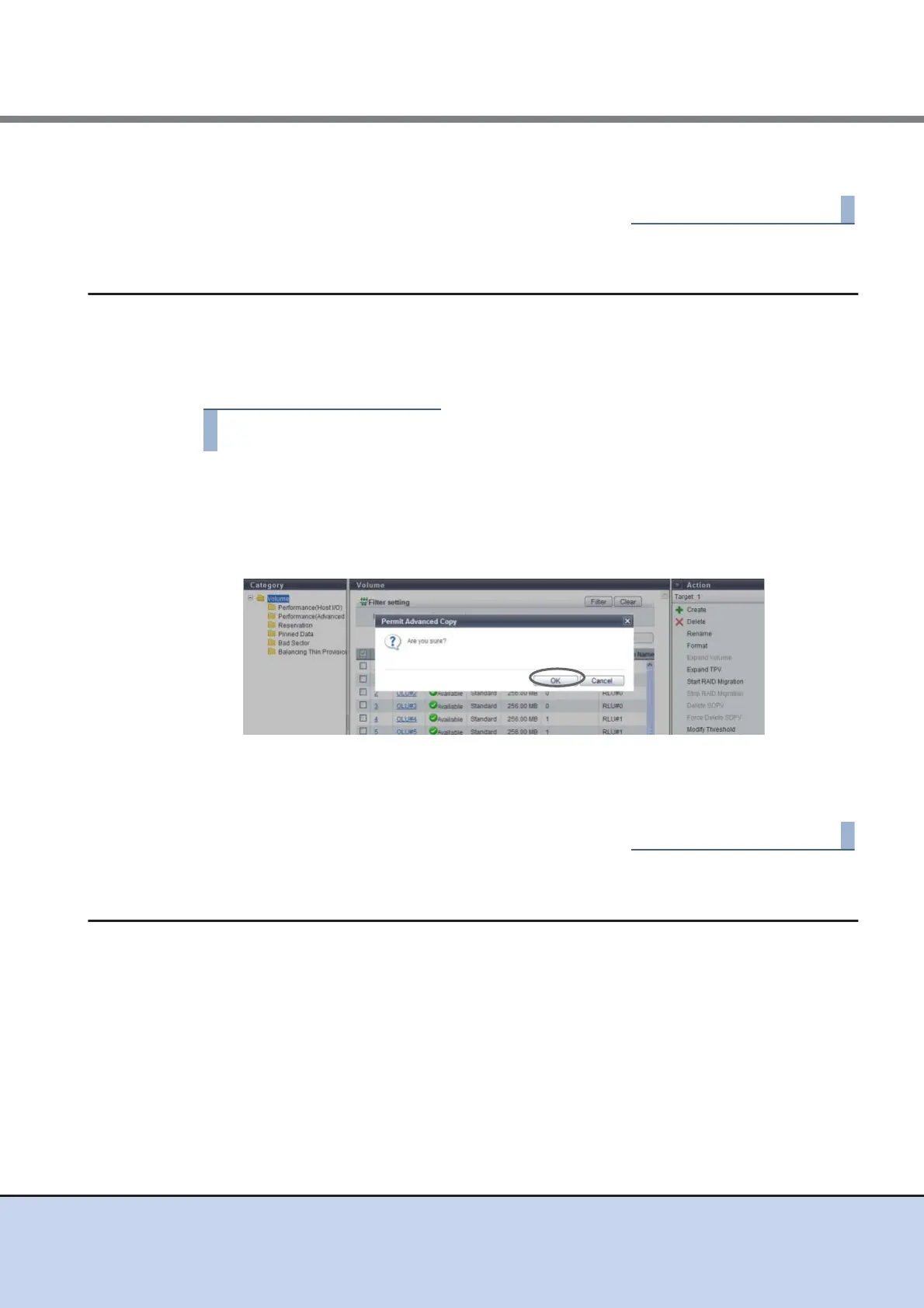
→ A confirmation screen appears.
2 Click the [OK] button.
→ Releasing copy destination protect starts.
3 Click the [Done] button to return to the [Volume] screen.
5.2.16 Modify Cache Parameters
This function changes the cache parameters of each volume.
Device performance varies depending on the cache hit ratio. The cache hit ratio can be improved
by detecting the sequentiality for a Read/Write request from the host and reading continuous
data in advance. The characteristics of Read/Write requests from the host depends on the sys-
tem. Device performance may improve by specifying a cache parameter that is suitable for the
system that is being used.



 To Next Page