Chapter 9 Connectivity Management
9.2 Functions in the Action Area for Connectivity
ETERNUS Web GUI User’s Guide
381
Copyright 2011 FUJITSU LIMITED P2X0-1090-02ENZ0
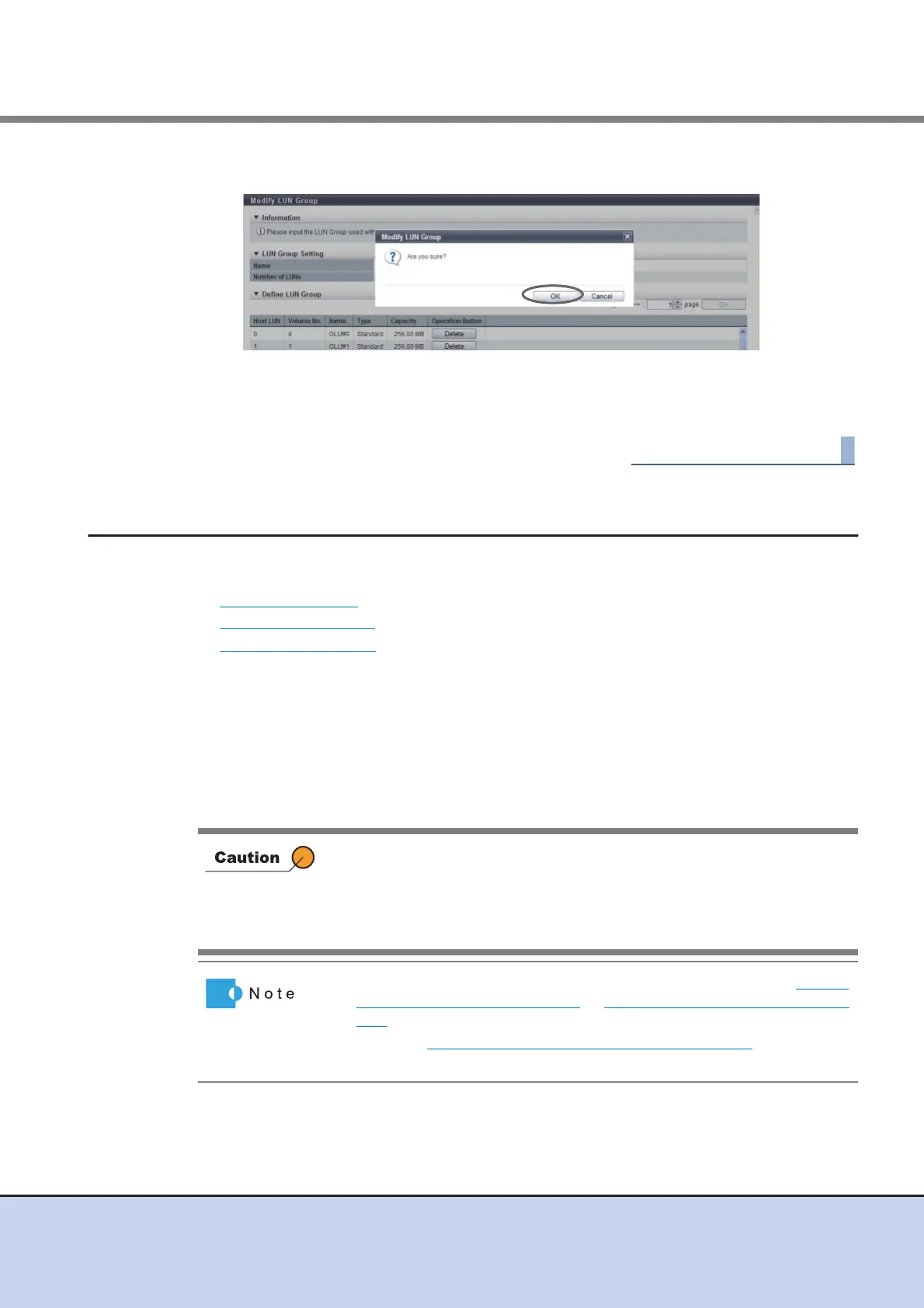
3 Click the [OK] button.
→ LUN group modification starts.
4 Click the [Done] button to return to the [LUN Group] screen.
9.2.5 Host Response Management
Host Response management provides the following functions:
• Add Host Response
• Delete Host Response
• Modify Host Response
9.2.5.1 Add Host Response
This function adds a host response.
The maximum number of host responses per device is 256, including the recommended pat-
terns.
For more details about setting the host response, refer to "User’s Guide -Server Connection-" for
each OS type.
• If an appropriate host response is not configured to the host affinity, the
path may not be switched correctly or the volume may not be
recognized correctly.
• When customizing the host response, make sure to understand the
setting parameters and create the host response with careful attention.
• Add host responses to the host affinities using the procedure in "9.2.1.1
Create Host Affinity" (page 283) or "9.2.1.3 Modify Host Affinity" (page
290).
• Refer to "9.2.5.3 Modify Host Response" (page 388)
to edit host
responses.



 To Next Page