Chapter 8 Advanced Copy Management
8.2 Functions in the Action Area for Advanced Copy
ETERNUS Web GUI User’s Guide
205
Copyright 2011 FUJITSU LIMITED P2X0-1090-02ENZ0
8.2.4 Delete Advanced Copy License
This function deletes all of the Advanced Copy licenses registered in the ETERNUS DX Disk
storage system.
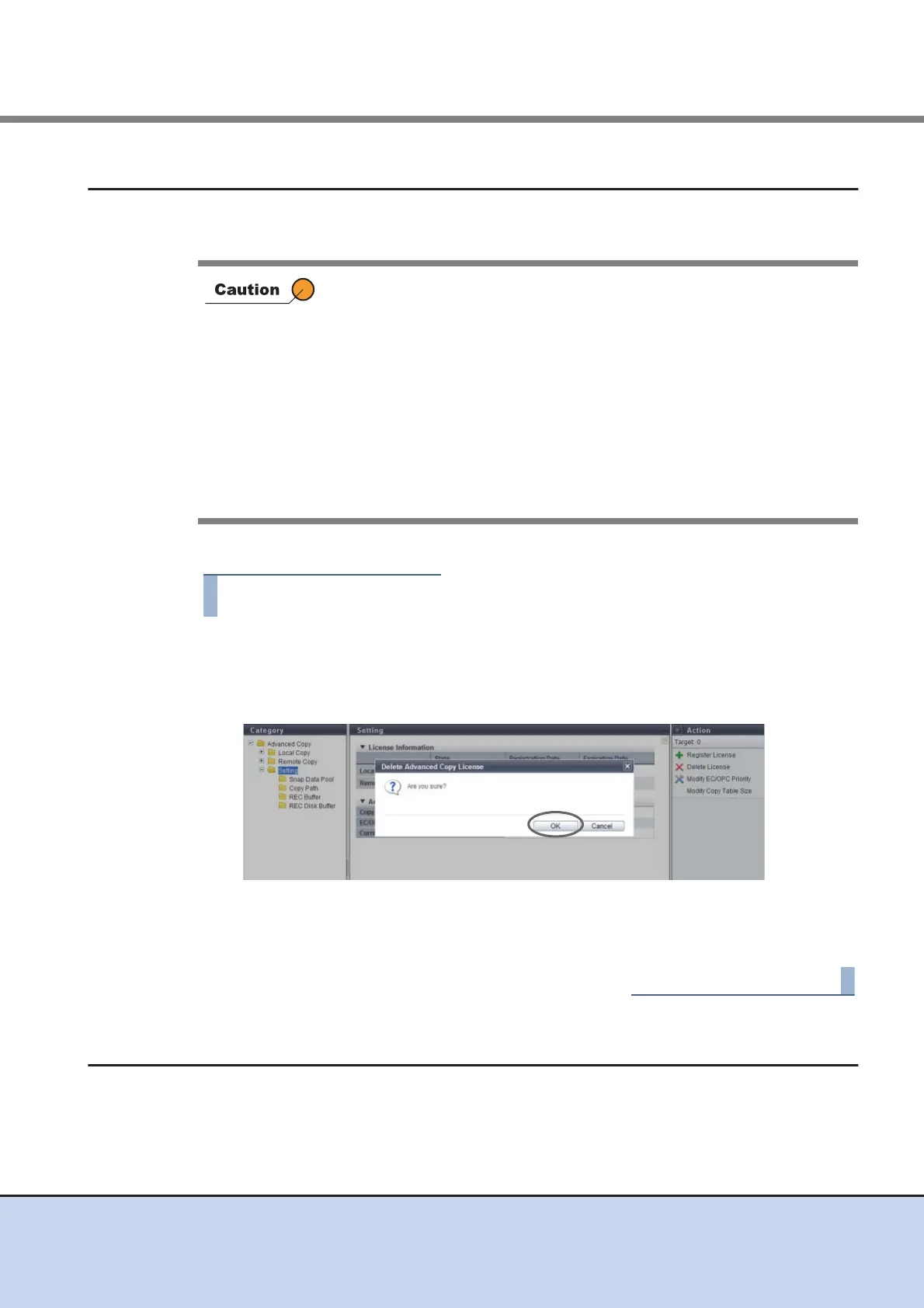
The procedure to delete an Advanced Copy license is as follows:
1 Click [Delete License] in [Action].
→ A confirmation screen appears.
2 Click the [OK] button.
→ Deletion of an Advanced Copy license is executed.
3 Click the [Done] button to return to the [Setting] screen.
8.2.5 Modify EC/OPC Priority
This function sets the copy speed when using EC and OPC.
The EC/OPC speed is usually set in consideration of the host's I/O load and copy processing
load. The set EC/OPC speed is applied not only for the next sessions, but also for existing
sessions.
• An Advanced Copy license cannot be deleted in the following
conditions:
- When a failed CM exists
- When an SDV or an SDPV has been registered
- When an Advanced Copy session exists
- When an Advanced Copy table size has been configured
- When an Advanced Copy path has been configured
- When REC Buffer has been configured
- When REC Disk Buffer has been created
• Rebooting the ETERNUS DX Disk storage system is required after
deleting an Advanced Copy license.



 To Next Page