Appendix D Installing the Security Certificate
D.2 For Firefox
ETERNUS Web GUI User’s Guide
627
Copyright 2011 FUJITSU LIMITED P2X0-1090-02ENZ0
D.2 For Firefox
This section provides the procedure to install the security certificate.
The example when installing security certificate for Firefox 3.6. X is as follows:
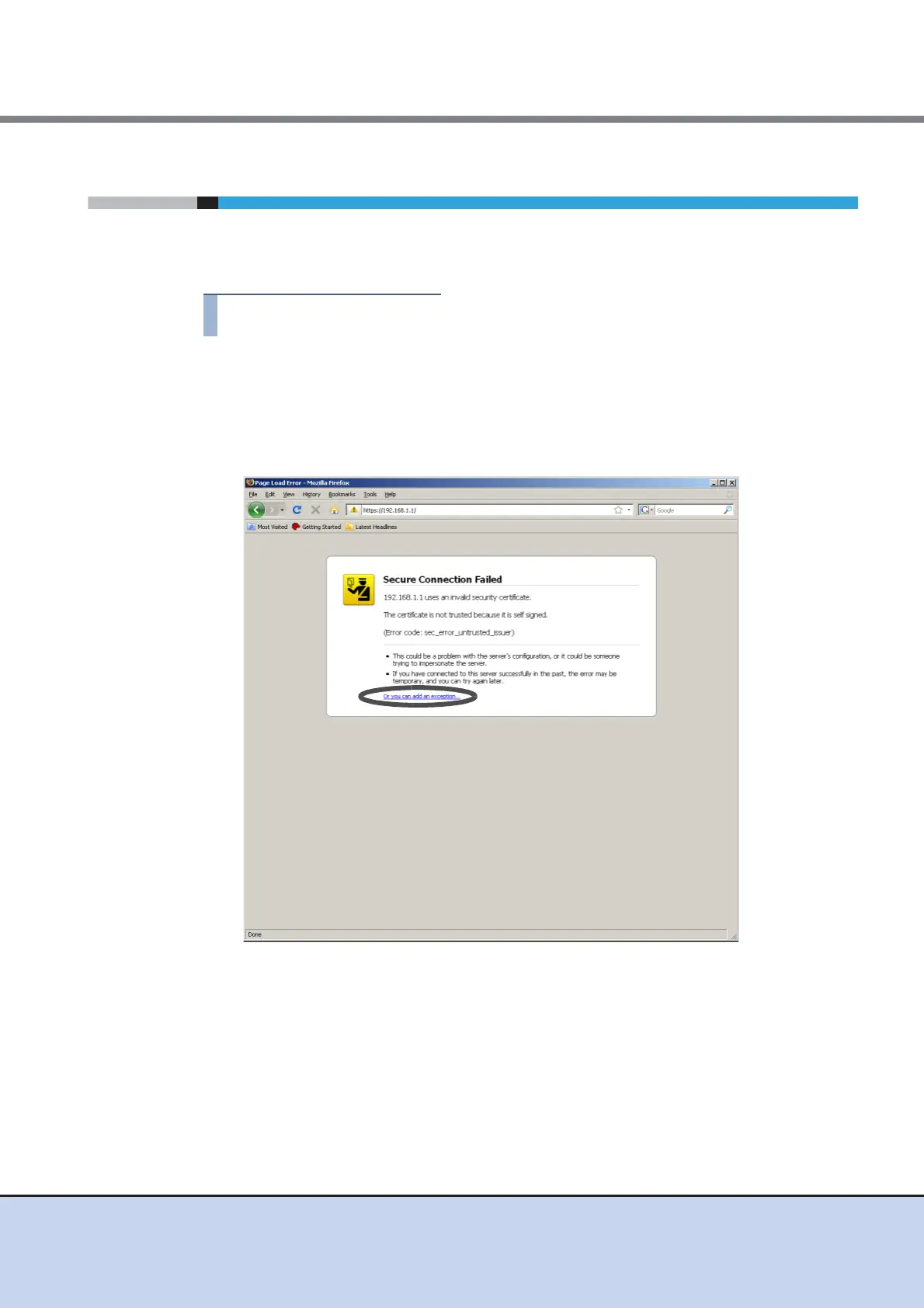
1 Enter the URL to the address bar in the web browser.
Specify "https://IP address of the ETERNUS DX Disk storage system" (Default IP address
is "192.168.1.1").
→ A confirmation screen for security certificate appears.
2 Click the "Or you can add an exception..." link.



 To Next Page