Chapter 6 RAID Group Management
6.2 Functions in the Action Area for RAID Group
ETERNUS Web GUI User’s Guide
133
Copyright 2011 FUJITSU LIMITED P2X0-1090-02ENZ0
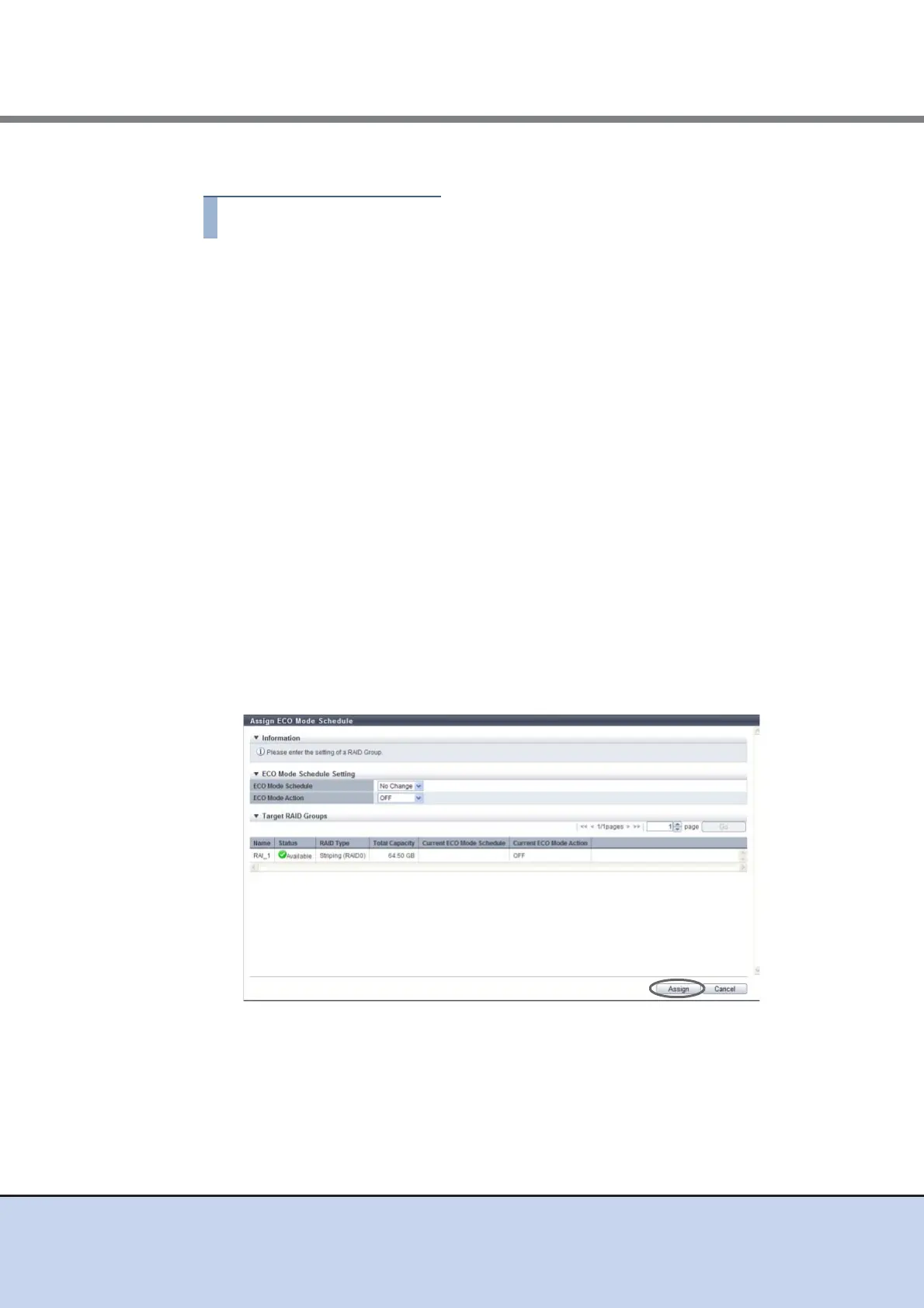
The procedure to set ECO mode schedule for the RAID group is as follows:
1 Select the RAID group to apply the ECO mode settings (multiple selections can
be made) to and click [Assign ECO Mode] in [Action].
2 Select the ECO mode schedule that is to be applied, select whether to enable
("ON") or disable ("OFF") ECO mode, and then click the [Assign] button.
• ECO Mode Schedule
Select the ECO mode schedule that is to be applied.
- No Change
Do not change the current setting.
- Disable
Disable the ECO mode.
- ECO mode schedule name
Apply the selected ECO mode schedule.
• ECO Mode Action
Select whether to enable ("ON") or disable ("OFF") the ECO mode setting. Select "No
Change" to use the current setting.
- No Change
Do not change the current setting.
- ON
Enable the ECO mode.
- OFF
Disable the ECO mode.
→ A confirmation screen appears.



 To Next Page