Chapter 7 Thin Provisioning Pool Management
7.2 Functions in the Action Area for Thin Provisioning
ETERNUS Web GUI User’s Guide
150
Copyright 2011 FUJITSU LIMITED P2X0-1090-02ENZ0
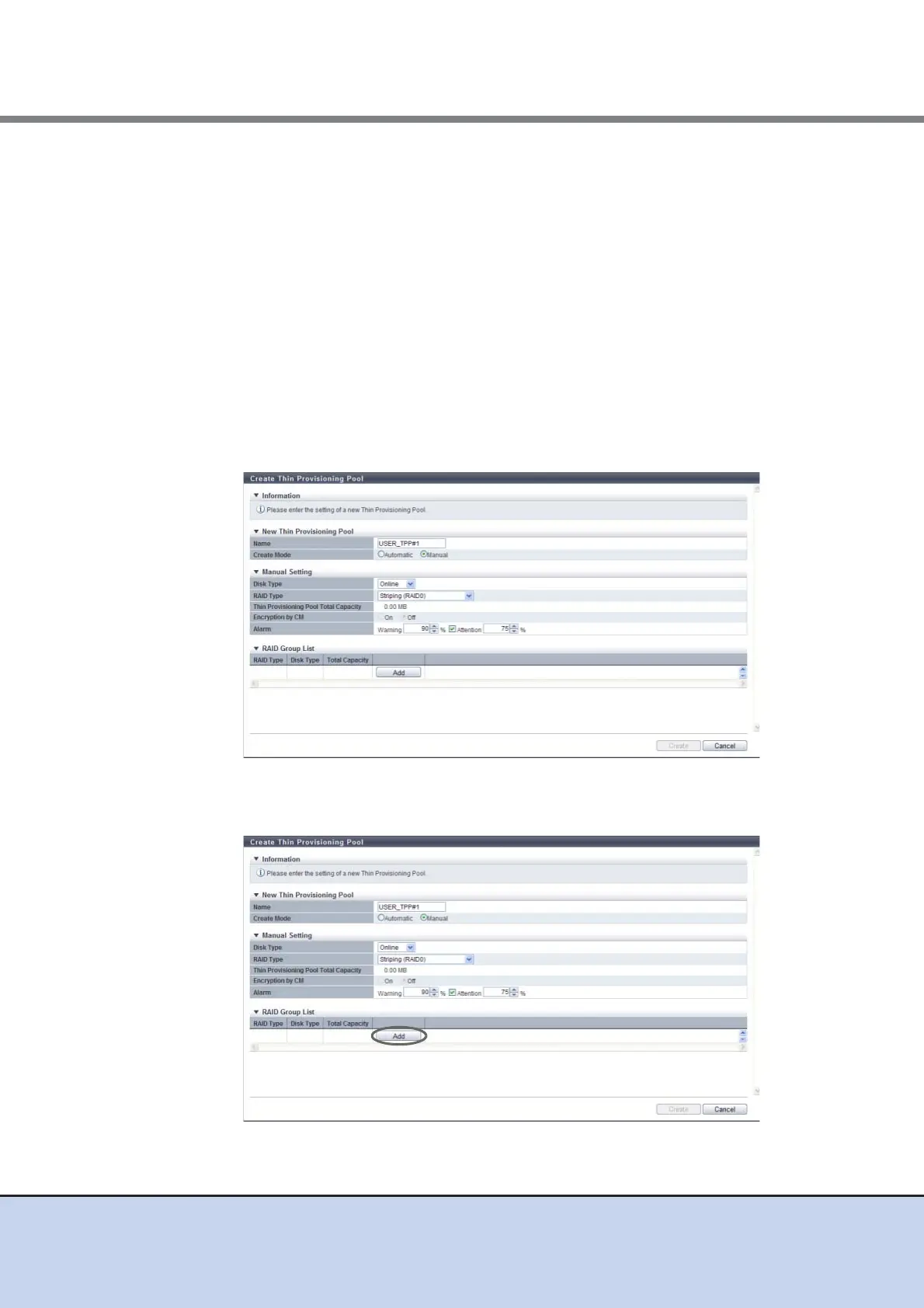
• Encryption by CM
Select the TPP encryption status with the radio button. When the encryption mode is
disabled, "ON" cannot be selected.
- ON
Encryption by CM
- OFF
Unencrypted
• Alarm
Specify the threshold (%) for monitoring the TPP used capacity.
There are two types of threshold: "Warning" and "Attention". Specify the threshold so
that "Warning" is larger than "Attention". The "Attention" threshold can be omitted.
When setting the "Attention" threshold, select the checkbox.
The following input conditions apply:
- Warning threshold: 5 - 99
- Attention threshold: 5 - 80
3 Click the [Add] button, and set the information of the RAID group that configures
the TPP.



 To Next Page