Chapter 7 Thin Provisioning Pool Management
7.2 Functions in the Action Area for Thin Provisioning
ETERNUS Web GUI User’s Guide
157
Copyright 2011 FUJITSU LIMITED P2X0-1090-02ENZ0
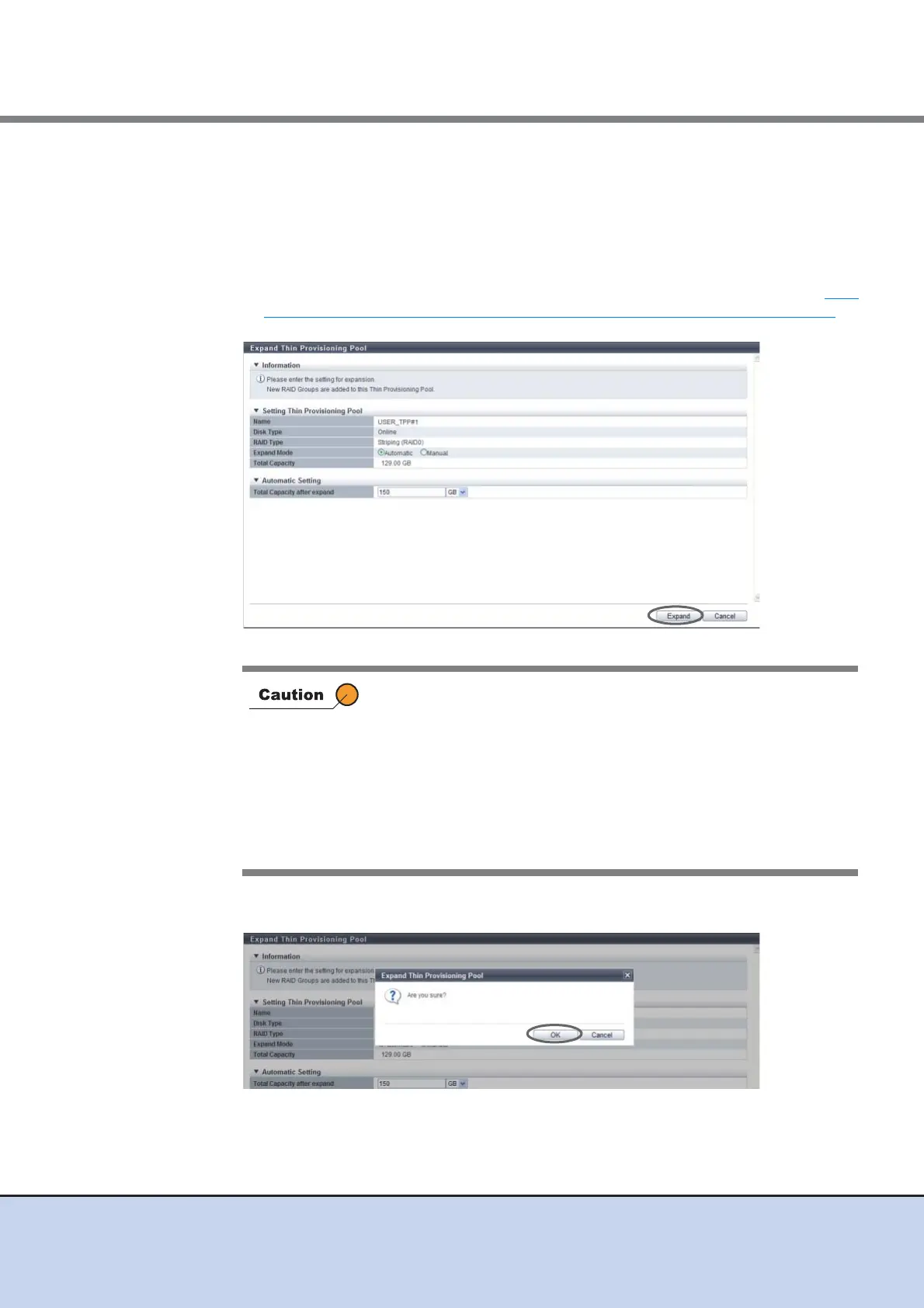
2 Select "Automatic" for the expansion mode, specify the TPP capacity after
expanded, and click the [Expand] button.
• Total Capacity after expand
Enter the TPP total capacity in numeric characters after expansion is performed and
select the units of capacity from "TB" or "GB".
Drives are automatically selected according to the existing RAID group specifications,
and the TPP capacity is expanded to the entered value or higher. Refer to "The
maximum number of TPP and maximum TPP capacity for each model" (page 144) for
details on the maximum TPP capacity.
→ A confirmation screen appears.
3 Click the [OK] button.
→ Expand Thin Provisioning Pool starts.
An error screen appears in the following conditions:
• When Thin Provisioning Pool capacity is not entered
• When the entered value for the Thin Provisioning Pool capacity is
equal to or lower than the existing capacity
• When the total value of TPP capacity after expanded and existing
TPP capacity exceeds the maximum TPP capacity for each
model
• When the TPP cannot be expanded over the specified capacity in
the drive installed in the ETERNUS DX Disk storage system



 To Next Page