Chapter 7 Thin Provisioning Pool Management
7.2 Functions in the Action Area for Thin Provisioning
ETERNUS Web GUI User’s Guide
169
Copyright 2011 FUJITSU LIMITED P2X0-1090-02ENZ0
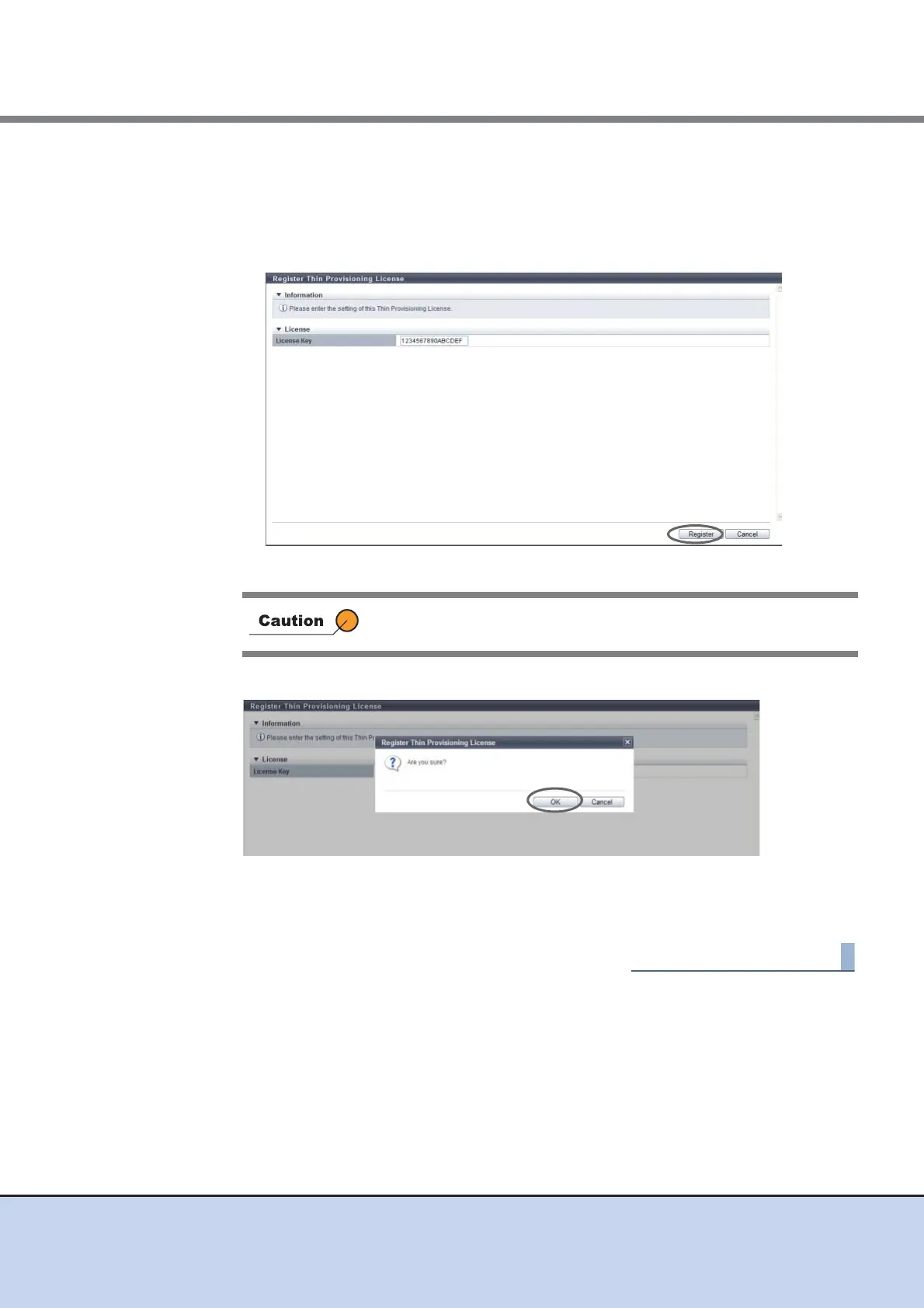
2 Enter the Thin Provisioning license key, and click the [Register] button.
• License Key
Enter the Thin Provisioning license key.
The following input condition applies:
- Up to 16 capital letters and numeric characters
→ A confirmation screen appears.
3 Click the [OK] button.
→ Registration of the Thin Provisioning License starts.
4 Click the [Done] button to return to the [License] screen.
If the entered Thin Provisioning license key does not satisfy the input
conditions, an error screen appears.



 To Next Page