Chapter 8 Advanced Copy Management
8.1 Advanced Copy Status
ETERNUS Web GUI User’s Guide
186
Copyright 2011 FUJITSU LIMITED P2X0-1090-02ENZ0
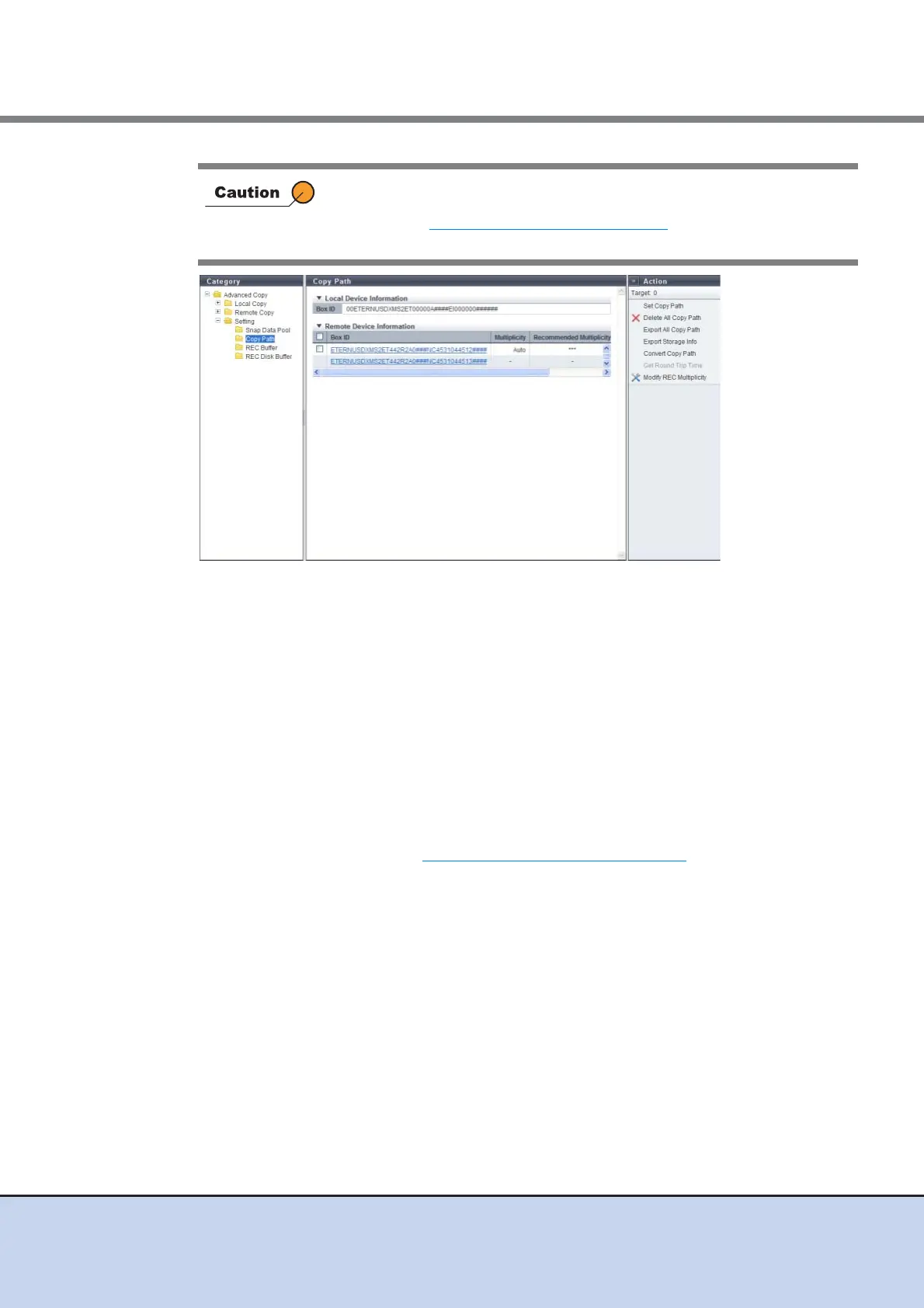
The following items are displayed in the Main area:
● Local Device Information
• Box ID
The Box ID for the local device is displayed.
"Box ID" is an identifier used to identify individual devices. This ID is a unique name in the
user system and consists of 40-digit code.
The initial Box ID is a device ID consisting of device information (such as series name, model
name, and serial number).
● Remote Device Information
• Box ID
This is the Box ID of the remote device that has a path to the local device. Clicking this item
displays the screen shown in "8.1.7 Copy Path (Details)" (page 195)
.
• Multiplicity
The multiplicity with the remote device that has a path to the local device is displayed.
- When the connection type is "Direct": "-"
- One of the following items is displayed when the connection type is "Remote":
• When the specification mode is "Auto": "Auto"
• When the specification mode is "Manual": The specified value
This function is used to check the copy path status by actually sending a
command to the copy path between the devices. After following the
procedure in "8.2.8 Set Copy Path" (page 217)
to set a copy path, make
sure to check the copy path status with the Copy Path function.



 To Next Page