Chapter 8 Advanced Copy Management
8.1 Advanced Copy Status
ETERNUS Web GUI User’s Guide
192
Copyright 2011 FUJITSU LIMITED P2X0-1090-02ENZ0
- Error
Transition to "Suspend" status failed
■ For Remote Copy
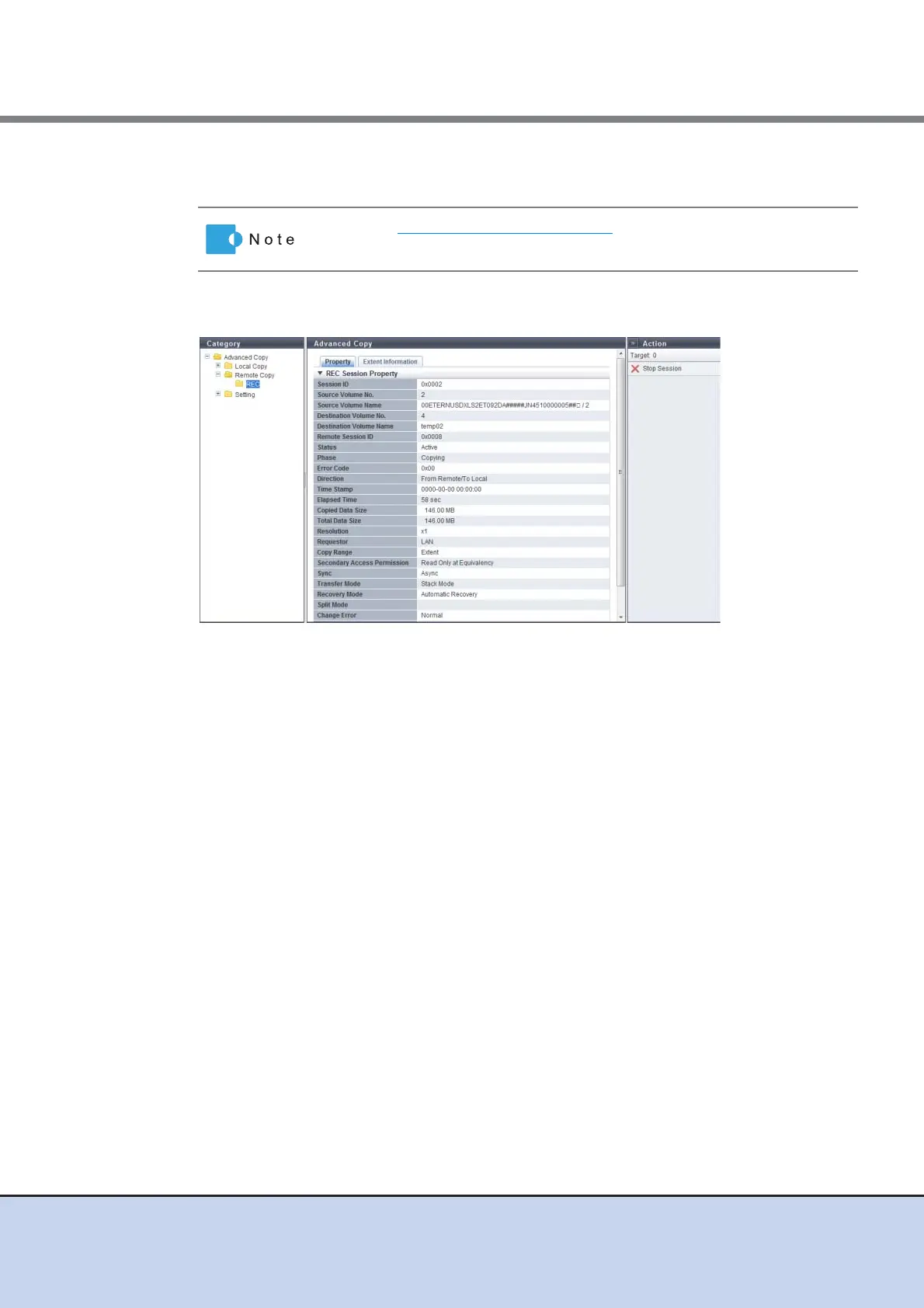
The following items are displayed in the Main area:
• Remote Session ID
The session ID selected in the [Remote Copy] screen is displayed here.
• Copy Range
The copy range of the copy session is displayed. When the "Status" is "Reserve", a "-"
(hyphen) is displayed.
- Totally
Whole volume
- Extent
Part of volume
• Secondary Access Permission
When the "Status" is "Active", accessibility from the host to the copy destination volume is
displayed. When the "Status" is "Reserve", a "-" (hyphen) is displayed.
- Read Only at Equivalency
Only read access to the copy destination volume is allowed
- No Read/Write
No read/write access to the copy destination volume is allowed
• Sync
The operation mode of the copy session is displayed. When the "Status" is "Reserve", a "-"
(hyphen) is displayed.
- Sync (synchronous)
- Async (asynchronous)
Refer to "8.1.2 Local Copy" (page 173) for the display items that are not
described in this section.



 To Next Page