Chapter 8 Advanced Copy Management
8.2 Functions in the Action Area for Advanced Copy
ETERNUS Web GUI User’s Guide
247
Copyright 2011 FUJITSU LIMITED P2X0-1090-02ENZ0
The procedure to modify REC multiplicity is as follows:
1 Select the target remote device to change multiplicity (multiple selections can be
made), and click the [Modify REC Multiplicity] in [Action].
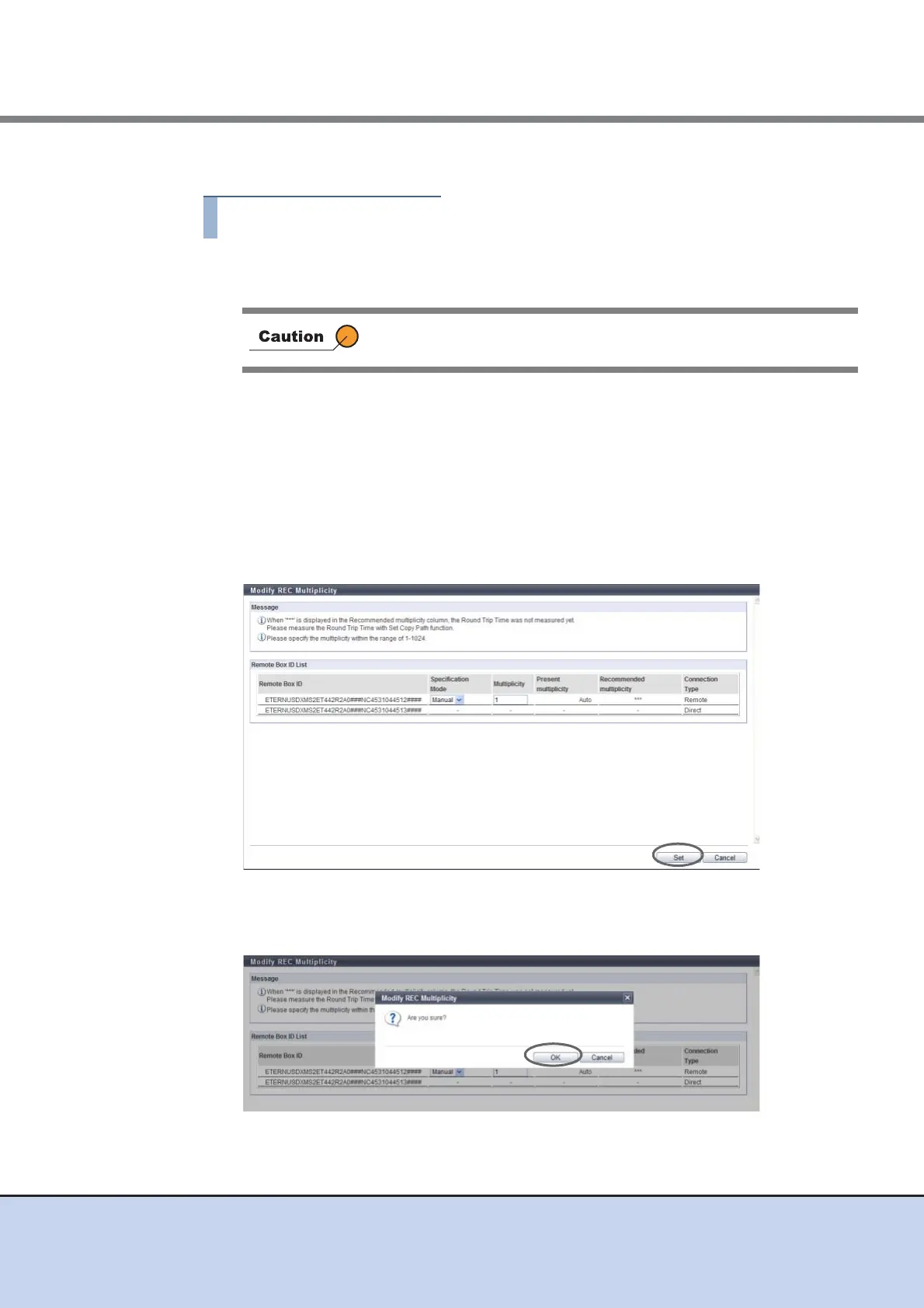
2 Specify the multiplicity, and click the [Set] button.
• Specification Mode
Select the specification mode for multiplicity. When the "Connection Type" is "Direct", a
"-" (hyphen) is displayed.
- Auto
- Manual
• Multiplicity
If "Manual" is selected for the specification mode, specify the multiplicity between 1 -
1024. When the "Connection Type" is "Direct", a "-" (hyphen) is displayed.
→ A confirmation screen appears.
3 Click the [OK] button.
→ The specified REC multiplicity is updated in the device.
A remote device with "Direct" as the connection type cannot be
selected.



 To Next Page