Chapter 8 Advanced Copy Management
8.2 Functions in the Action Area for Advanced Copy
ETERNUS Web GUI User’s Guide
257
Copyright 2011 FUJITSU LIMITED P2X0-1090-02ENZ0
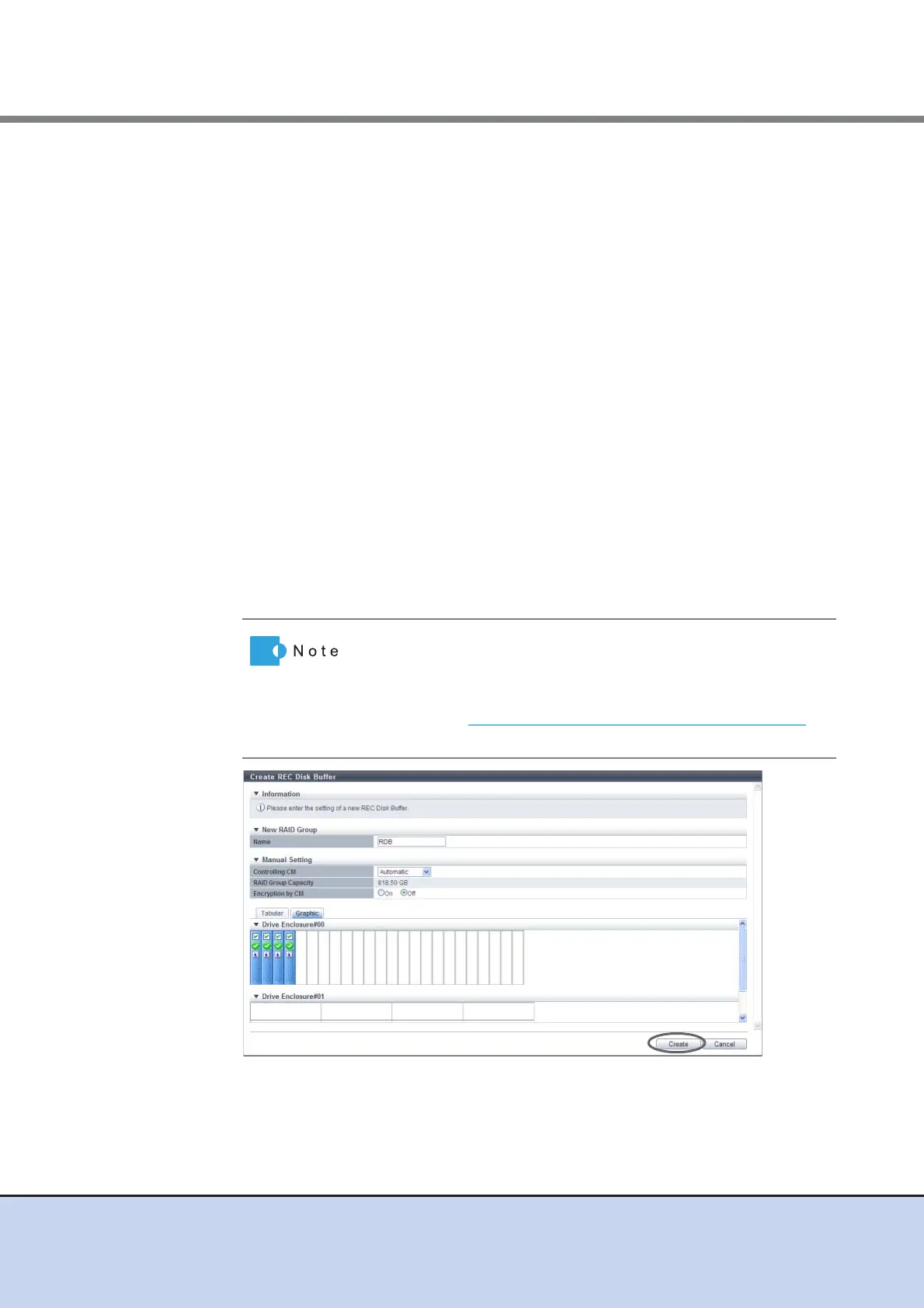
• Controlling CM
Specify the controlling CM and CPU of the RAID group.
"Automatic" and the installed "CM#x CPU#y" in normal status are displayed as options.
When "Automatic" is selected, the CM that is to be assigned is determined by the RAID
group number. For the ETERNUS DX80 S2/DX90 S2 or the ETERNUS DX410 S2,
"CM#0 CPU#0" is assigned for the RAID groups with even numbers. For RAID groups
with odd numbers, "CM#1 CPU#0" is assigned. For the ETERNUS DX440 S2, "CM#0
CPU#0" is assigned for RAID groups if the RAID group number is dividable by "4" (the
number of CM-CPUs). If the remainder is "1", "CM#1 CPU#1" is assigned. If the
remainder is "2", "CM#1 CPU#0" is assigned. If the remainder is "3", "CM#0 CPU#1" is
assigned.
- Automatic
- CM#x CPU#y (x: CM number, y: CPU number)
• Encryption by CM
Select the RAID group encryption status with the radio button.
- On
Encryption by CM
- Off
Unencrypted
When the encryption mode is disabled, "On" cannot be selected.
• Checkbox to select a drive
Select the checkbox for the drive to be used.
→ A confirmation screen appears.
• drives can be selected from the list of drives that is displayed
for Tabular or from the drive images that are displayed for
Graphic. Click the Tabular tab to display a list of the drives or
click the Graphic tab to display drive images.
• Refer to "Requirements for Drive Selection" (page 256)
to
select a drive.



 To Next Page