Chapter 9 Connectivity Management
9.2 Functions in the Action Area for Connectivity
ETERNUS Web GUI User’s Guide
298
Copyright 2011 FUJITSU LIMITED P2X0-1090-02ENZ0
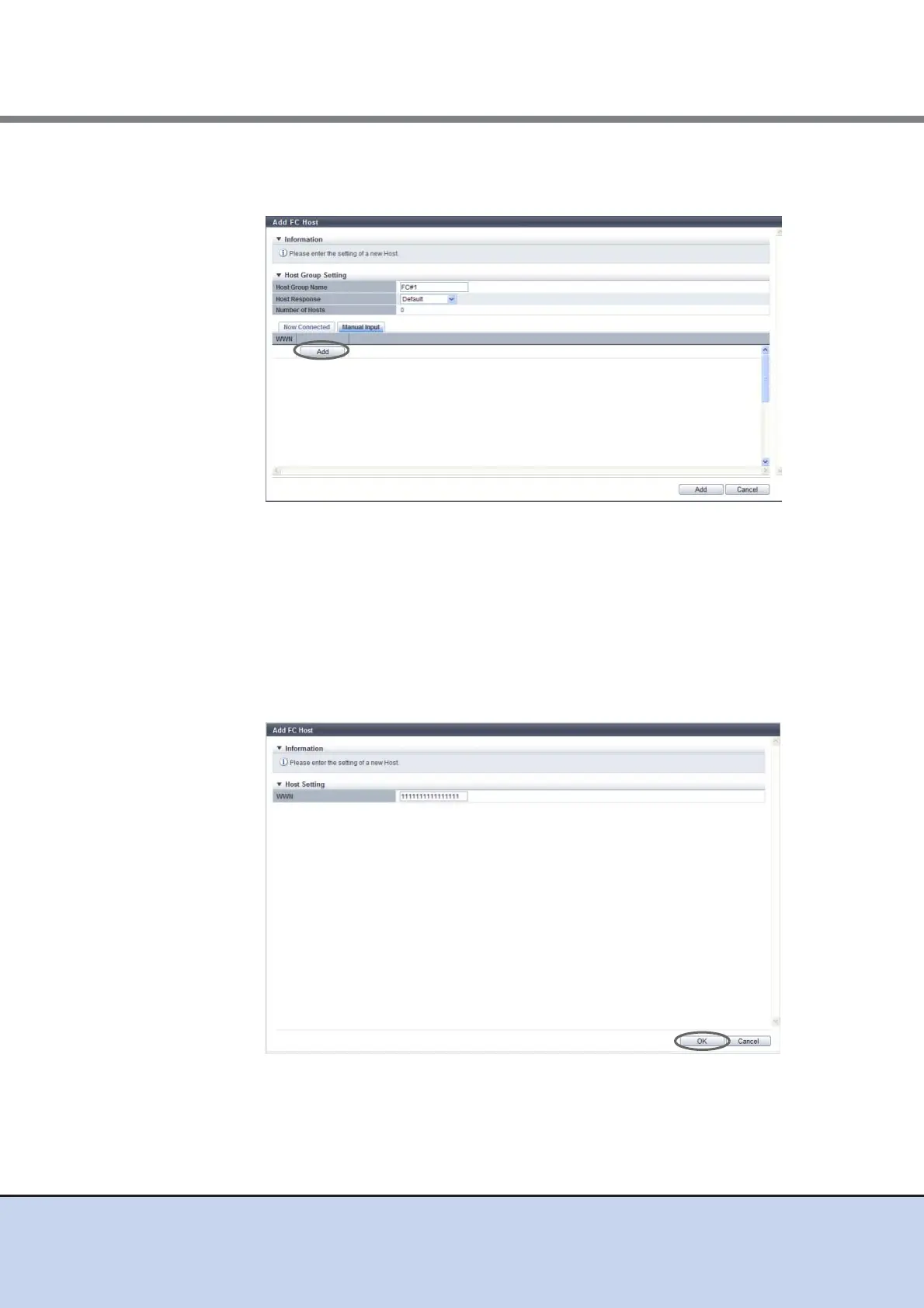
■ Register a host by clicking the [Manual Input] tab
(1)Click the [Add] button.
→ The [Add WWN] screen appears.
(2)Manually specify the WWN of the host to be registered, and click the [OK] button.
- WWN
Enter the WWN for the FC host.
The following input conditions apply:
• Hexadecimal numbers
• 16 characters
• However, "0" used as the first letter, and "F (f)" or "0" used in entire 16 characters
are not allowed.
→ Return to the [Manual Input] screen.



 To Next Page