Chapter 9 Connectivity Management
9.2 Functions in the Action Area for Connectivity
ETERNUS Web GUI User’s Guide
386
Copyright 2011 FUJITSU LIMITED P2X0-1090-02ENZ0
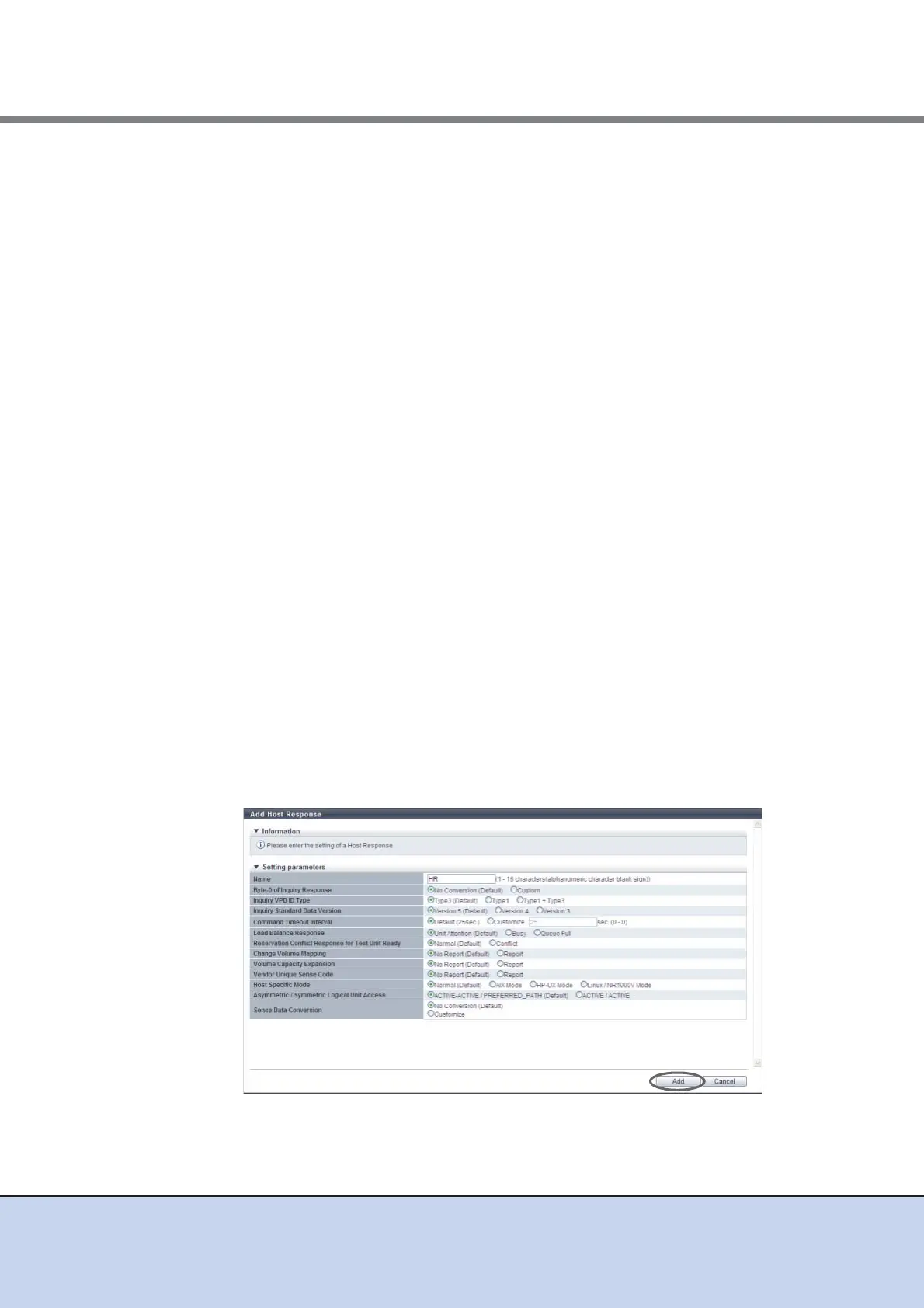
• Sense Data Conversion
Select the sense code conversion pattern.
- No Conversion (Default)
- Customize
Customize sense data conversion. Select "Customize" to display the sense data
conversion setting field.
• Sense Data Conversion
- From SK/ASC/ASCQ
- To SK/ASC/ASCQ
Customize sense data conversion.
Click the [Add] button. Enter SK/ASC/ASCQ of the conversion target in the "From"
field, and SK/ASC/ASCQ of the conversion destination in the "To" field.
"From SK/ASC/ASCQ" and "To SK/ASC/ASCQ" values are specified in pairs. The
corresponding "From SK/ASC/ASCQ" sense data is changed to the specified "To
SK/ASC/ASCQ" value.
"*" indicates a wild-card, and targets all values.
The maximum number of sense data conversions is eight patterns.
Sense Key (SK): SK indicates sense keys included in the sense information.
Additional Sense Code (ASC): ASC indicates sense codes included in the sense
information.
Additional Sense Code Qualifier (ASCQ): ASCQ indicates additional sense code
qualifier included in the sense information.
[Example 1]
The sense information (4/f1/0) is converted to (4/f1/1) before responding to the
host.
From SK/ASC/ASCQ: 4/f1/0
To SK/ASC/ASCQ: 4/f1/1
[Example 2]
The sense information (4/f1/0 - ff) is converted to (6/f1/0 - ff) before responding
to the host.
"*" indicates all patterns from "0" to "ff". The "*" part is not converted.
From SK/ASC/ASCQ: 4/f1/*
To SK/ASC/ASCQ: 6/f1/*
→ A confirmation screen appears.



 To Next Page