Chapter 10 Component Management
10.1 Component Status
ETERNUS Web GUI User’s Guide
415
Copyright 2011 FUJITSU LIMITED P2X0-1090-02ENZ0
• Next EC
The EC number of the firmware that is to be run after the next power-on is displayed.
• CPU#n Clock
The clock frequency of CPU#0 or CPU#1 is displayed.
• CPU#n Status
The status of CPU#0 or CPU#1 is displayed. Refer to "B.5 Component Status" (page 615)
for
details.
• CPU#n Status Code
The status code of CPU#0 or CPU#1 is displayed.
• CPU#n Error Code
The error code of CPU#0 or CPU#1 is displayed.
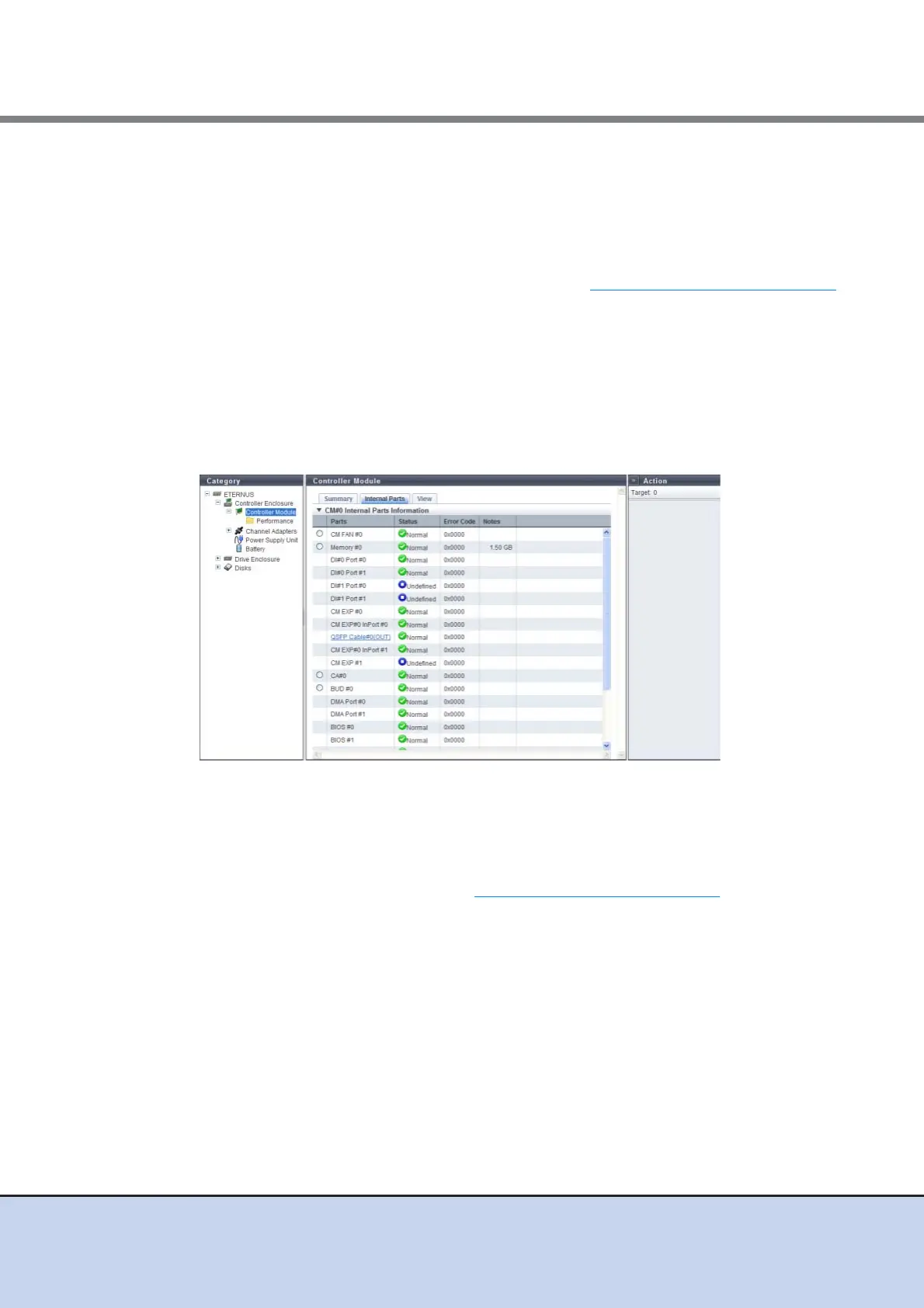
■ Internal Parts
The following items are displayed in the Main area:
• Parts
The component name and the component number are displayed.
• Status
The CM status is displayed. Refer to "B.5 Component Status" (page 615)
for details.
• Error Code
The CM error code is displayed.
• Notes
Remarks are displayed.
- When "Parts" is "Memory", the memory capacity is displayed.
- When "Parts" is "SCU", the voltage information is displayed.



 To Next Page