Chapter 10 Component Management
10.1 Component Status
ETERNUS Web GUI User’s Guide
421
Copyright 2011 FUJITSU LIMITED P2X0-1090-02ENZ0
• Other Information
Additional information for the DE is displayed.
• Location
The installation location of the thermal sensor is displayed.
- Intake Temp
- Exhaust Temp
• Status
The DE status is displayed. Refer to "B.5 Component Status" (page 615)
for details.
• Error Code
The error codes for internal temperature and external temperature are displayed.
• Sensor 1
The internal temperature of the ETERNUS DX Disk storage system is displayed.
• Sensor 2
The external temperature of the ETERNUS DX Disk storage system is displayed.
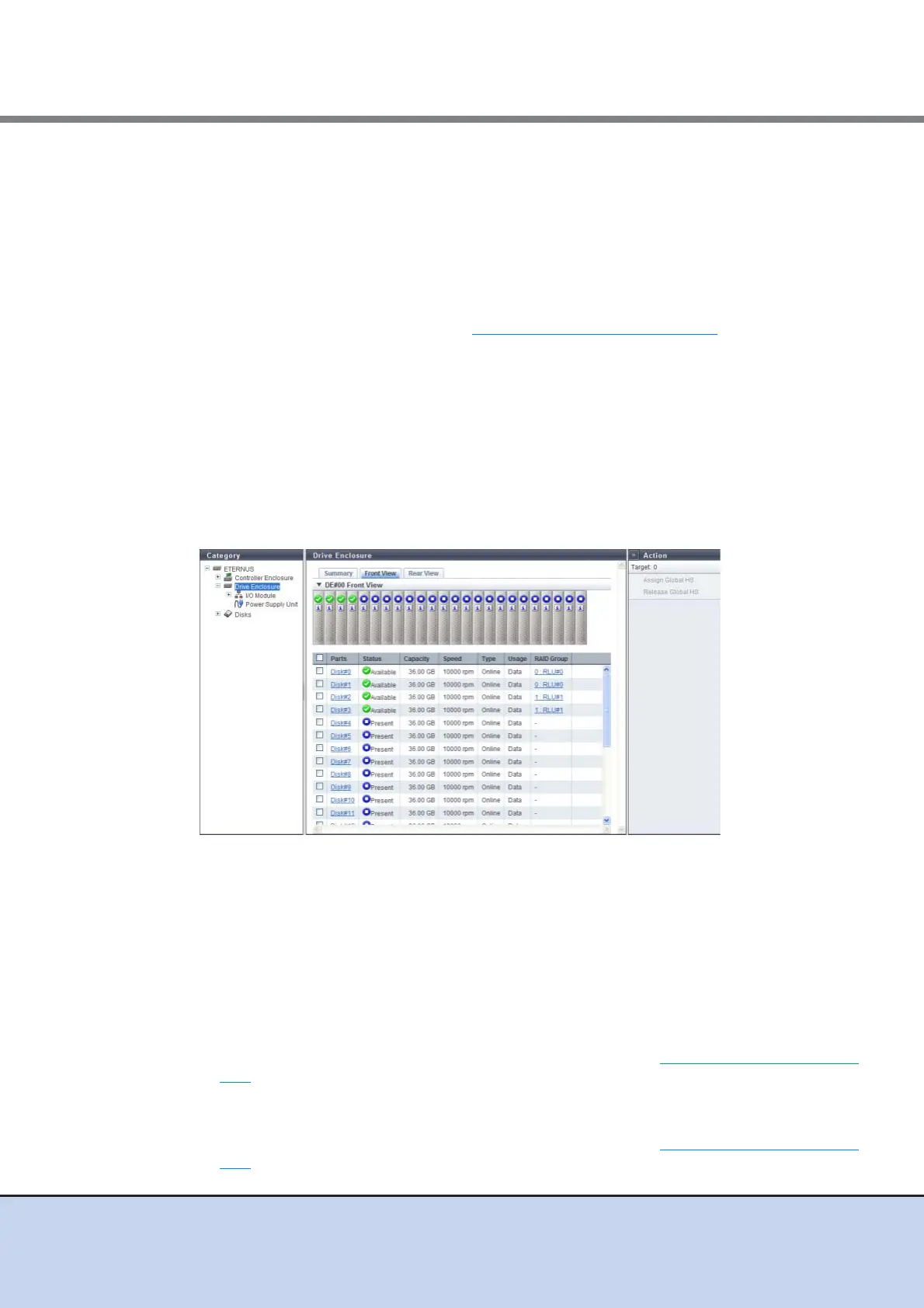
■ Front View
The following items are displayed in the Main area:
• Device image
The front view of the DEs that are installed in the ETERNUS DX Disk storage system is
displayed.
- For 2.5-inch models: 24 (24 drives are lined up horizontally)
- For 3.5-inch models: 12 (3 drives are lined up vertically and 4 drives are lined up
horizontally)
- When no drives are installed: Blank
The drive status is displayed with an icon.
By clicking this item, the [Disks] screen is displayed. Refer to "10.1.11 Disks Detail" (page
427) for details.
• Parts
The drive number is displayed.
By clicking this item, the [Disks] screen is displayed. Refer to "10.1.11 Disks Detail" (page
427) for details.



 To Next Page