Chapter 11 System Management
11.2 Functions in the Action Area for System
ETERNUS Web GUI User’s Guide
457
Copyright 2011 FUJITSU LIMITED P2X0-1090-02ENZ0
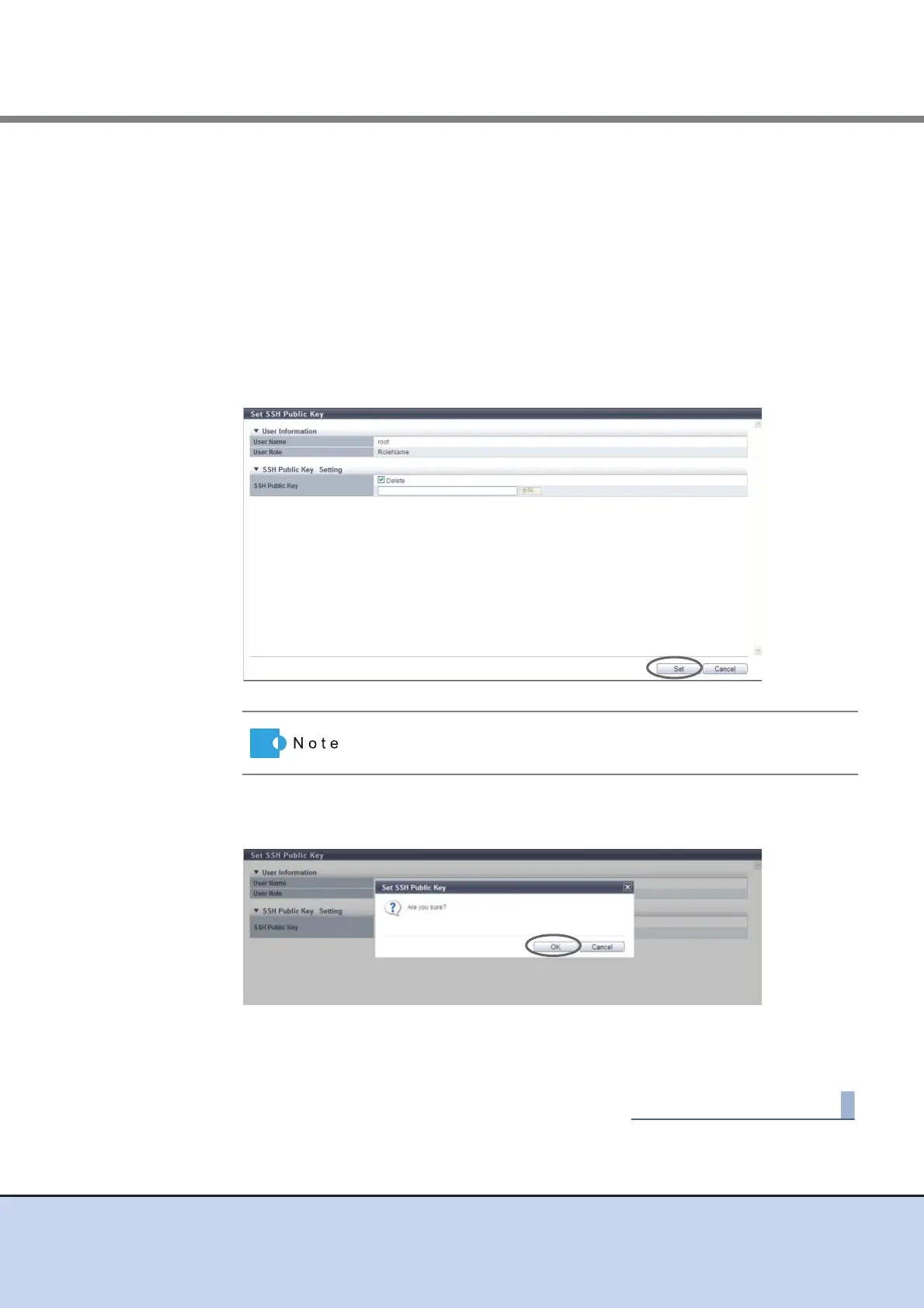
2 Specify the SSH Public Key, and click the [Set] button.
• Delete checkbox
To delete the current user's (your) SSH client public key, select the checkbox.
The checkbox is displayed only when the SSH client public key has been registered.
• SSH Public Key
Register or change the SSH client public key used for login authentication from CLI in
the ETERNUS DX Disk storage system.
Click the [Browse...] button and specify the public key to be registered or to be
changed.
When using the SSH Client Key authentication, register the SSH public key in the
ETERNUS DX Disk storage system and prepare the SSH secret key, corresponding to
the public key in the client PC in advance.
→ A confirmation screen appears.
3 Click the [OK] button.
→ The registration of the SSH client public key starts.
4 Click the [Done] button to return to the [System] screen.
To delete the SSH client public key, select the "Delete" checkbox and
click the [Set] button.



 To Next Page