Chapter 11 System Management
11.2 Functions in the Action Area for System
ETERNUS Web GUI User’s Guide
463
Copyright 2011 FUJITSU LIMITED P2X0-1090-02ENZ0
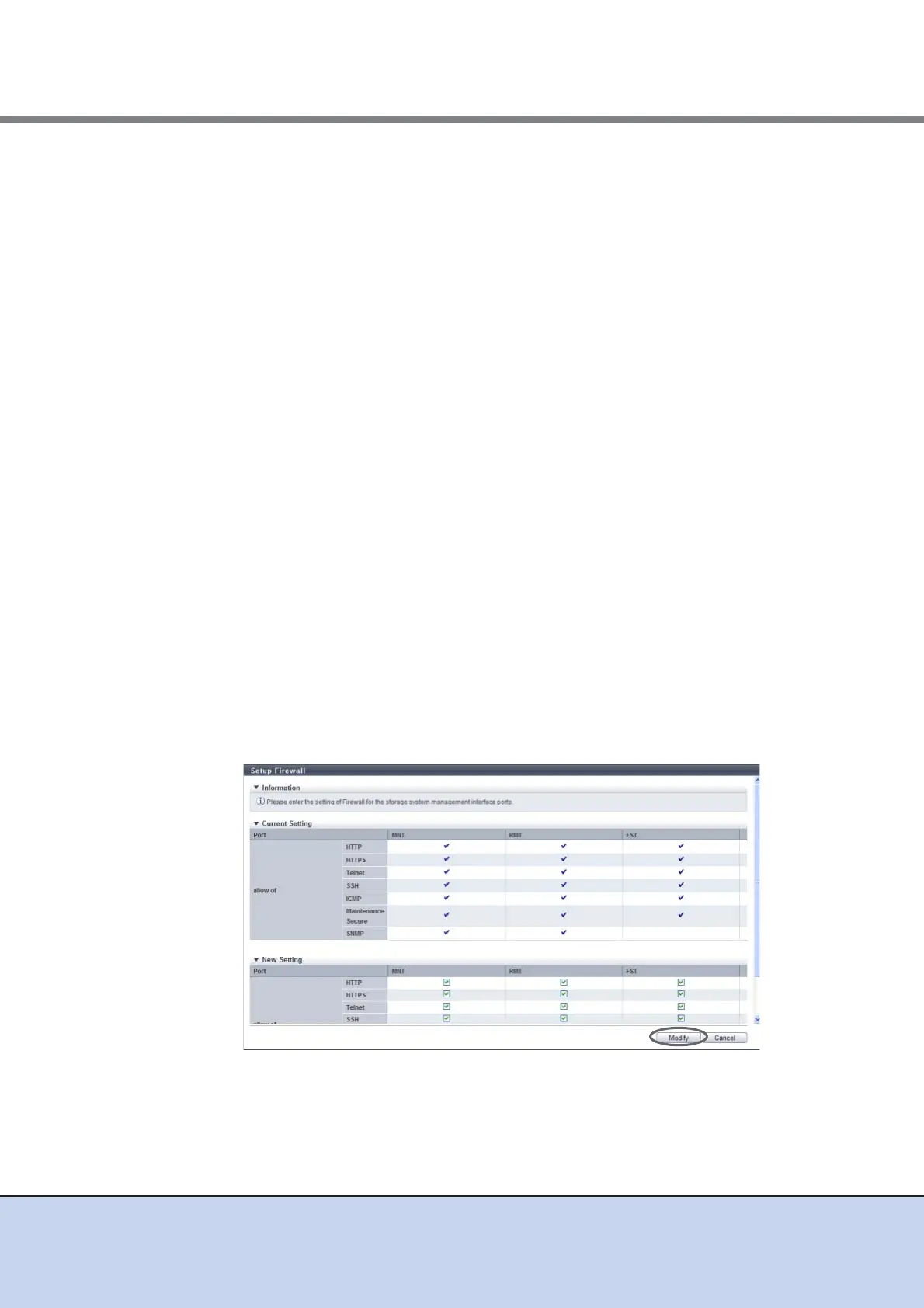
• HTTPS
Specify whether to enable or disable the HTTPS connection. Select the checkbox to
enable the connection.
HTTPS is used when accessing from GUI. This connection uses the data encryption for
data transferring.
• Telnet
Specify whether to enable or disable the Telnet connection. Select the checkbox to
enable the connection.
Telnet is used when accessing from CLI.
• SSH
Specify whether to enable or disable the SSH connection. Select the checkbox to
enable the connection.
Secure Shell (SSH) is used when accessing from CLI. This connection uses the data
encryption for data transferring.
• ICMP
Specify whether to enable or disable the ICMP connection. Select the checkbox to
enable the connection.
The Internet Control Message Protocol (ICMP) is used when sending the ping
command from a PC.
• Maintenance Secure
Specify whether to enable or disable the Maintenance Secure connection. Select the
checkbox to enable the connection.
Maintenance Secure is used when connecting with the monitoring software, or
performing a firmware update from the peer storage system using the Remote Support
function. This connection uses the data encryption for data transferring.
• SNMP
Specify whether to enable or disable the SNMP connection. Select the checkbox to
enable the connection.
The Simple Network Management Protocol (SNMP) is used when accessing from
SNMP Agent Manager.
→ A confirmation screen appears.



 To Next Page