Chapter 11 System Management
11.2 Functions in the Action Area for System
ETERNUS Web GUI User’s Guide
531
Copyright 2011 FUJITSU LIMITED P2X0-1090-02ENZ0
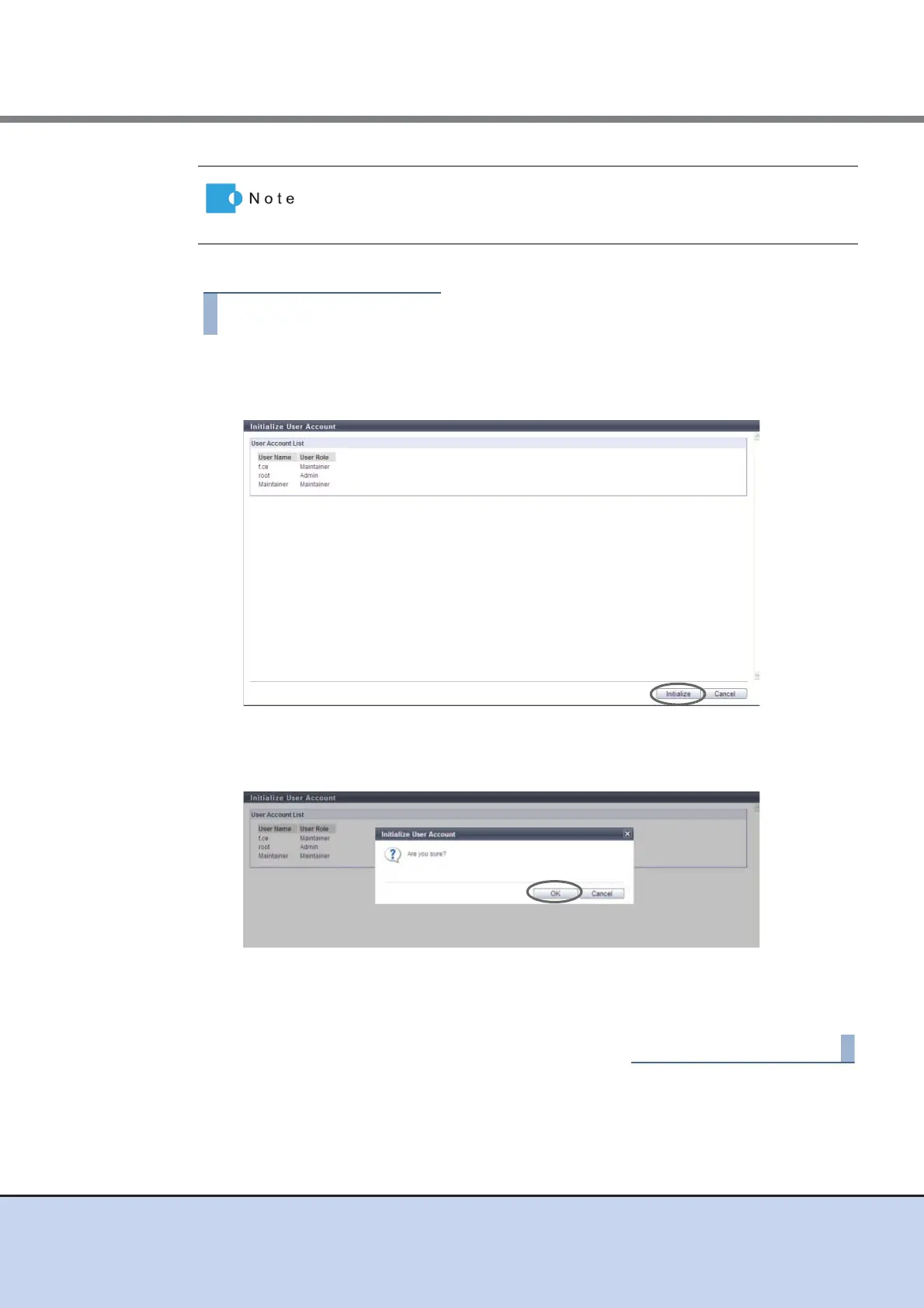
The procedure to initialize user accounts is as follows:
1 Click [Initialize User Account] in [Action].
2 Click the [Initialize] button.
→ A confirmation screen appears.
3 Click the [OK] button.
→ The user account initialization starts.
4 Click the [Done] button to return to the [User Settings] screen.
When the user accounts are initialized, the SSH client public keys for all the
users registered in the ETERNUS DX Disk storage system are also
deleted.



 To Next Page