Chapter 11 System Management
11.2 Functions in the Action Area for System
ETERNUS Web GUI User’s Guide
536
Copyright 2011 FUJITSU LIMITED P2X0-1090-02ENZ0
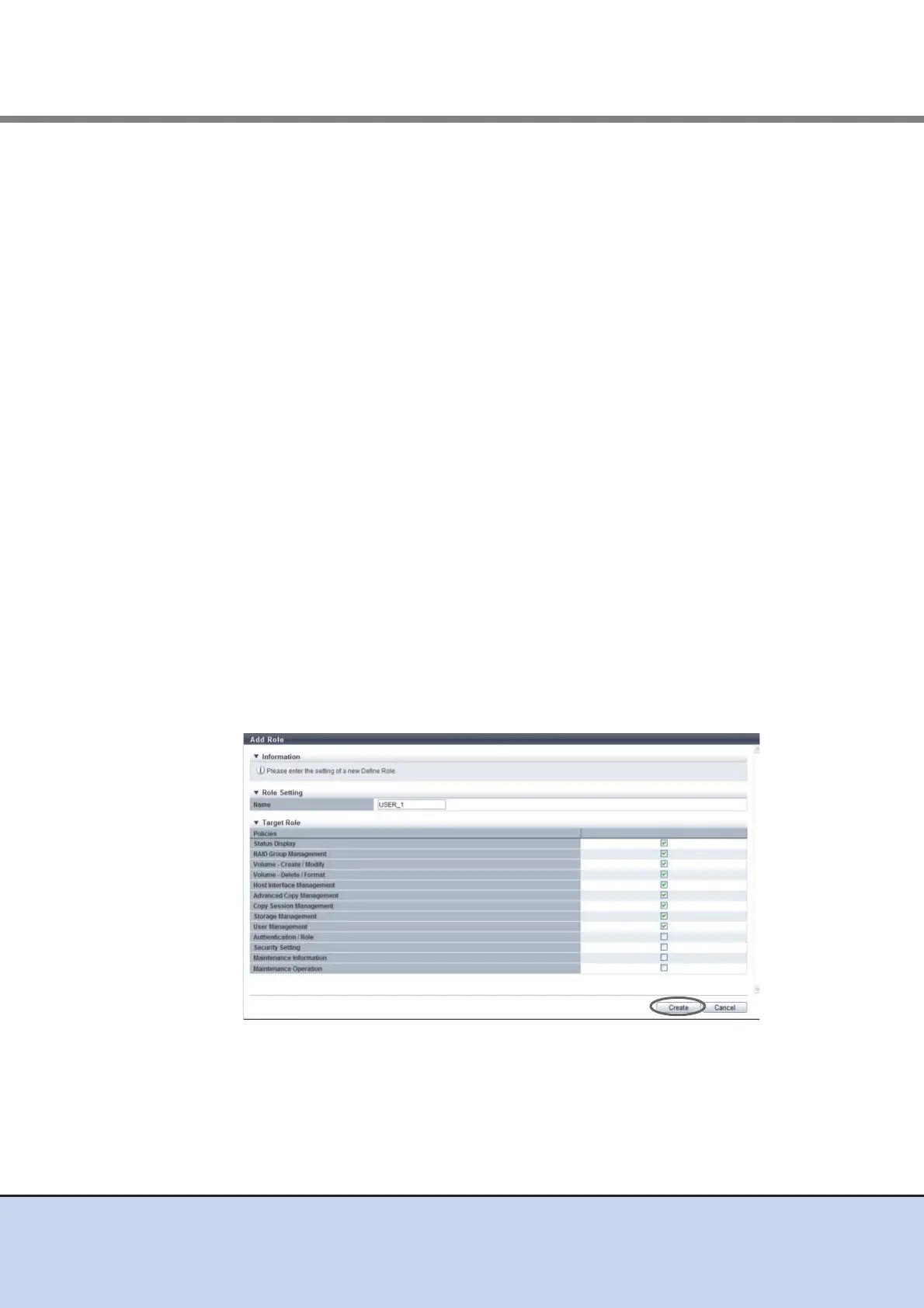
2 Enter the role name, select the policies for the role, and click the [Create] button.
● Role Setting
• Name
Enter a role name.
The role name, which has previously been used (including the default role name),
cannot be used.
The following input condition applies:
- 1 - 16 alphanumeric characters and symbols (", (comma)" and "?" only)
● Target Role
• Policies
Select the policies that are to be allocated to the user roles.
- Status Display
- RAID Group Management
- Volume - Create / Modify
- Volume - Delete / Format
- Host Interface Management
- Advanced Copy Management
- Copy Session Management
- Storage Management
- User Management
- Authentication / Role
- Security Setting
- Maintenance Information
- Maintenance Operation
→ A confirmation screen appears.



 To Next Page