Chapter 11 System Management
11.2 Functions in the Action Area for System
ETERNUS Web GUI User’s Guide
542
Copyright 2011 FUJITSU LIMITED P2X0-1090-02ENZ0
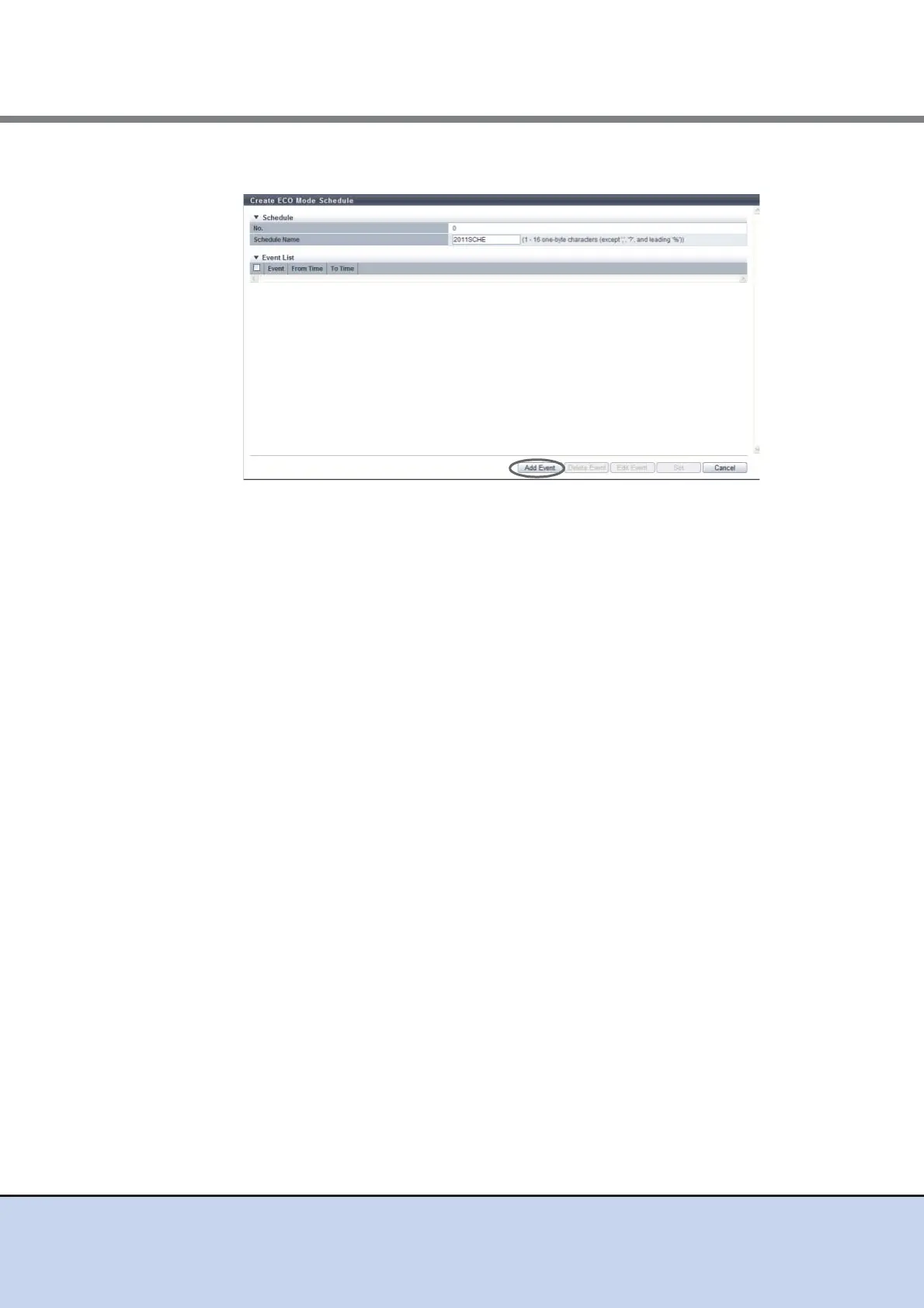
2 Specify the schedule name, and click the [Add Event] button.
3 Select an event type, set the event details, and then click the [Apply] button.
• Event Type
Select the event type. The settings vary depending on the event type.
- everyday
- Every week
- Specific days
- Specific week
• Event Type
- everyday
Select this to add or edit the daily schedule.
When "everyday" is selected, enter the start time ("From Time") and the end time
("To Time").
If the "From Time" is later than the "To Time", the end time is treated as the next day.
• From Time: 00:00 - 23:30 (Can be specified at intervals of 30 minutes)
• To Time: 00:00 - 23:30 (Can be specified at intervals of 30 minutes)
- Every week
Select this to add or edit the weekly schedule.
When "Every week" is selected, enter the term ("Period"), the start time ("From
Time"), and the end time ("To Time").
If the "From Time" is later than the "To Time", the end time is treated as the next day.
• Period (start day): Monday - Sunday
• Period (end day): Monday - Sunday
• From Time: 00:00 - 23:30 (Can be specified at intervals of 30 minutes)
• To Time: 00:00 - 23:30 (Can be specified at intervals of 30 minutes)
- Specific days
Select this to add or edit the schedule based on specific days.
When "Specific days" is selected, enter the month ("Month"), the term ("Period"), the
start time ("From Time"), and the end time ("To Time").
If the "From Time" is later than the "To Time", the end time is treated as the next day.
• Month: Every Month, January - December
• Period (start date): 01 - 31



 To Next Page