Chapter 11 System Management
11.2 Functions in the Action Area for System
ETERNUS Web GUI User’s Guide
566
Copyright 2011 FUJITSU LIMITED P2X0-1090-02ENZ0
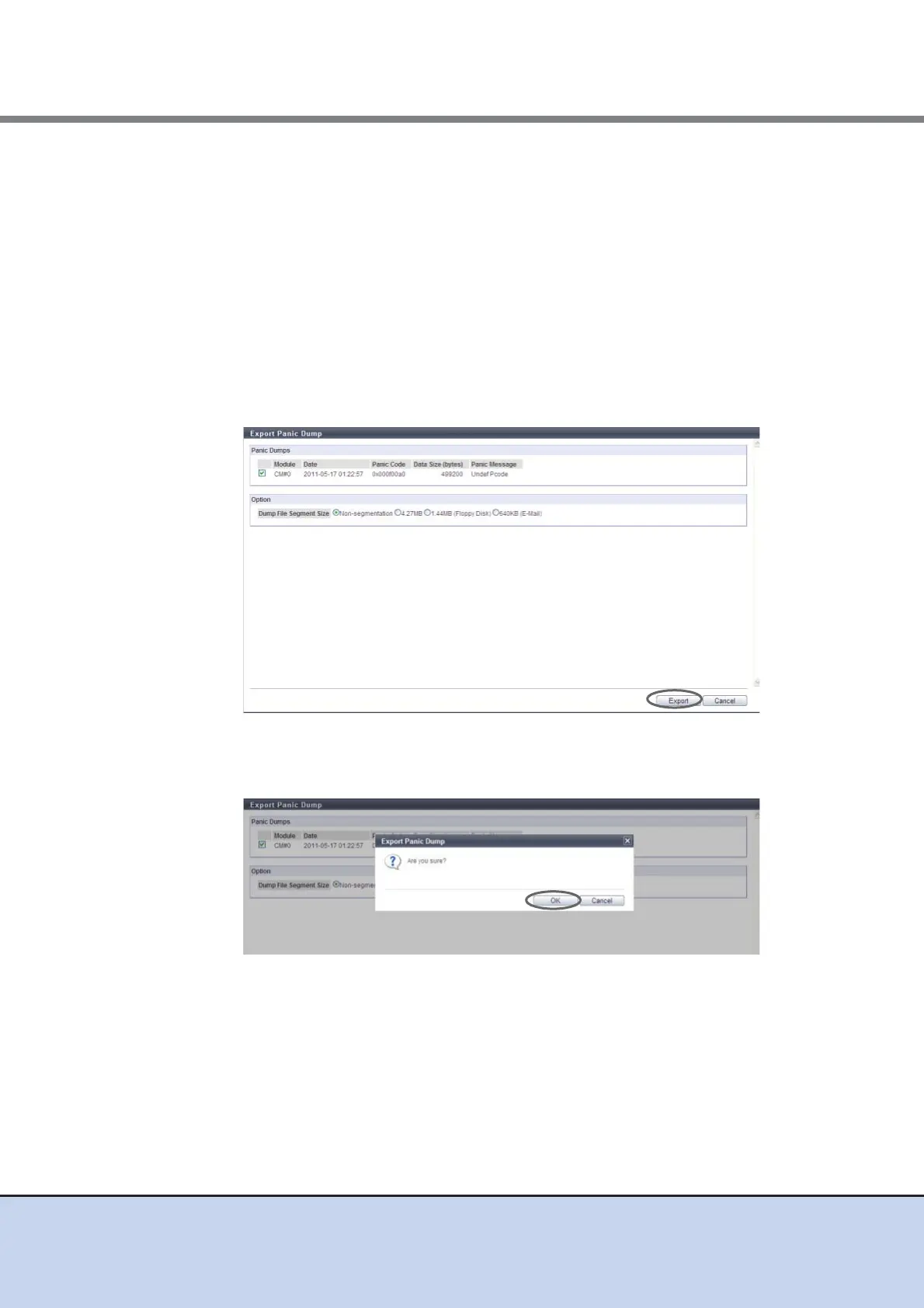
2 Specify the panic dump to be exported and the segment file size, and click the
[Export] button.
• Panic Dumps
Select a checkbox for the panic dump to be exported (only one panic dump can be
selected).
• Dump File Segment Size
Select the file size (segment size) when saving the exported panic dump from the
following:
- Non-segmentation
- 4. 27MB
- 1. 44MB (Floppy Disk)
- 640KB (E-Mail)
→ A confirmation screen appears.
3 Click the [OK] button.
→ Exporting of the panic dump starts. The progress screen is displayed. After the panic
dump export is finished, a screen to execute downloading the file is displayed.



 To Next Page