Chapter 11 System Management
11.2 Functions in the Action Area for System
ETERNUS Web GUI User’s Guide
573
Copyright 2011 FUJITSU LIMITED P2X0-1090-02ENZ0
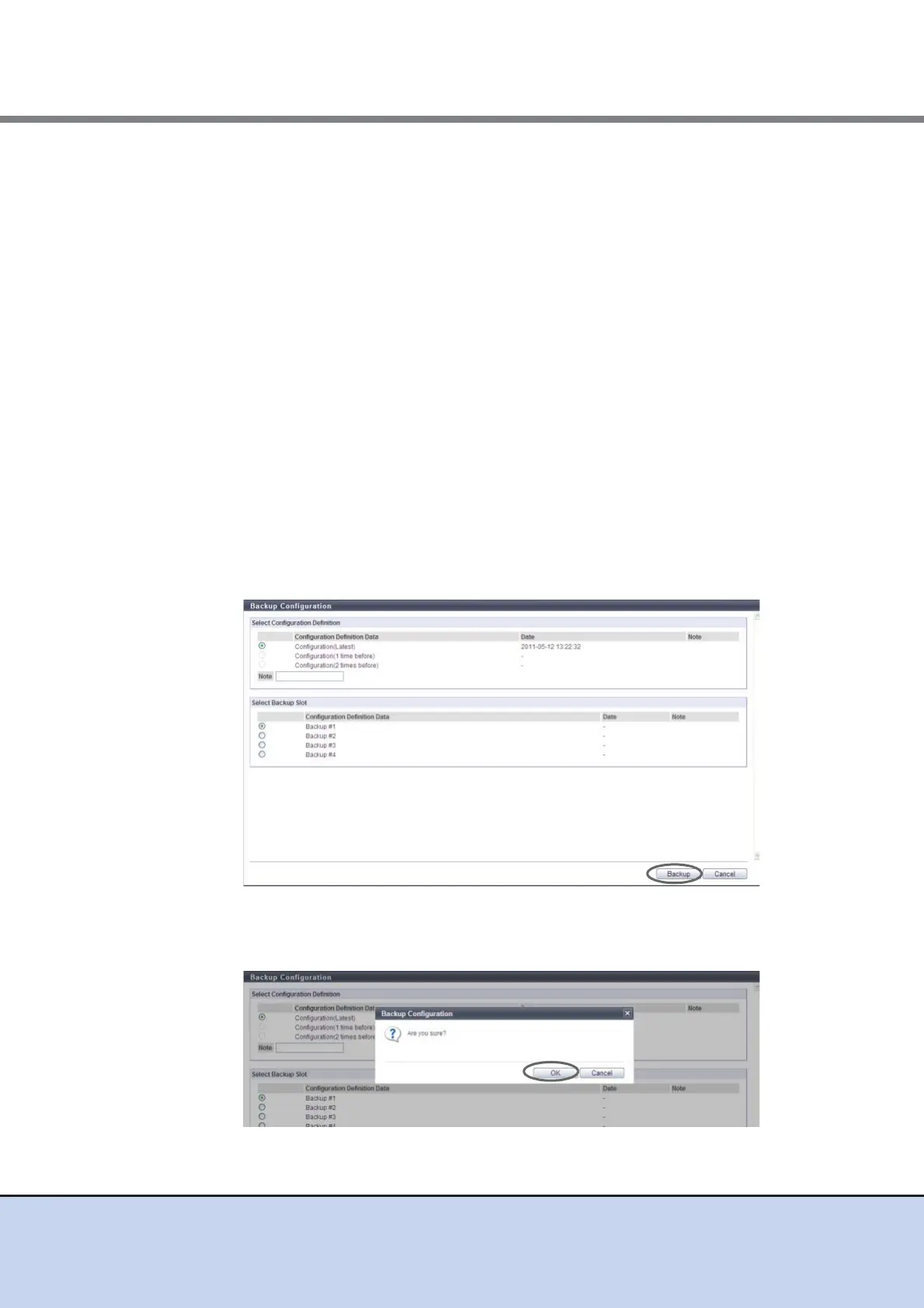
2 Specify the parameters, and click the [Backup] button.
● Select Configuration Definition
• Configuration Definition Data
Select configuration definition data to be backed up from "Configuration (Latest)",
"Configuration (1 time before)", or "Configuration (2 times before)".
If "Configuration (1 time before)", or "Configuration (2 times before)" do not exist, the
radio button for the corresponding configuration definition data cannot be specified.
• Note (text box)
In the "Note" field, remarks which have been added to the selected configuration
definition data to be backed up are displayed. If no remarks exist, this field is blank. The
"Note" field can be edited (entered).
The following input condition applies:
- 1 - 16 alphanumeric characters and symbols (except ", (comma)" and "?")
● Select Backup Slot
• Configuration Definition Data
Select backup destination of the configuration definition data from "Backup #1",
"Backup #2", "Backup #3", or "Backup #4".
If a backup destination, on which configuration definition data has already been stored,
is selected, the old configuration definition data will be overwritten.
→ A confirmation screen appears.
3 Click the [OK] button.
→ The configuration definition data is backed up.



 To Next Page