Chapter 11 System Management
11.2 Functions in the Action Area for System
ETERNUS Web GUI User’s Guide
589
Copyright 2011 FUJITSU LIMITED P2X0-1090-02ENZ0
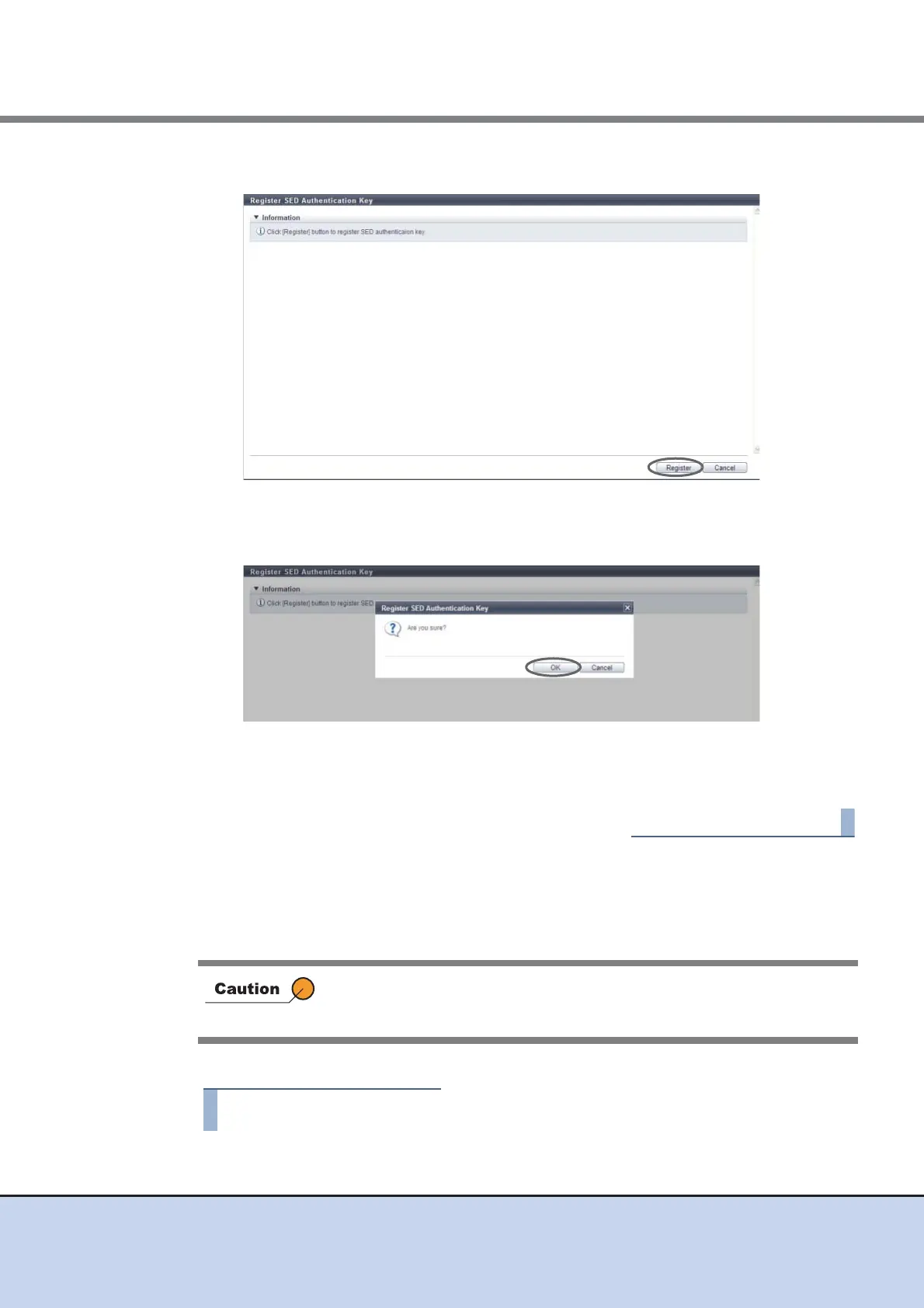
2 Click the [Register] button.
→ A confirmation screen appears.
3 Click the [OK] button.
→ The SED authentication key registration starts.
4 Click the [Done] button. Return to the [System Settings] screen.
11.2.9.8 Setup Power Management
This function connects the external input device and controls (shuts down) the ETERNUS DX
Disk storage system power.
The procedure to perform power management setting is as follows:
1 Click [Setup Power Management] in [Action].
If this function is enabled by mistake, the ETERNUS DX Disk storage
system may shut down unexpectedly. Make sure to check setting contents
before performing settings.



 To Next Page