Chapter 5 Volume Management
5.2 Functions in the Action Area for Volume
ETERNUS Web GUI User’s Guide
73
Copyright 2011 FUJITSU LIMITED P2X0-1090-02ENZ0
- Snap Data Pool Volume
Volumes that are used as expansion areas for SDV.
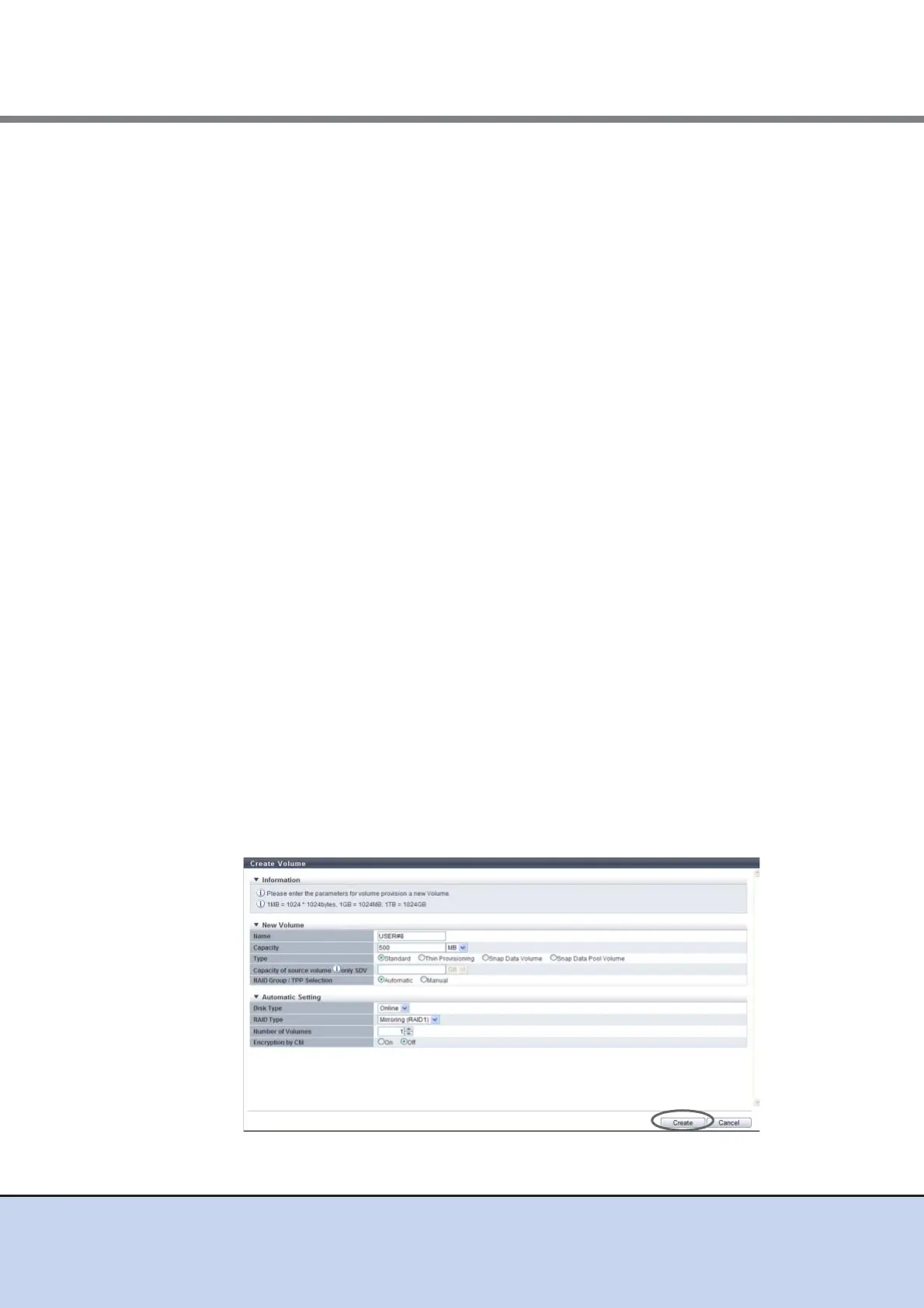
• Capacity of source volume (only SDV)
Specify the copy source volume capacity and select the unit of capacity. This item can
only be specified when "Snap Data Volume" is selected for "Type".
The following input conditions apply:
- 24MB - 128TB
- MB/GB/TB
• Disk Type
Specify the drive type.
- Online
- Nearline
- SSD
• RAID Type
Select the RAID level. The specified volume type and disk type determine the
selectable RAID types that are displayed as options.
- Striping (RAID0)
- Mirroring (RAID1)
- High Performance (RAID1+0)
- High Capacity (RAID5)
- Reliability (RAID5+0)
- High Reliability (RAID6)
• Number of Volumes
Specify the number of volumes to be created in decimal number.
• Encryption by CM
Select whether to encrypt (On) or not encrypt (Off) the new volumes. When the
encryption mode is disabled, "On" cannot be selected.
- When "On" is selected:
Volumes that are encrypted by CM are created. When creating a TPV, the volume is
created in the TPP that is encrypted by CM.
- When "Off" is selected:
Volumes that are not encrypted are created. When creating a TPV, the volume is
created in the TPP that is not encrypted.
→ A confirmation screen appears.



 To Next Page