Chapter 5 Volume Management
5.2 Functions in the Action Area for Volume
ETERNUS Web GUI User’s Guide
85
Copyright 2011 FUJITSU LIMITED P2X0-1090-02ENZ0
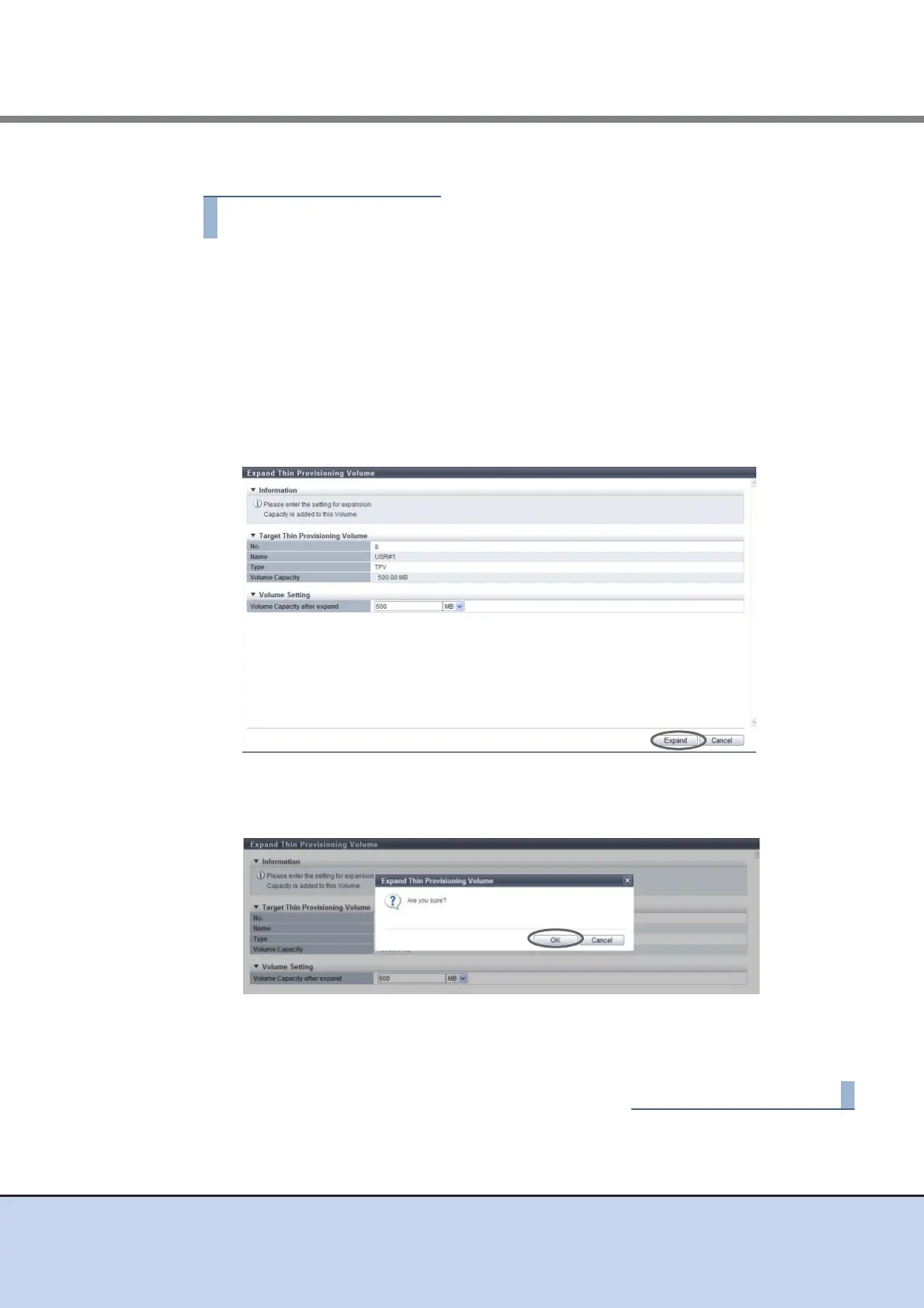
The procedure to expand Thin Provisioning Volume capacity is as follows:
1 Select the TPV to be expanded and click [Expand TPV] in [Action].
2 Input the TPV capacity after expansion, and click the [Expand] button.
• Volume Capacity
The current TPV capacity is displayed in the "Current" field.
Enter the TPV capacity after expansion in the "New" field and select the units of
capacity (MB/GB/TB).
The following input conditions apply:
- 24MB - 128TB
- Current TPV capacity < TPV capacity after expansion
→ A confirmation screen appears.
3 Click the [OK] button.
→ Expansion of a TPV starts.
4 Click the [Done] button to return to the [Volume] screen.



 To Next Page