Chapter 5 Volume Management
5.2 Functions in the Action Area for Volume
ETERNUS Web GUI User’s Guide
99
Copyright 2011 FUJITSU LIMITED P2X0-1090-02ENZ0
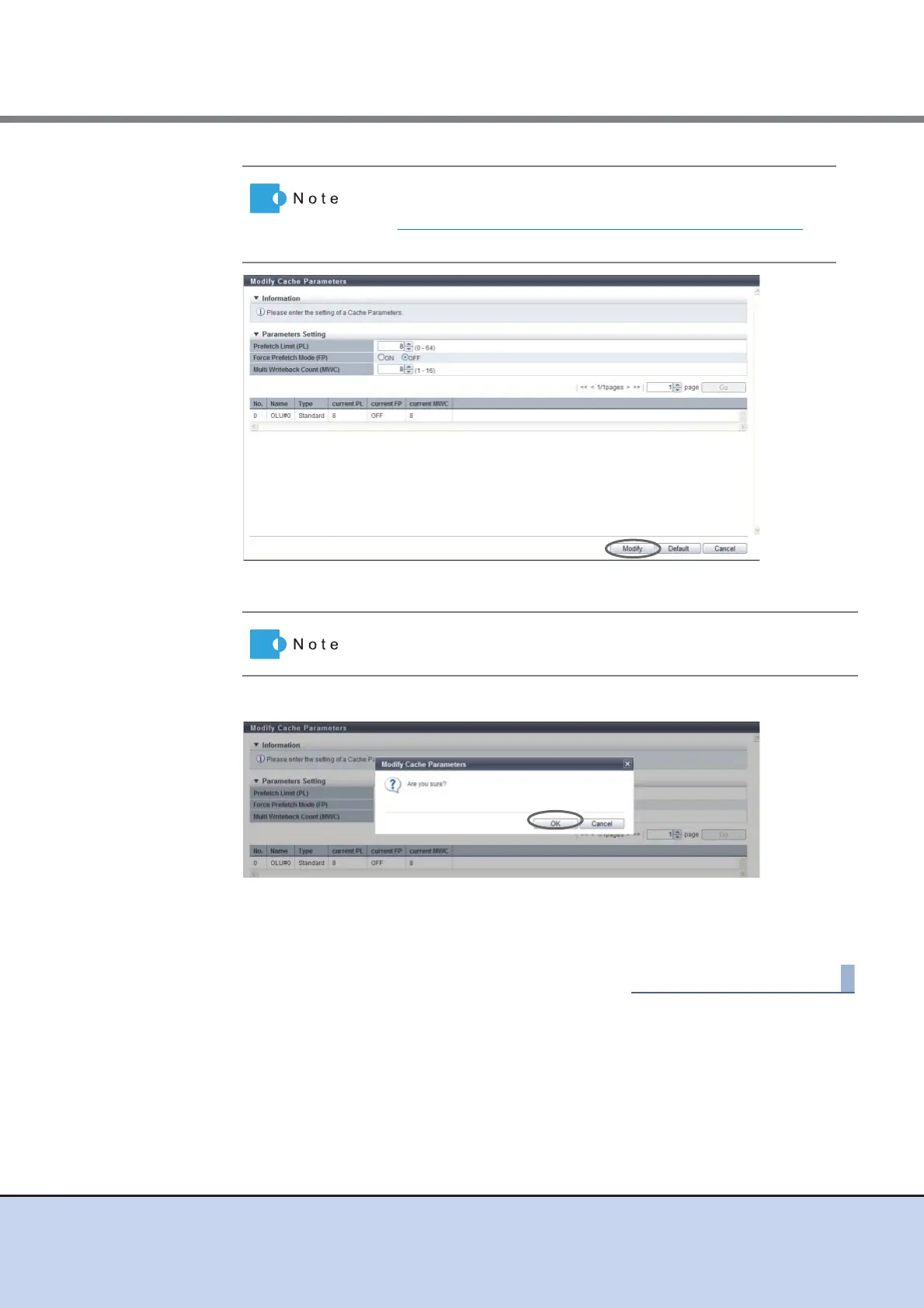
→ A confirmation screen appears.
3 Click the [OK] button.
→ The cache parameter modification starts.
4 Click the [Done] button to return to the [Performance] screen.
The setting values that are available for Multi Writeback Count
vary depending on the RAID level and drive configuration. Refer
to "Input conditions for Multi Writeback Count" (page 100)
for
details.
If the [Default] button is clicked before the [Modify] button, the default
cache parameters are restored.



 To Next Page