4.13 Setting the Network Printers
162
It is recommended that the same printer be added to the print server multiple times
for each instance of property settings. For example, "for color printing" and "for black
& white printing".
For a color printing example, the procedure for adding a printer is as follows.
1. From the [Start] menu on the print server, select [Control Panel] J [Printers
and Faxes].
D The [Printers and Faxes] window appears.
2. Double-click the [Add Printer].
D The [Add Printer Wizard] window appears.
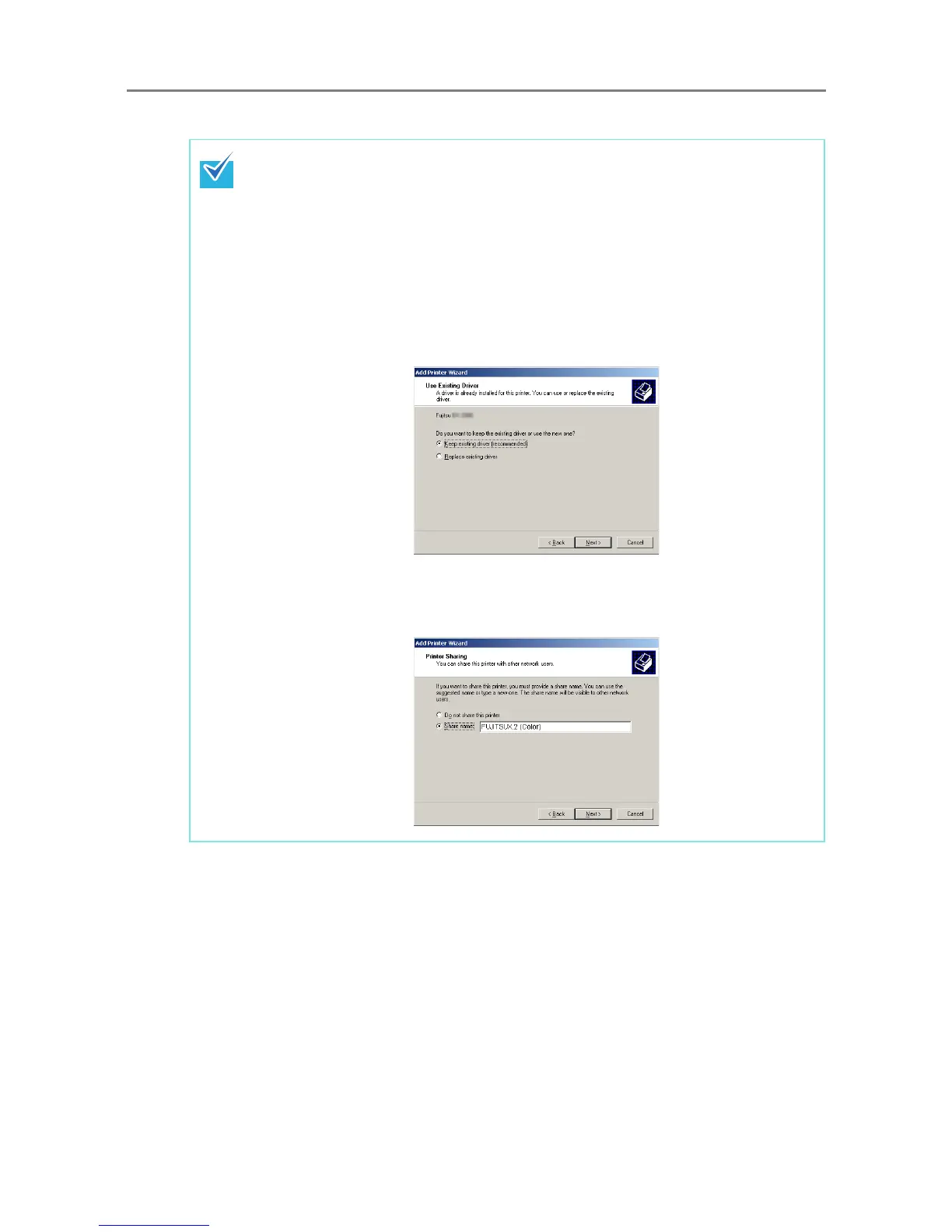
3. Follow prompts on the window until the [Use Existing Driver] window appears.
4. Select "Keep existing driver [recommended]" and press the [Next] button.
5. Follow the prompts on the window until the [Printer Sharing] window appears.
6. Specify the shared name.
Enter "FUJITSUX.2 (Color)" for color printing.


 To Next Page
 Loading...












