Operation Instruction SC201(1900A/1903A)
8
6) Press key to check the items.
7) Press to end up the test and return back to Step 5), however, if “CP-3” is selected, it is
impossible to return to other test modes. Turn Off the power and turn On the power again in
accordance with the starting way of the test mode.
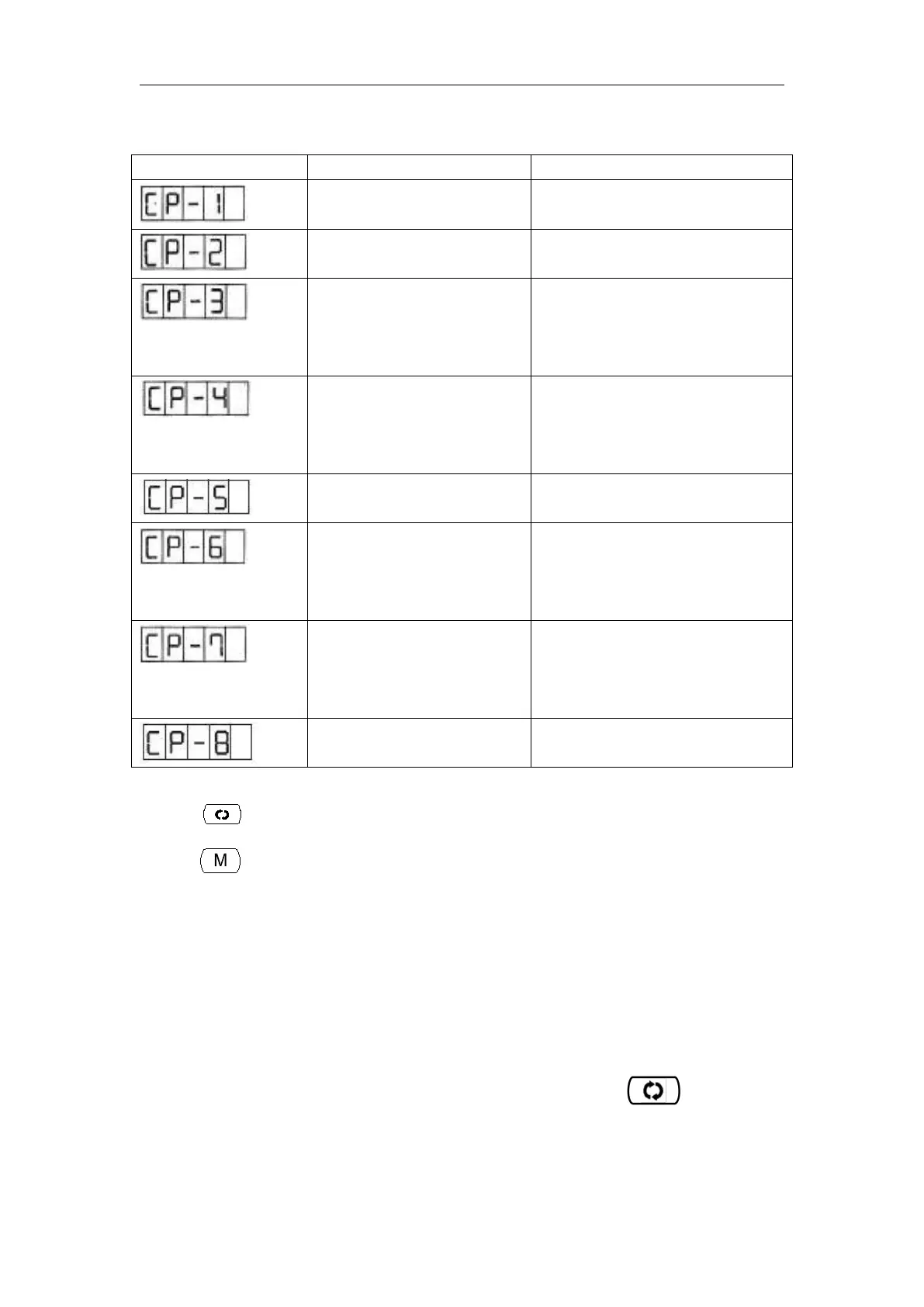
2.3.1 CP-1 (Input Signal Check)
Status of input of switches and sensors is indicated o the 8 LEDs.
The table below is the list of LED indication, and you can understand to which LED each switch
or each sensor is assigned. When “CP-1” is indicated on the screen, press key to enter
into the mode and then number “1”is indicated.
State of the switch and the sensor
will be indicated by 9 LEDs.
X/Y motor and Original
Retrieval check
To indicate the X/Y motor step
motion and original adjustment.
Initial setting of the operation
conditions will be performed, and the
mode will move to the continuous
aging mode.
Number of revolutions of main
shaft check
Output of the specified number of
revolutions will be made and the
actual number of revolutions will be
indicated.
Presser and Trimming Original
Retrieval check
Indicate the presser/trimming motor
to move step by step; indicate
original retrieval and the state of
presser/trimming sensor.
Thread Clamp and Original
check
Indicate the thread clamp motor to
move step by step; indicate original
retrieval and the state of thread
clamp/origin sensor.



 To Next Page