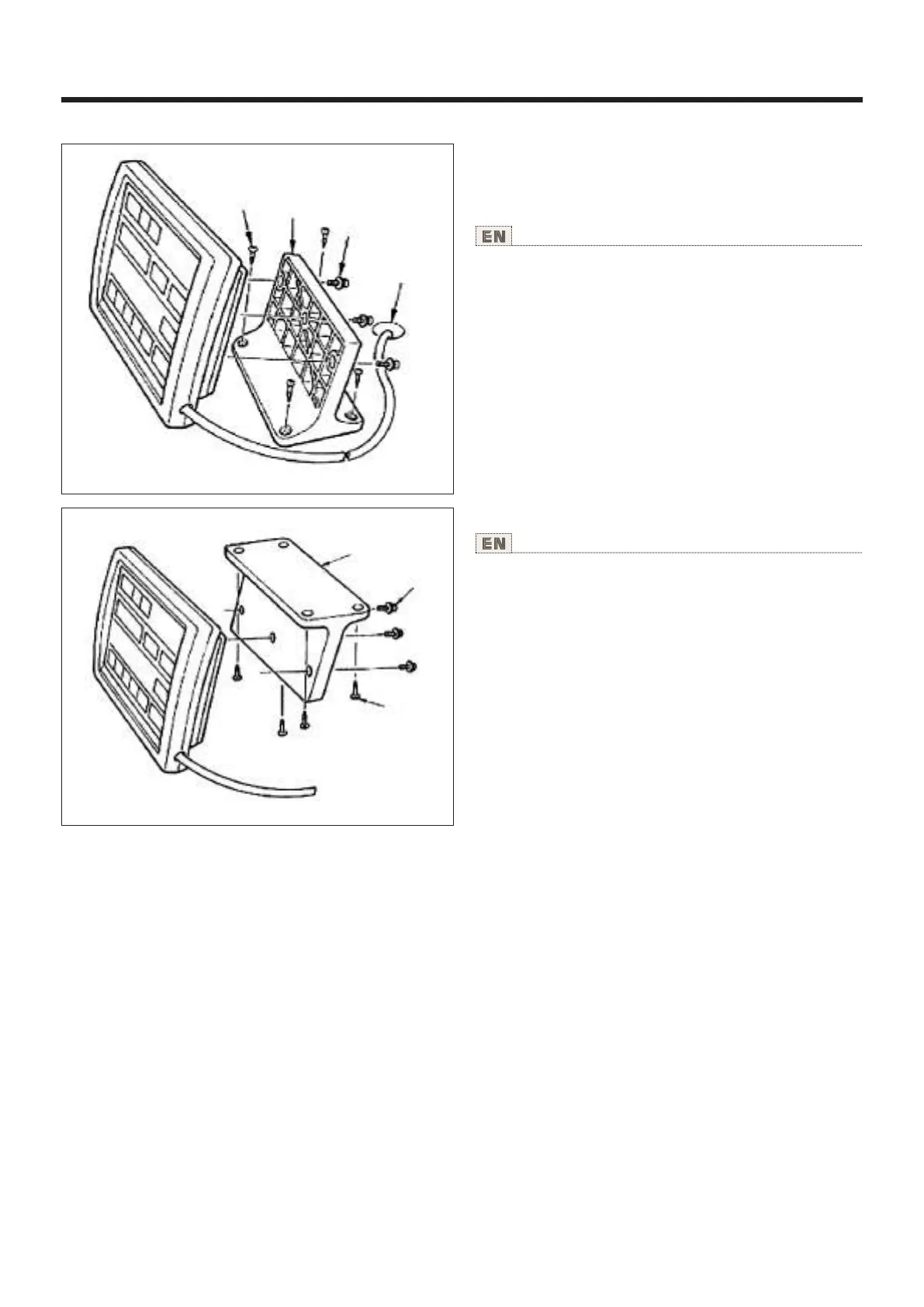
9.操作盘的安装 Installing the operation panel
使用说明书 Operation Instruction
用木螺丝②把操作盘安装板①固定到机盘上,把电缆
线穿过机台孔④。
用附属的螺丝③把操作盘固定到操作盘安装板①上。
请把电缆线用附属的卡扣固定到机台背面。
Fix operation panel installing plate ① on the machine table
with wood screws ② and pass the cable through hole ④ in
the machine table.
Fix the operation panel on panel installing plate ① with screws
③ supplied as accessories.
Fix the cable on the bottom surface of the table with the
staples supplied with the machine as accessones.
①
8
④
③
②
在机台下面安装操作盘时请参照左图进行安装。
Refer to the figure on the Ieft side when installing the
panel under the table.
①
③
②



 To Next Page