Operation Instruction SC201(1900A/1903A)
10
2.3.2 CP-2 (Origin Retrieval)
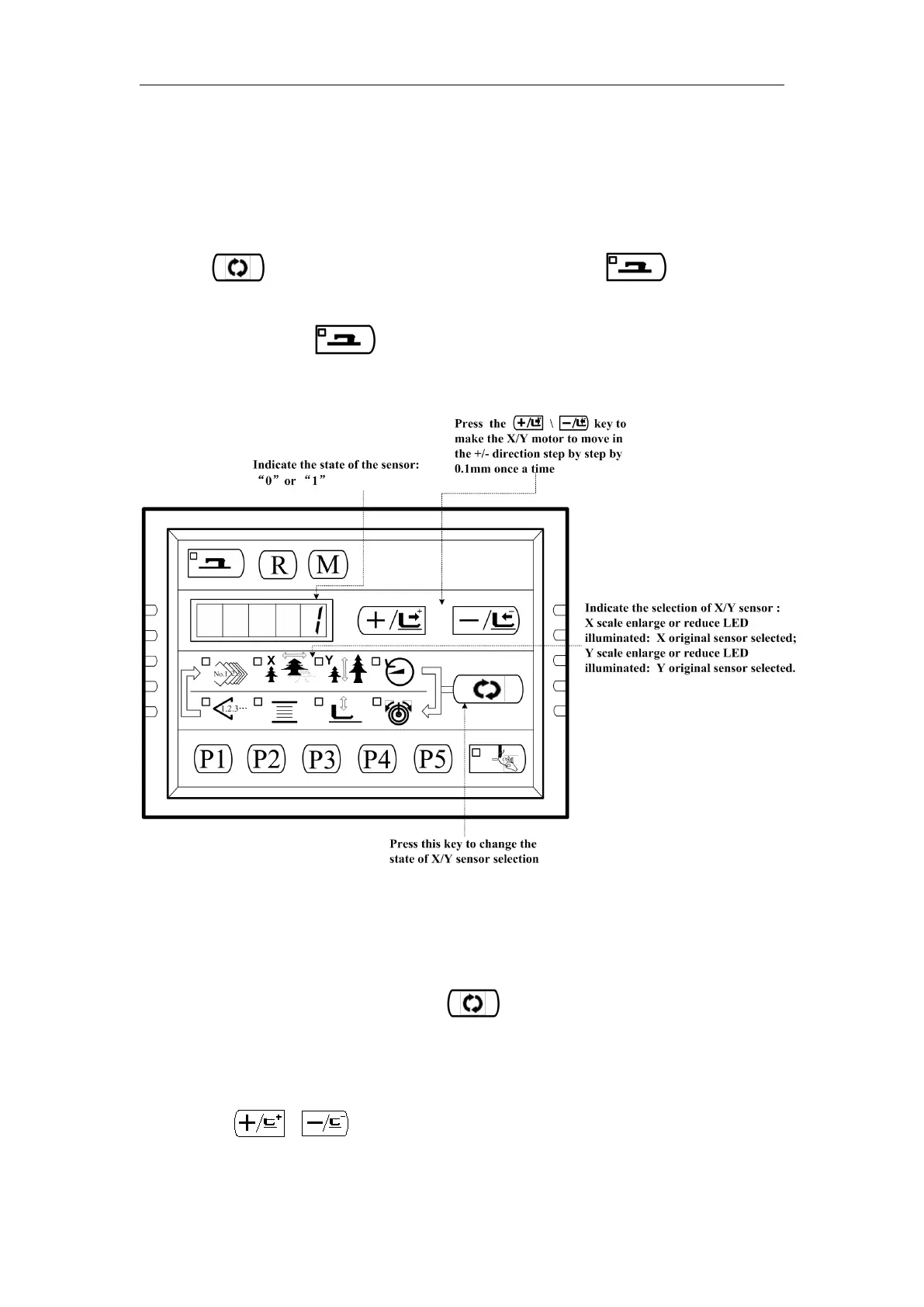
For origin adjustment, sensor adjustment of X/Y motor. The state of origin sensor and X/Y motor
sensor will be indicated.
Press key to enter CP-2, “1” is displayed, and then press to start origin
retrieval. Meanwhile, the presser goes down, and the Sewing LED is illuminated.(The
operation of pressing is not necessary, you could skip it to continue Step2
operation)
2.3.3 CP-3 (Continuous Operation)
When “CP-3”is indicated on the screen, press key to enter the continuous operation
mode. Perform the initial setting of the operation conditions, and move to the continuous operation
mode.
Press the 、 key to set the time of pause.
Setting range:1800 ms to 9999 ms (in a unit of 100 ms) (the default value is 2000ms)



 To Next Page