使用说明书 Operation Instruction
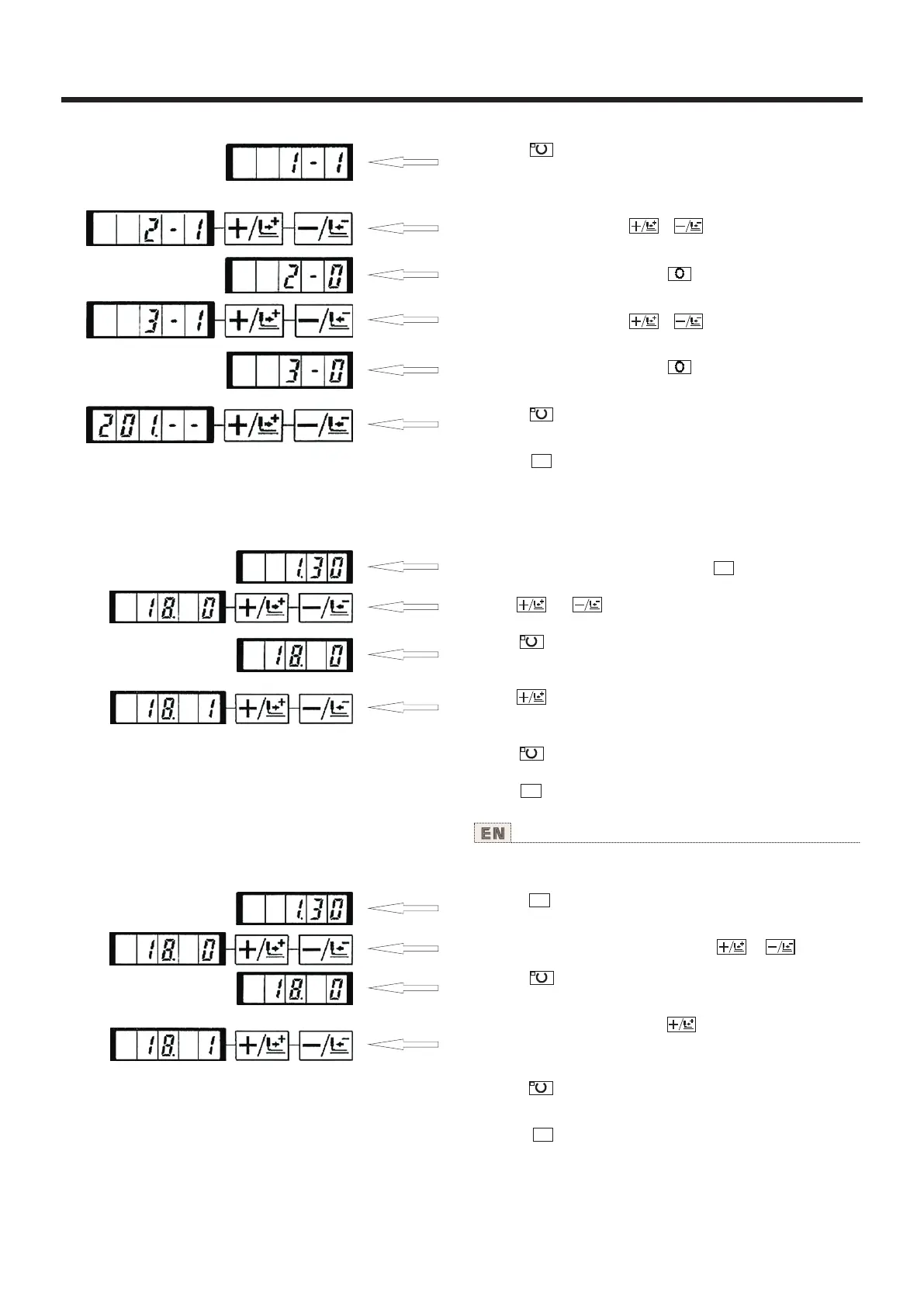
3) Press key. The sewing LED Iights up and the set value
of pattern No. 1 is indicated.
Set value 1 : Calling is operative.
Set value 0 : Calling is inoperative.
4) Set pattern No. 2 with of key.
5) Set the set value to "0" with key.
6) Set pattern No. 3 with or key.
7) Set the set value to "0" with key
8) Press key to register the set value. The sewing LED
goes off.
9) Press key. The memory switch setting mode is finalized
and the mode returns to the normal mode.
M
(4).计数器动作的设定 Setting the counter operation
设定例:把生产计数器(加算方式)变更为底线计数
器(减算方式)。
1)在缝制LED灭灯的状态下,按 键。
2)用 键、 键显示出存储器开关NO.18。
3)按 键。缝制LED亮灯,计数器动作的设定值被
显示出来。
4)按 键把设定值设定为1。
设定值0:缝制计数器,1:底线计数器。
5)按 键,登记设定值,缝制LED灭灯。
6)按 键,结束存储器开关设定方式,返回通常
状态。
M
M
Setting example : The production counter (adding method) can
be changed to the bobbin thread counter (subtracting method).
1) Press key in the state that the sewing LED
is put out.
2) Indicate memory switch No. 18 with or key.
3) Press key. The sewing LED lights up and the set value
of counter motion is indicated.
4) Set the set value to "1" with key.
Set value 0 : Production counier
Set value 1 : Bobbin thread counter
5) Press key to register the set value. The sewing LED
goes off.
6) Press key. The memory switch setting mode is finalized
and the mode returns to the normal mode.
M
M
42



 To Next Page