使用说明书 Operation Instruction
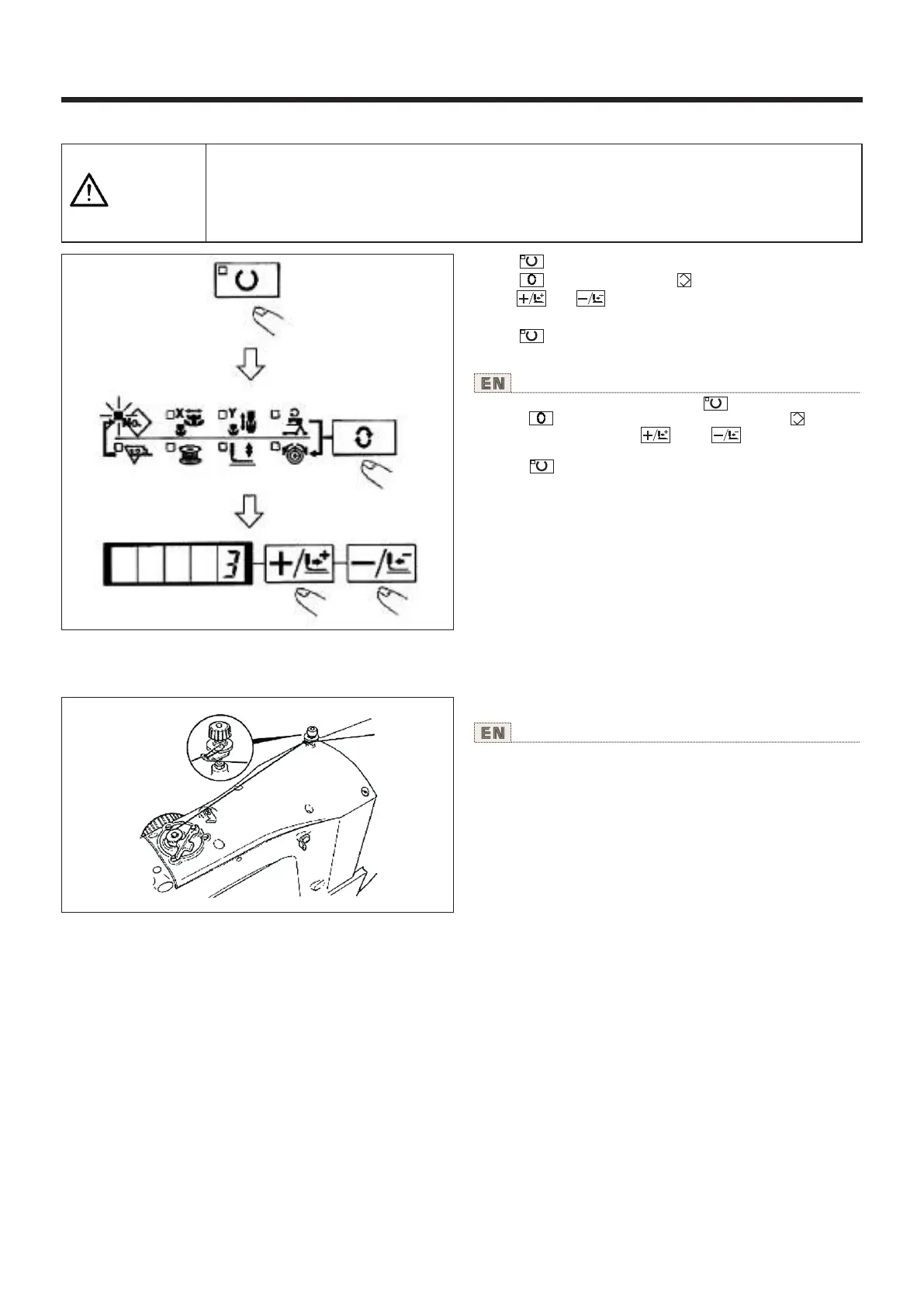
4.变更为其他 图案 Change to the other sewing pattern
1)按 键,缝制LED灭灯。
2)按 键,选择图案NO. 的项目。
3)用 键、 键设定图案NO.。
4)同样也设定XY扩大缩小率、转速等。
5)按 键之后,缝制LED亮灯,成为可以缝制的状
态。
1) Make the Sewing LED go off with key.
2) Press key and select the item of pattem No .
3) Set the pattem No. with key or key
4) Similarly, setting of X/Y scale, speed, etc. is performed.
5) When key is pressed, the Sewing LED lights up and
the sewing machine is in the sewing ready state.
NO.
NO.
注意
CAUTION
选择图案后,请一定确认图案的形状。
万一图案远离压脚,缝制途中机针会碰到压脚,弄断机针。
Make sure without fail of the contour of the sewing pattem after selection of the sewing pattern.
If the sewing pattern extends outside the work clamp feet, the needle wlll interfere with the work
clamp feet during Sewing, causing dangerous troubles including needle breakage.
5.卷绕底线 Winding a bobbin
如图所示穿线卷绕底线。
Thread the bobbin winder and wind the bobbin thread
onto the bobbin as illustrated in the figure.
(1)边缝制边卷绕底线时 To wind a bobbin while the sewing machine is performing sewing
20



 To Next Page