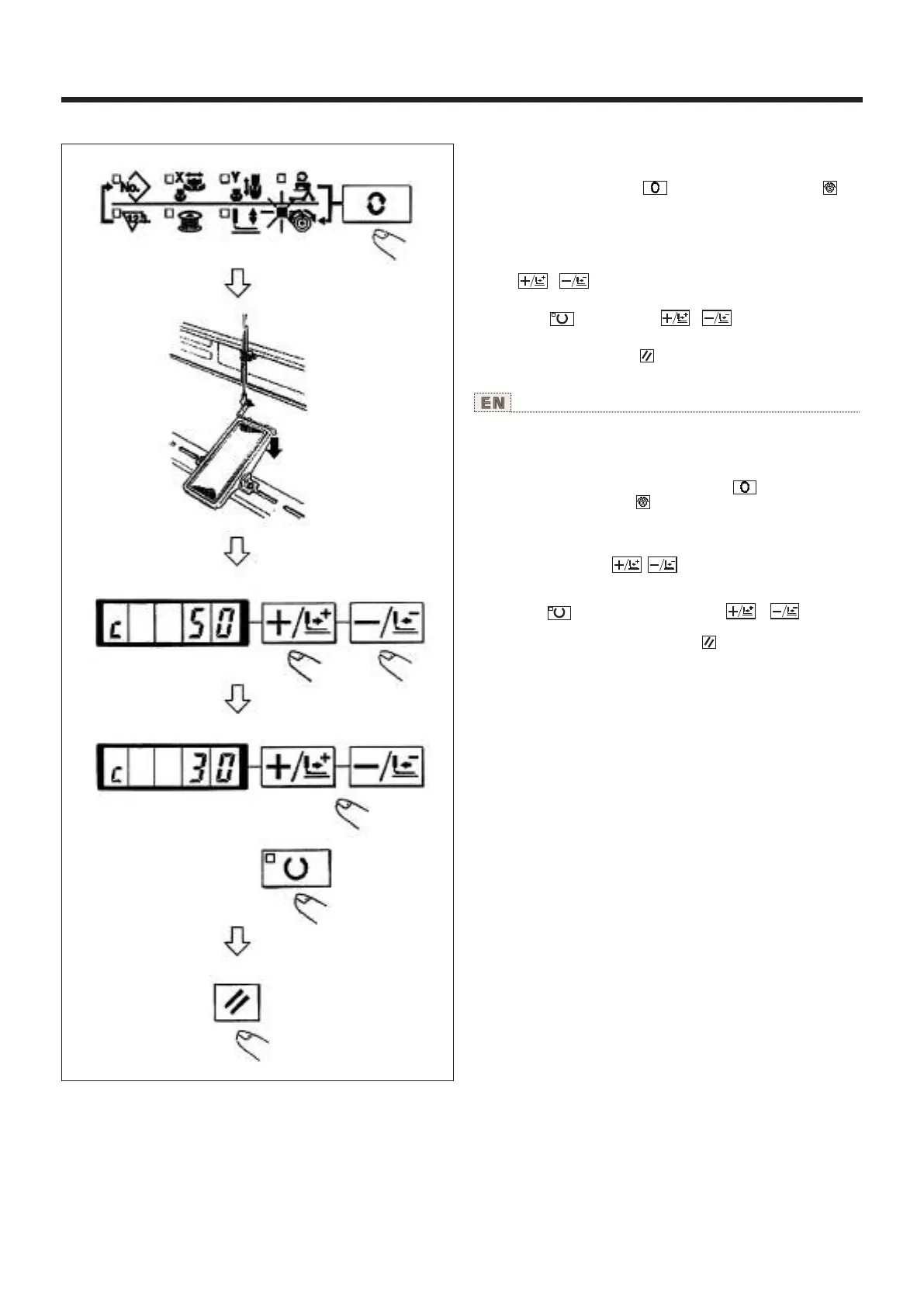
5.图案线张力的设定 Setting the pattern thread tension
使用说明书 Operation Instruction
缝制开始的6针和从下缝线曲折缝变换的部分以及缝
制结束的加固部分的上线张力可以分别进行设定。
1)缝制LED亮灯时,按 键,设定为上线张力 显
示。
2)用脚踏开关让压脚下降。
(注意)如果把脚踏开关踩到最后,缝纫机会开始缝制,
请注意安全。
3)用 、 键移动送布。
4)在可以设定张力的位置,[C]被显示出来。
5)一边按 键,一边用 、 键设定张力。
6)反复3)4)5)设定张力。
7)设定结束之后,按 键。压脚移动到原点然后上
升。
Needle thread tension for 6 stitches at the sewing start, the
portion which is changed over from basting stitch to zigzag
stitch. and the portion of tie stitch at the sewing end can be
individually set.
1) While the sewing LED lights up, press key to indicate
the needle thread tension .
2) Lower the presser with the foot pedal.
(NOTE) When the foot pedal is depressed until it will go no
further, the sewing machine starts. So, be careful.
3) Move the feed with . key.
4) "C" is indicated at the position where the tension setting is
possible.
5) Pressing key. set the tension with or key.
6) Repeat steps 3), 4) and 5) to set the tension.
7) When setting is completed, press key. The presser moves
to the origin and goes up.
30



 To Next Page