Operation Instruction SC201(1900A/1903A)
32
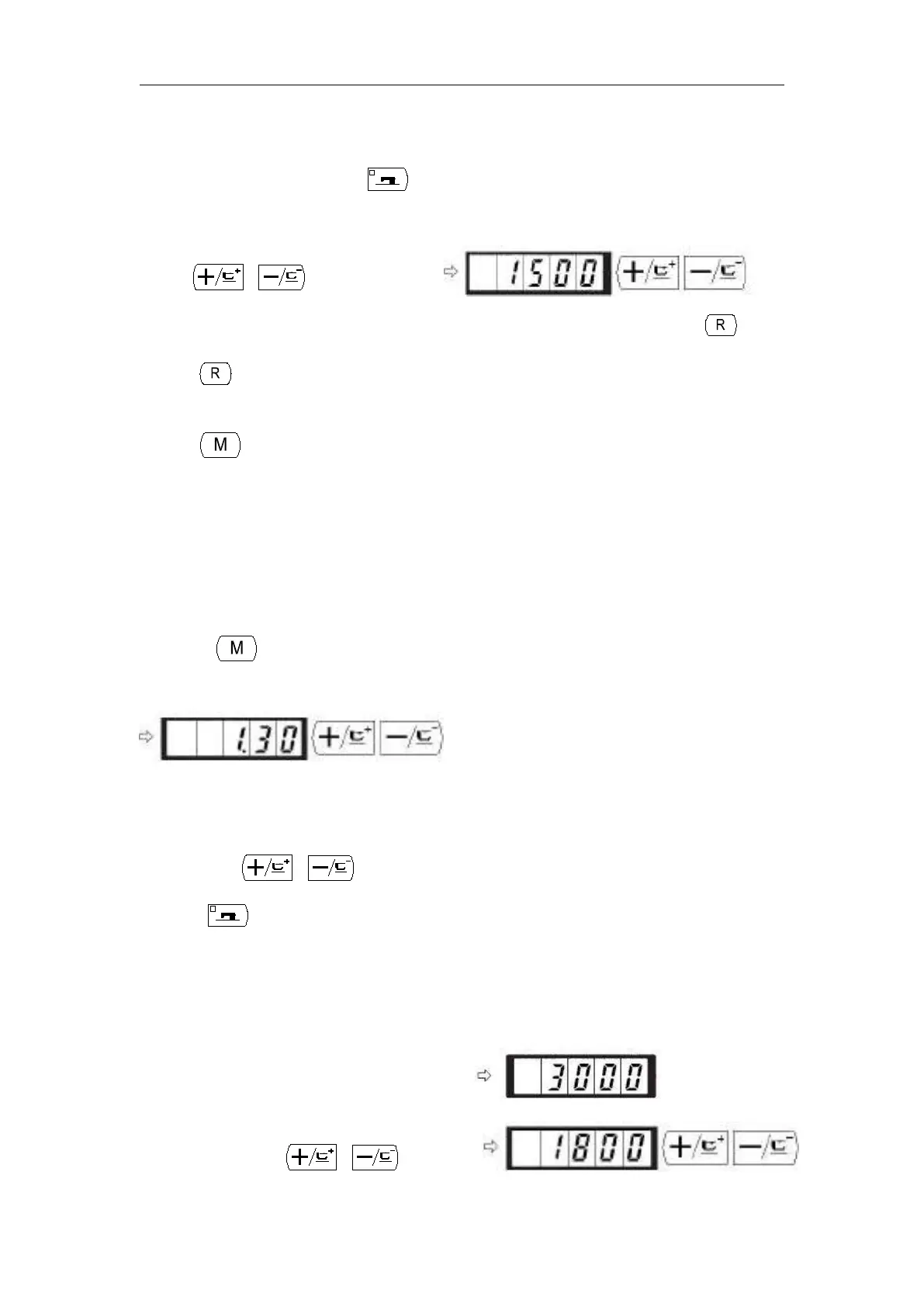
3) Adjust the memory switch No. to the No.
you desire to change, and press key,
the sewing LED lights up.
4) Change the content of the memory switch
5) The value can be returned to the value at the time of delivery from the factory with key.
6) Press key to register the contents of change. Sewing LED goes off and the mode returns to
the selective state of the memory switch No.
7) Press key to finalize the memory switch setting mode and the mode returns to the normal
mode.
2.6.2 Example of the Memory Switch Setting
1. Setting the Max. speed Limitation
Setting example: Setting the max. speed limitation to 1,800 rpm.
1) Press key in the state that the sewing LED is put out.
The memory switch is started and the contents of memory switch No.1 are indicated.
It is not necessary to change the sewing speed since the max. speed limitation of the sewing
machine is set with memory switch No.1. The indicated memory switch No. can be changed
over with or key.
2) Press key in the state that memory switch
NO.1 is indicated to make the sewing LED
light up. The contents of memory switch No.1
(max. speed limitation value of the sewing
machine ) are indicated.
3) Set “1800” with or key.



 To Next Page