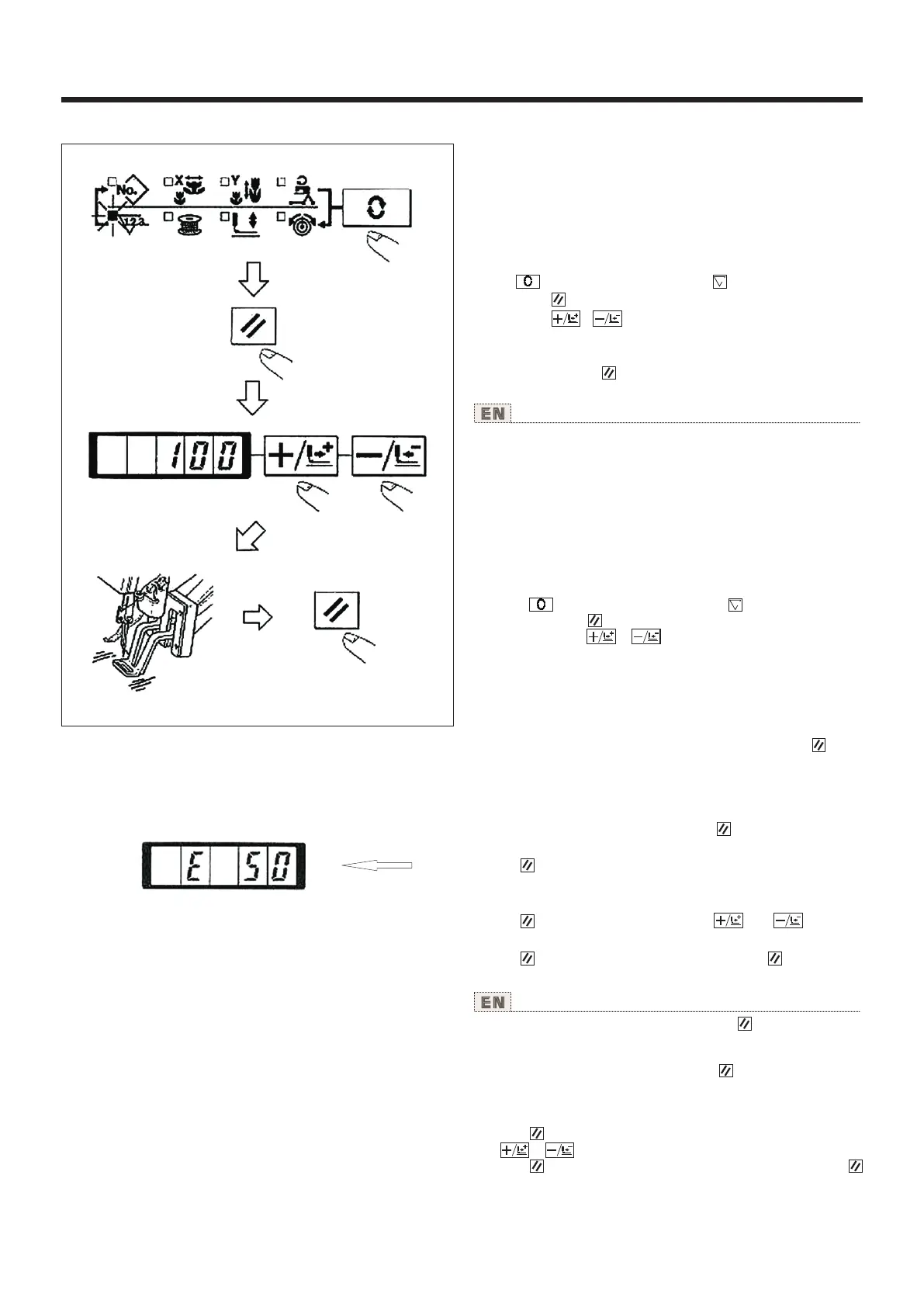
3.使用[底线计数器]的缝制 Performing sewing using the "bobbin thread counter"
使用说明书 Operation Instruction
生产计数器可以作为底线计数器使用。反复缝制同样
的图案,1个梭心可以缝制的次数(设定数)缝制结束后,
缝纫机变不能启动。底线计数器采用减算方式。
(注意)计数器的设定在出货状态时设定为生产计数
器(加算方式)。作为底线计数器使用时,必须变换
存储器开关NO.18。(请参照[存储器开关的使用方法]
的项目内容P.37。)
1)按 键,设定为计数器显示 。
2)然后按 键。
3)然后按 、 键,设定一个旋梭可以缝制的次数。
4)缝制后,每缝一次计数器减一。
5)缝制完设定数后,踩踏板缝纫机也不开始缝制。
6)更换底线,按 键。计数器值返回到设定值。
7)反复4)-6)的步骤。
The production counter can be used as the bobbin thread
counter. In case a same sewing pattern is sewn in repetition,
the sewing machine will stop sewing when the number of
Limes (the specified number) that can be sewn with a bobbin
is reached. The bobbin thread counter is of the subtracting
method.
(NOTE) The counter at the time of delivery is set to the
production counter (adding method). lf it is used as the bobbin
thread counter, it is necessary to change over memory switch
No.18. (Refer to the item "How to use the memory switch",
P. 37.)
1) Press key to indicate the Counter .
2) Then press the key.
3) Then press the or key, and set the specified
number of times that can be sewn with a bobbin.
4) Every time the sewing machine finishes a sewing cycle,
counting-down is made by one.
5) When the sewing machine finishes the specified number of
times, the sewing machine does not start even it depressing
the pedal.
6) Replace the bobbin with a new one, and press the key.
The value of the counter returns to the set value.
7) Repeat the steps of procedure from the steps 4) to 6).
4.暂停的使用方法 How to use the temporary stop
把存储器开关NO.31设定为1之后, 键可以作为暂停键
来使用。(请参照P.37[存储器开关的使用方法]的内容)
1)按 键,缝纫机停止转动。显示异常错误“50”。
2)停止后的操作有以下3种。
① 按启动开关,重新开始缝制。
② 按 键,进行切线之后,用 键、 键调整
位置,按开始开关每次开始运转。
③ 按 键,进行了切线之后,再次按 键返回到
原点。
When memory switch No. 31 is set to "1", key can be used
as the temporary stop key. (Refer to "HOW TO USE THE
MEMORY SWITCH" P37.)
1) Sewing machine stops by means of key. Error 50 is
indicated.
2) There are three operations after stop as below.
① Re-stan of sewing by means of the start switch.
② Press key to perform thread trimming, perform positioning
with or key, and re-start by means of the start switch.
③ Press key to perform thread trimming, and press again
key to return to the origin.
29



 To Next Page