SC201(1900A/1903A) Operation Instruction
31
2.6 How to Use the Memory Switch (User Class)
The sewing machine operation can be changed by changing the setting of the memory switch.
2.6.1 Start and Change of the Memory Switch
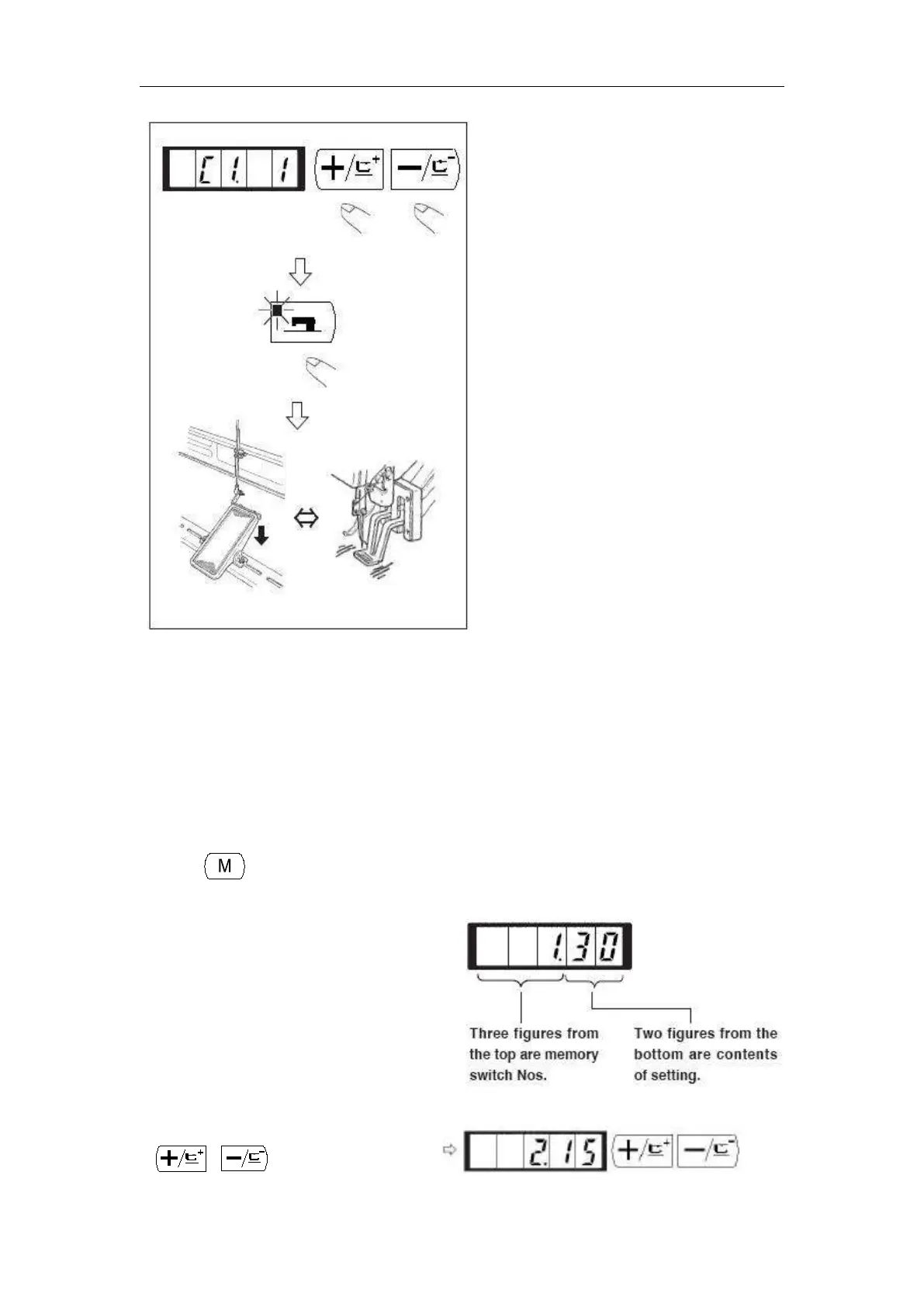
1) When key is pressed in the state that the sewing LED is put out, the memory switch
setting mode is obtained.
2) Change the memory switch No. with
or key.
1.30 which is indicated when “M”
key is pressed indicates that the
max. speed limitation of the first
memory switch is 3,000 rpm. (State
at the time of delivery from factory)



 To Next Page