SC201(1900A/1903A) Operation Instruction
3
2. Operation Instruction
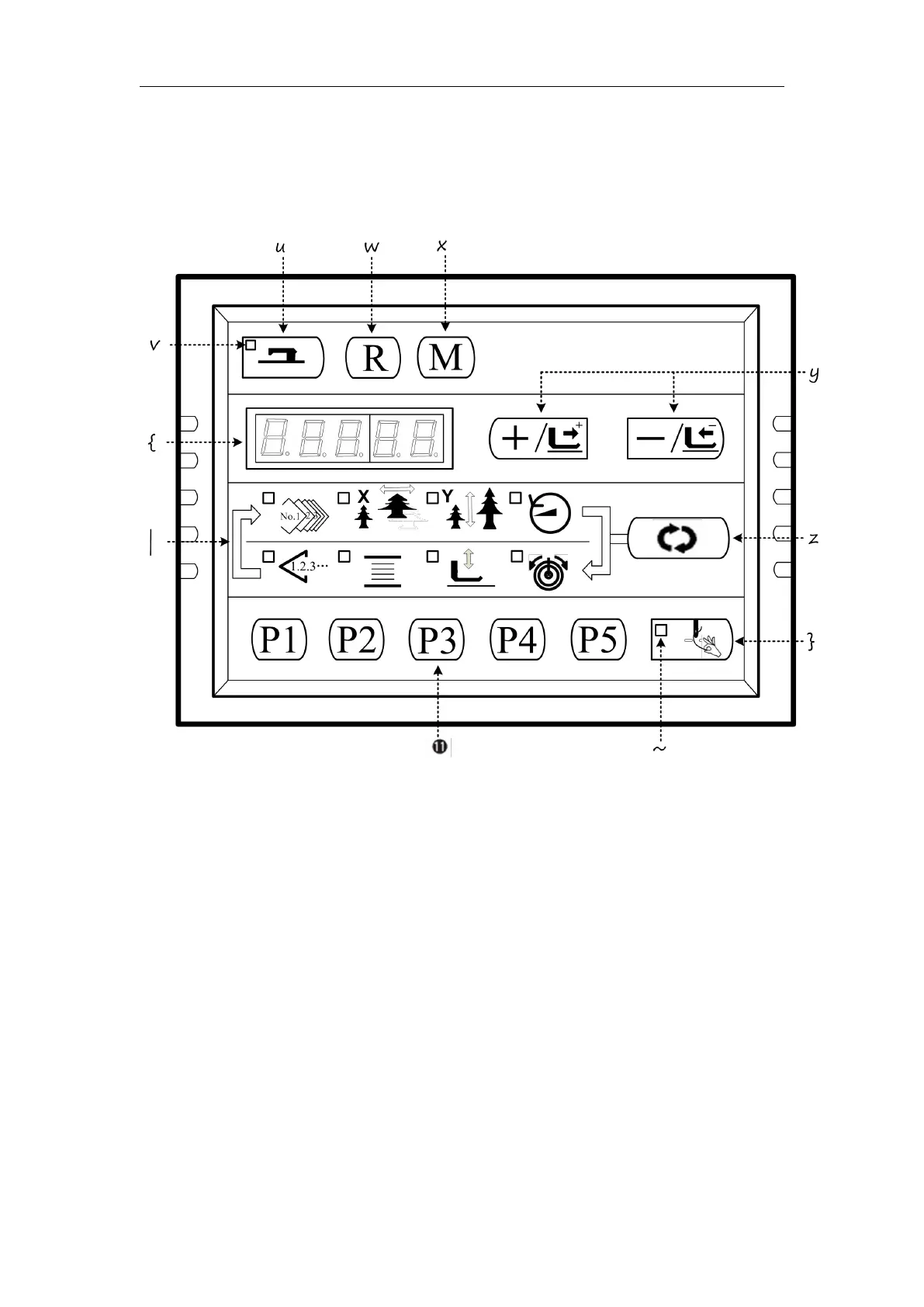
2.1 Instructions of the Panel
“Ready”key
This key changes over the setting state from the panel to the sewing state where the sewing
machine actually operates.
“Sewing LED”
This LED goes off at the time of setting state and lights up at the time of sewing state. Change
over can be performed with “Ready”key.
“Reset”key
This key is used for canceling error or returning the set value to the initial value.
“Mode”key
This key makes the setting mode of the memory switch.
“+/Feed forward”key and “-/Feed backward”key
This key is used for changing pattern NO. and X/Y scale, and feed forward / feed backward.
“Selection”key
This key selects the item to be set. Item selection LED of the selected item and the set value
are displayed.
Data indication LED



 To Next Page