使用说明书 Operation Instruction
1.存储器开关的启动和变更 Start and change of the memory switch
[8].存储器开关的使用方法 HOW TO USE THE MEMORY SWITCH
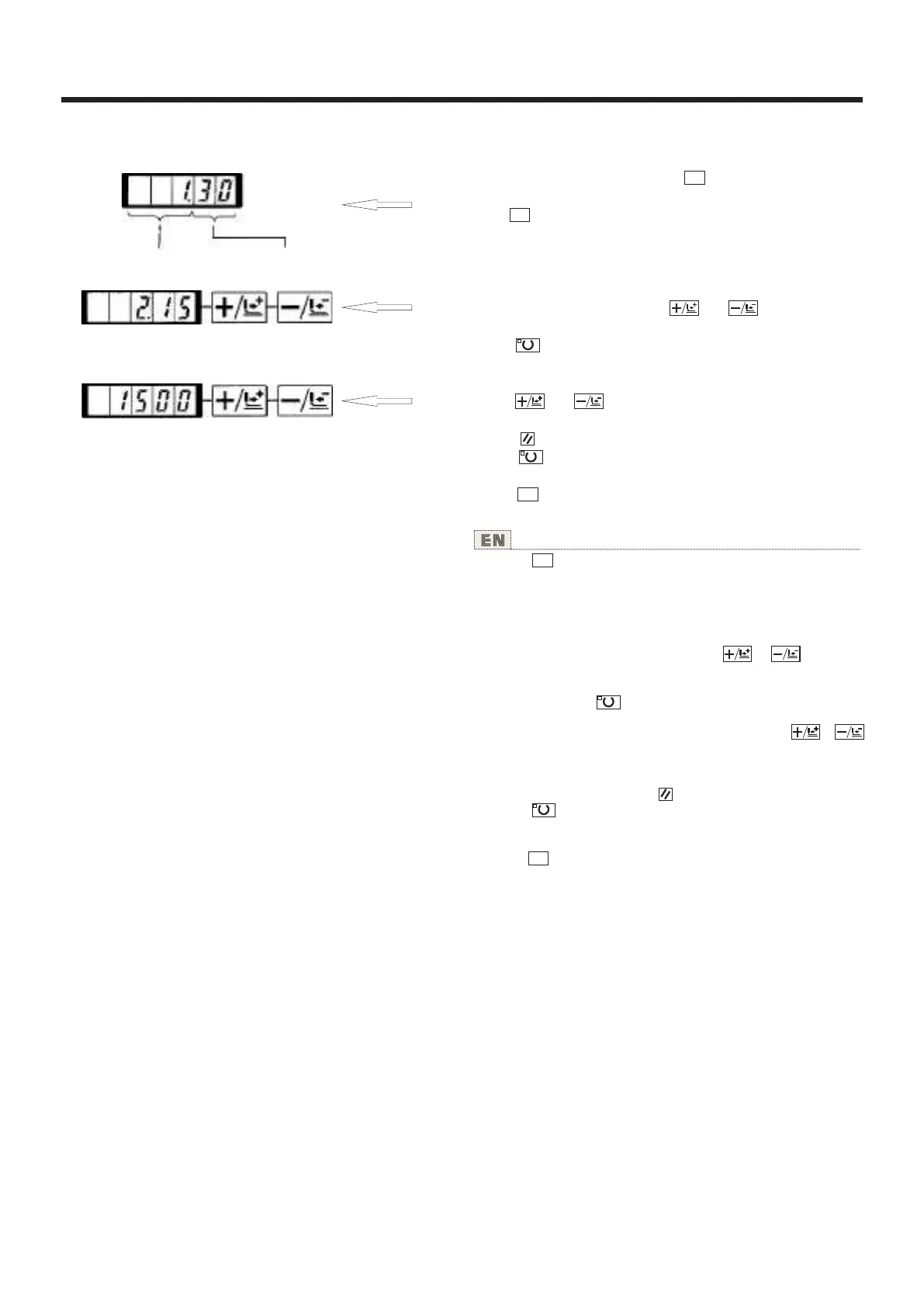
1)缝制LED灭灯状态下,按 之后,成为存储器开
关的设定方式。
※按 键之后,显示的1.30表示存储器开关第1号的
最高速度限制为3000rpm.(工厂出货状态)
2)存储器开关号码可以用 键、 键进行变更。
3)按 键,调整想变更的存储器开关号码。缝制LED
亮灯。
4)用 键、 键变更存储器开关的内容。
5)按 键,可以返回到工厂出货值。
6)按 键,登记变更内容。缝制LED灭灯,返回存
储器开关号码的选择状态。
7)按 键,结束存储器开关设定方式,返回到通常
状态。
1) When key is pressed in the state that the sewing LED
is put out, the memory switch setting mode is obtained.
※1.30 which is indicated when "M" key is pressed indicates
that the max. speed limitation of the first memory switch is
3,000 rpm. (State at the time of deIivery from the factory)
2) Change the memory switch No. with or key.
3) Adjust the memory switch No. to the No. You desire to
change, and press key. The sewing LED lights up.
4) Change the contents of the memory switch with or
key.
5) The value can be returned to the value at the time of
delivery from the facrory with key.
6) Press key to register the contents of change. Sewing
LED goes off and the mode returns to the selective state of
the memory sxvitch No.
7) Press key to finalize the memory switch setting mode
and the mode retums to the normal mode.
M
M
M
上3位是存 储 器 开 关 号 码
three figures from the top
are memory switch nos.
下2位是设 定 内 容
tow figures from the
bottom are contents
of setting.
M
M
38



 To Next Page