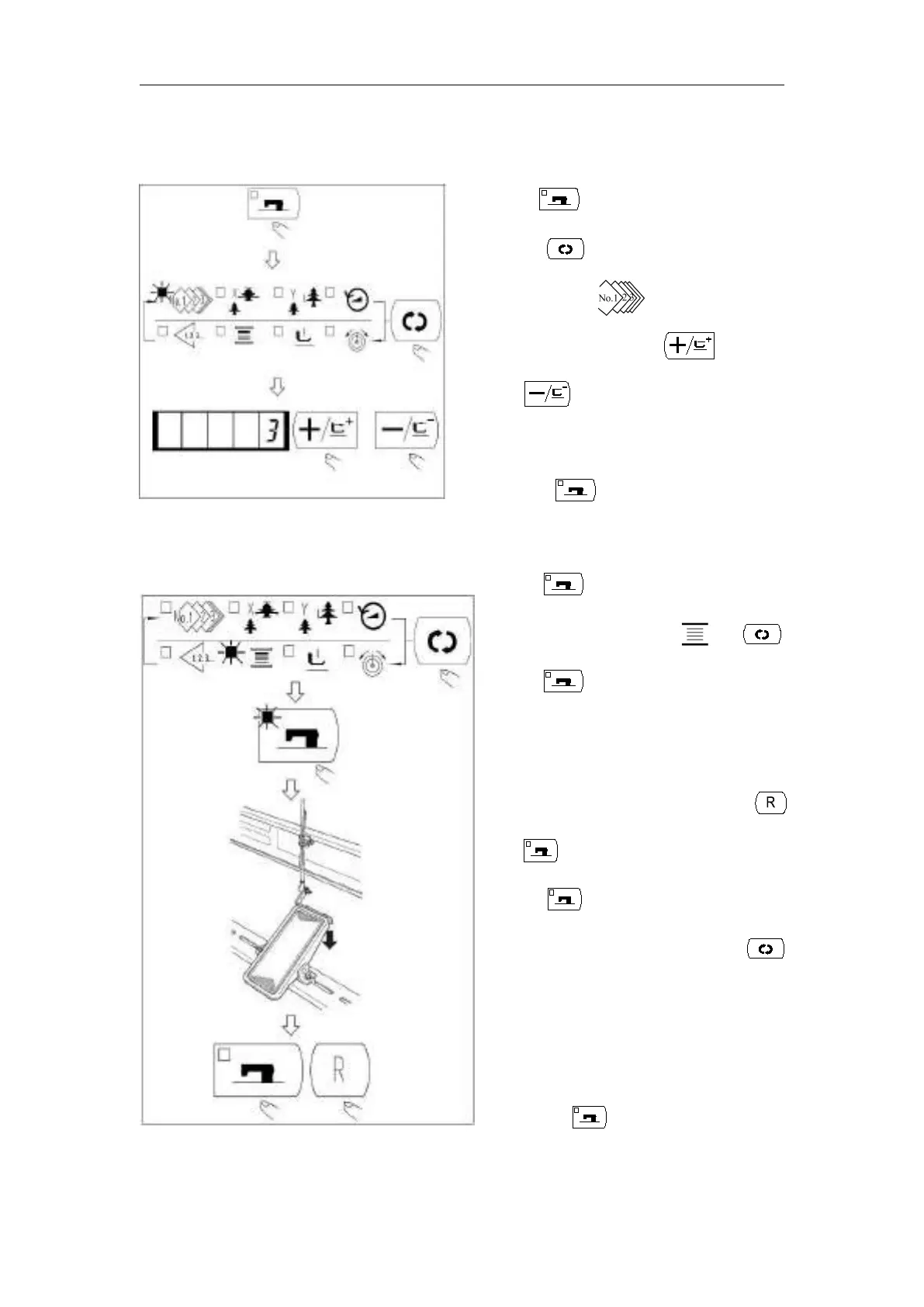
(1) Make sure the Sewing LED go off
with key.
(2) Press key and select the item of
pattern No. .
(3) Set the pattern No. with key
or key.
(4) Similarly, setting of X/Y scale, speed, etc. is
performed.
(5) When key is pressed, the Sewing
LED light up and the sewing machine is in
the sewing ready state.
(1) Press key to make the Sewing LED go off.
(2) Select the bobbin winder with key.
(3) Press key. The work clamp feet come down
and the Sewing LED lights up.
(4) When the pedal is depressed, the sewing machine
rotates.
(5) When the pedal is depressed again, or key
or key is pressed, the sewing machine stops.
(6) When key is pressed, the Sewing LED goes
off, the work clamp feet go up and key
become effective.
Caution: Bobbin winder does not work
immediately after Turning ON the power.
Perform the bobbin winding after setting
pattern NO. or the like once, pressing
the key, and making the Sewing
LED light up.



 To Next Page