SC201(1900A/1903A) Lockstitch Button Sewing Function
45
4. Lockstitch Button Sewing Function
4.1 Lockstitch Button Sewing Function Setting
1、Press key, while the Sewing LED is not illuminated, and then the Panel display
. Press
simultaneously, you would hear the ring
of the buzzer, and then you are able to adjust the setting.
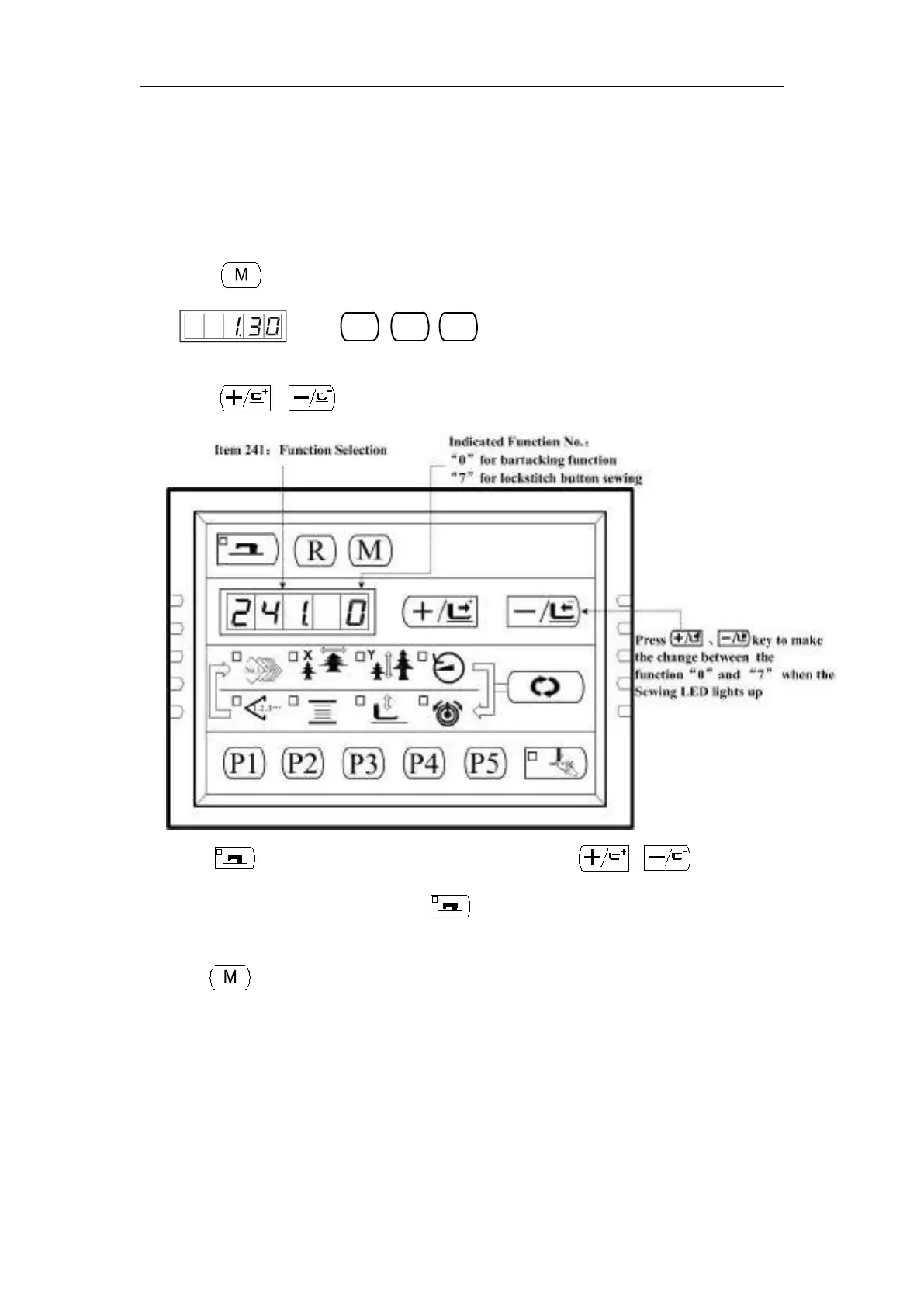
2、Press 、 key to select No.241:
3、Press key to light up the sewing LED, and then press or key to
change the Function NO. to “7”. Press key again to save the setting and the
Sewing LED goes off.
4、Press key to exit and Power off. Power on, and the machine has changed to be a
lockstitch button sewing machine.
Attention: The lockstitch button sewing function need particular Presser, for
details, please contact your machine agent.



 To Next Page