4-7
Setting the number of pre feeds
Set the number of pre feeds to prevent deviations from occurring when the roll media is pulled out. During the
pre feed, the grit roller leaves traces on the paper. Pre feeds can be repeated after paper exposure time has
elapsed (see "Setting paper redy time"
P.4 - 8
). This function is available when the Initial Feed or if Partition
Pastern is ON.
Operation
Supplement
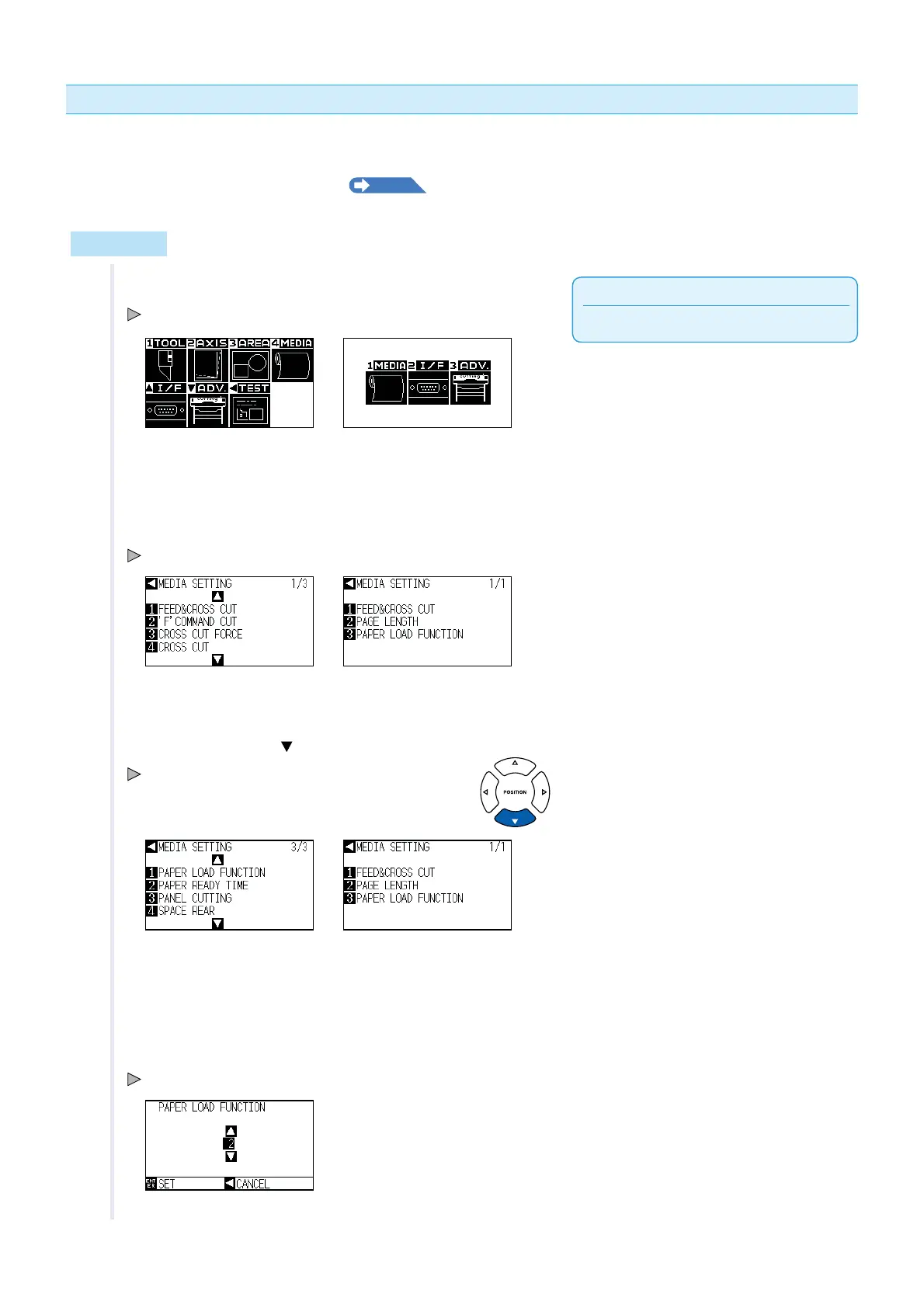
Perform the settings in Normal menu.
1 Press the [PAUSE/MENU] key.
MENU screen is displayed.
MENU screen
(Simple menu)
MENU screen
(Normal menu)
2 Press the [4] key (MEDIA) in Normal menu, or press the [1]
key (MEDIA) in Simple menu.
MEDIA SETTING screen is displayed.
MEDIA SETTING screen
(Simple menu)
MEDIA SETTING screen
(Normal menu)
3 Press the POSITION ( ) key in Normal menu.
MEDIA SETTING screen (3/3) is displayed.
MEDIA SETTING screen
(Simple menu)
MEDIA SETTING screen
(Normal menu)
4 Press the [1] key (PAPER LOAD FUNCTION) in Normal
menu, or press the [3] key (PAPER LOAD FUNCTION) in
Simple menu.
PAPER LOAD FUNCTION setting screen is displayed.












 To Next Page