12-17
Output of the dump list of the cutting data received by the plotter is possible. It is used to check if the transmission
of cutting data is performed correctly.
CAUTION
Do not place your hand around the moving areas. The tool carriage will start moving, so there is a chance of injury. Tool carriage will
start to move immediately after selecting to print the dump list.
Supplement
There may be a difference in the RS-232C transmission condition or the command setting when the printed output and the display
of transmission data does not match. Check the transmission condition and the command.
Please set the command to "GP-GL" or "HP-GL".
Operation
Supplement
See "Loading Media (Paper)"
P. 2-7
for
loading the media.
1 Set a media larger than A1 size.
Supplement
Please choose Condition No.2 when
selecting the tool conditions for operating
with the pen plunger.
For setting the pen plunger, see "Attaching a
Tool"
P. 2- 4
.
For changing the tool conditions, see
"Selecting Tool Condition"
P. 2-2 9
, and for
tool settings, see "Setting the Tool Condition"
P. 2- 3 0
.
2 Select the pen plunger condition setting and place the pen
plunger in the pen holder.
Supplement
Perform the settings in Normal menu.
3 Press the [PAUSE/MENU] key in the default screen.
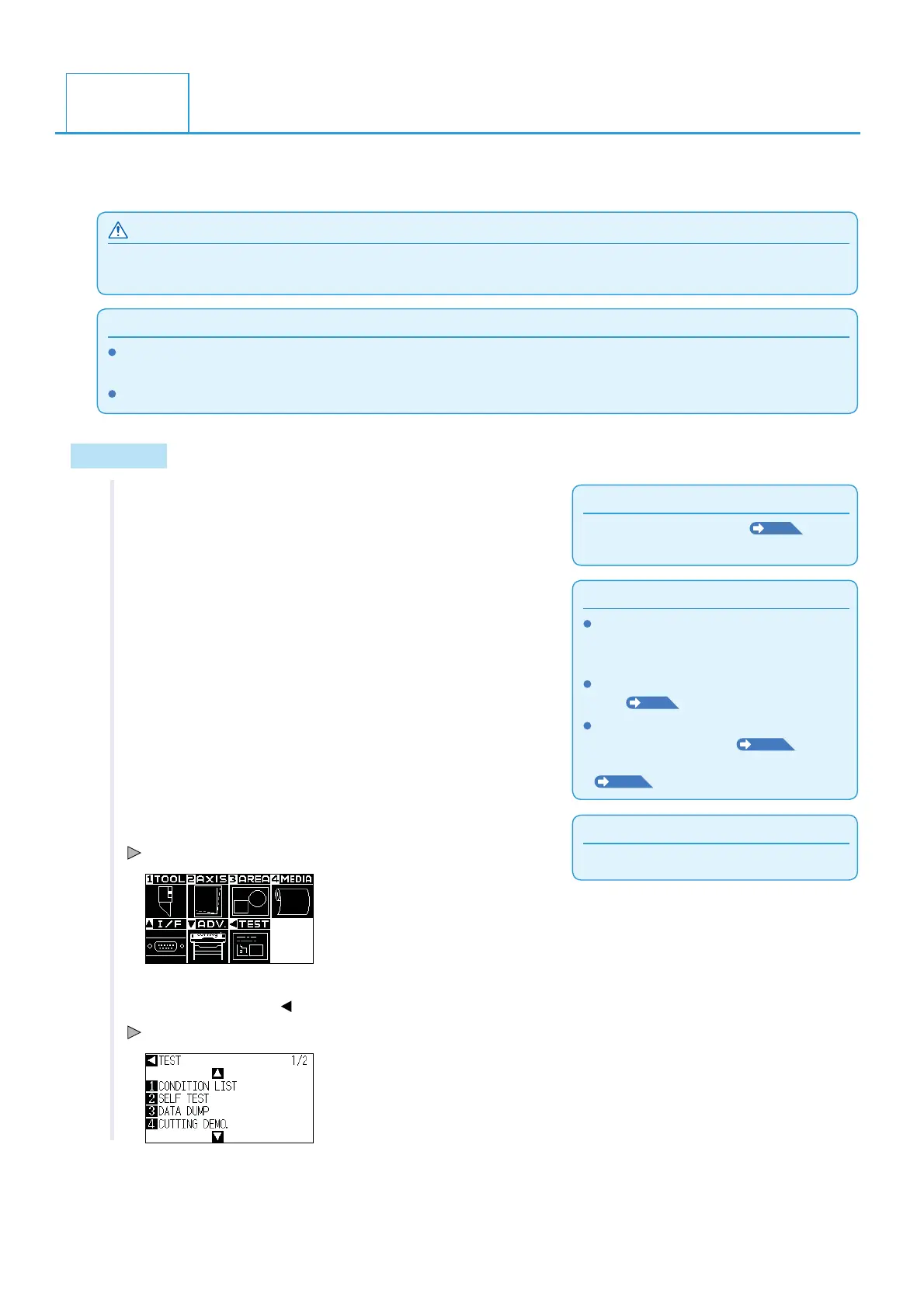
MENU screen is displayed.
4 Press the POSITION ( ) key (TEST).
TEST menu screen (1/2) is displayed.
12.4
Confirm the Cutting Data












 To Next Page