4-16
To prevent long skew, utilize partition length when cutting.
Supplement
When Partition Pastern is on, the machine will begin by dividing up partition length and continue cutting until one of the following
data breaks appears. When the first partitioned area cut is finished, the machine will move to the next area, and repeat this until
all areas have been cut.
Data Breaks:
(1) No data sent for a few second after finishing cutting. (Time Out)
(2) A feed-related command is set. (GP-GL: F, FS commands, HP-GL: AF, AH, PG commands)
(3) HP-GL: SP0, NR, GP-GL: J0, SO.
(4) When commands from data breaks (2) and (3) appear, that command work will begin after the partition pastern cutting is
finished.
Partition pastern cutting will continue for each piece of data when a data break is caused by a command, even if multiple pieces of
data are sent in before the cutting finishes (even when numerous pieces of partition pastern data are in the plotter buffer).
When partition pastern is on, the machine works with priority of partition length plus something minutes ago (with footprints).
When partition pastern is on, and registration marks will not be seen ignored, and copy, initial feed, and cutting area cannot be
changed.
Partition pastern cannot be done when one file of data makes the buffer full. Make sure to always send in data lower than the
buffer size.
When Partition Pastern is on, the paper will be exposed for a set amount of time after the initial feed is complete, and then pre-fed
the set number of pre feeds. (This will not happen if paper exposure time and number of pre feeds are both set to 0.)
When Partition Pastern is on, set the cutting/plotting speed to 30 cm/s.
Reference
This setting will be saved even if the power is shut off.
Operation
Supplement
Perform the settings in Normal menu.
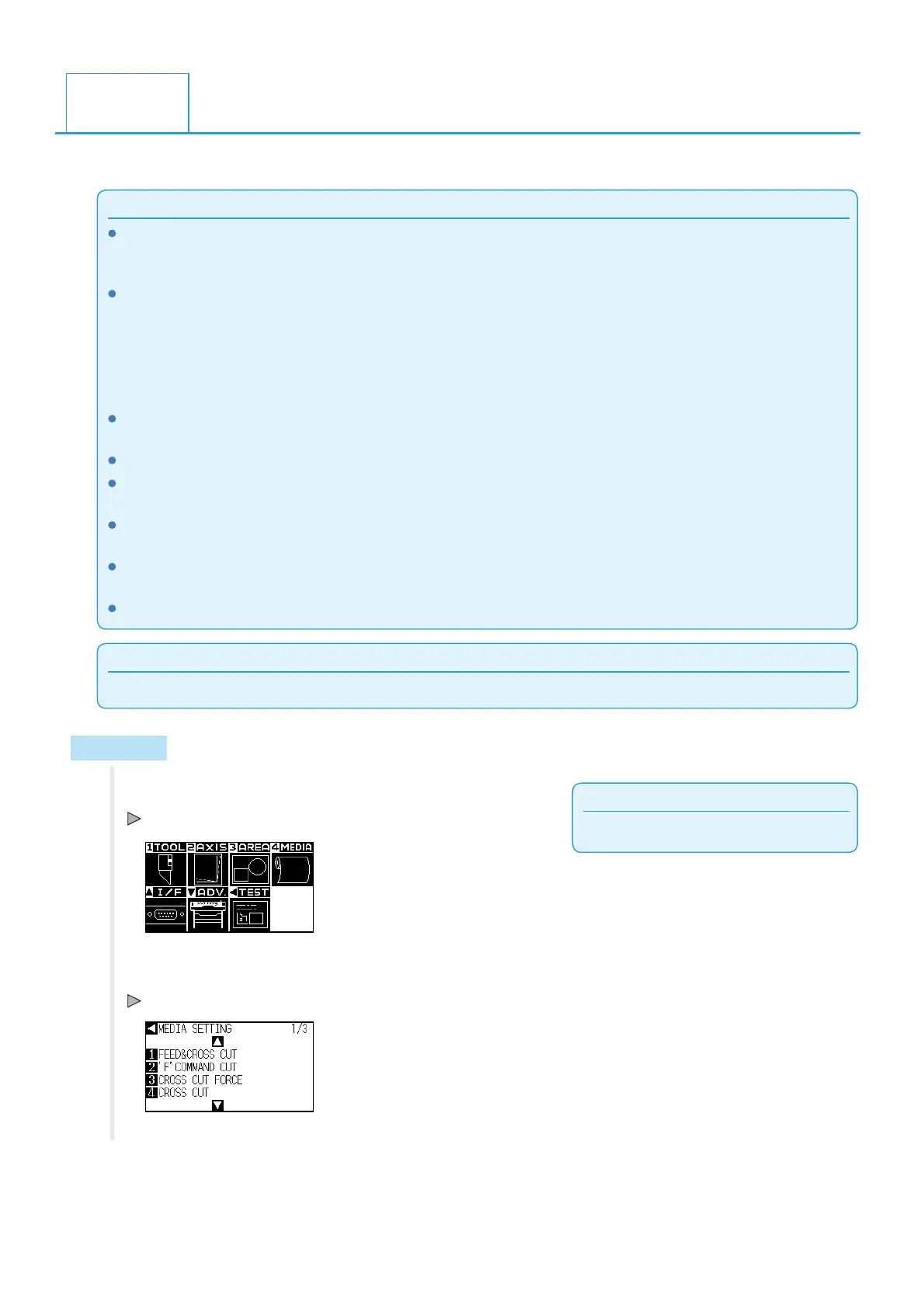
1 Press the [PAUSE/MENU] key.
MENU screen is displayed.
2 Press the [4] key (MEDIA).
MEDIA SETTING screen (1/3) is displayed.
4.3
Panel Cutting












 To Next Page