6-18
Supplement
Press [4] key (CANCEL) to return to the BLADE
WEAR SETUP screen without changing any
settings.
7 Confirm the setting and press the [ENTER] key (SET).
Setting will be set, and it will return to BLADE WEAR SETUP screen.
8 Press the [PAUSE/MENU] key.
It will return to default screen.
BLADE WEAR SETUP (Blade wear factor settings)
This setting allows for the adaptation of different wear rates depending on the type of media and the condition
settings used.
For the plotting pen, modify depending on the plotting distance.
The setting is based on the plotting distance (1 km) of oil-based ballpoint pen.
Pen type Plotting distance Coefficient
Oil-based ballpoint pen
1000 m 1.0
Water-based fiber-tip pen 500 m 2.0
As shown above, the plotting distance of the water-based fiber-tip pen is half of the oil-based ballpoint pen, so
please use 2.0 as a reference for the coefficient.
Also, in case of the cutter plunger, it may change depending on the materials and the cutting force conditions.
The reference value is 4 km.
Blade type Force Material Coefficient
CB09U 8 Coated (glossy) paper 80 g/m
2
1.0
CB15U 8 Coated (glossy) paper 80 g/m
2
1.0
Set the coefficient to a high value when the work load is likely to cause significant wear (this shortens the
maximum cutting distance).
Set the coefficient to a low value when the work load isn't likely to cause significant wear (this lengthens the
maximum cutting distance).
Operation
Supplement
Perform the settings in Normal menu.
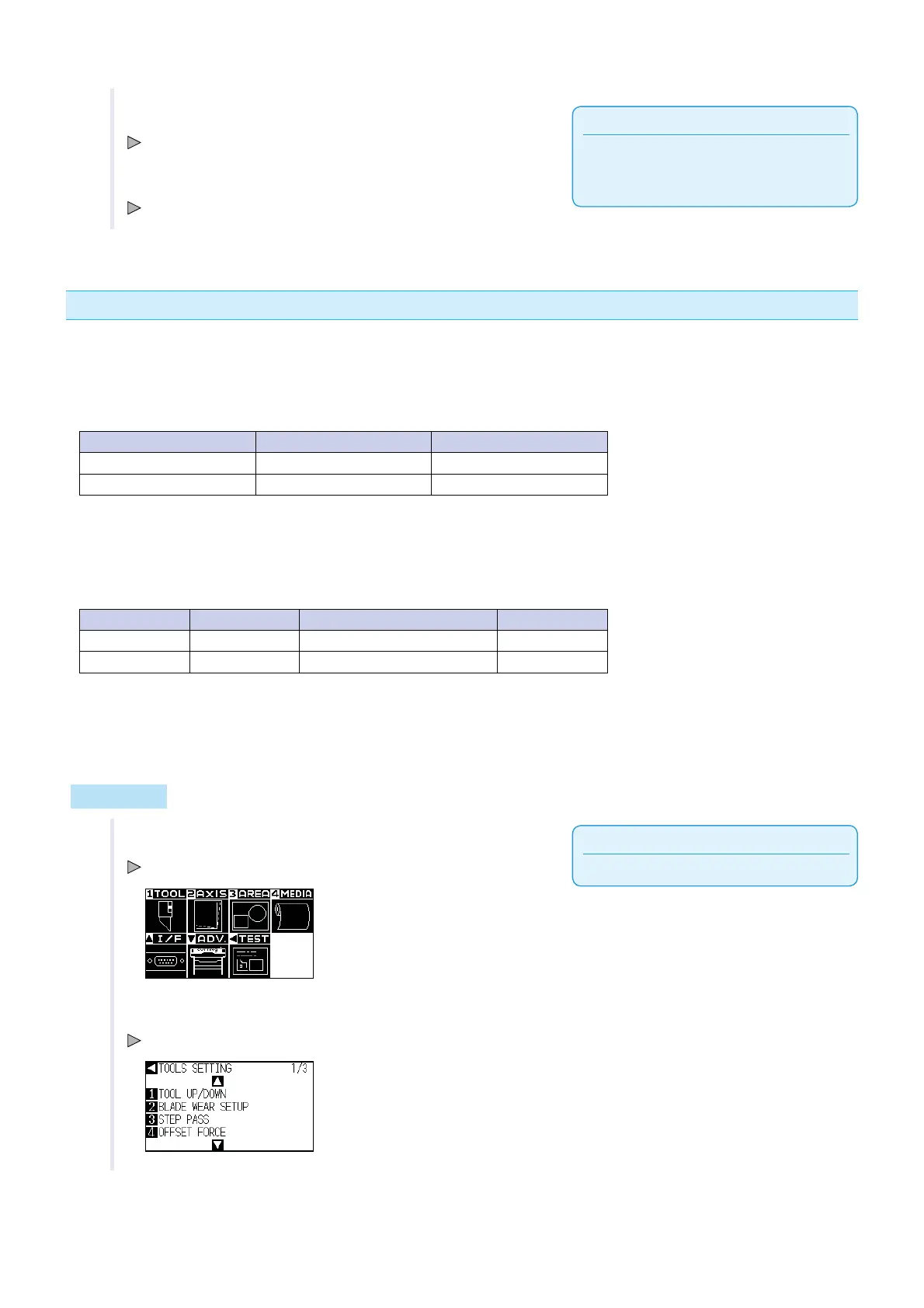
1 Press the [PAUSE/MENU] key.
MENU screen is displayed.
2 Press [1] key (TOOL).
TOOL SETTING screen (1/3) is displayed.












 To Next Page