12-19
To check the operation of this unit, plot a pattern of cut demo.
Supplement
Diagnostic test can be performed only right after the power is turned on. DIAGNOSTICS cannot be selected from the menu once
any operation, such as loading media, is performed.
Operation
Supplement
See "Loading Media (Paper)"
P. 2-7
for
loading the media.
1 Set a media larger than A1 size.
Supplement
Please choose Condition No.2 when
selecting the tool conditions for operating
with the pen plunger.
For setting the pen plunger, see "Attaching a
Tool"
P. 2- 4
.
For changing the tool conditions, see
"Selecting Tool Condition"
P. 2-2 9
, and for
tool settings, see "Setting the Tool Condition"
P. 2- 3 0
.
2 Select the pen plunger condition setting and place the pen
plunger in the pen holder.
Supplement
Perform the settings in Normal menu.
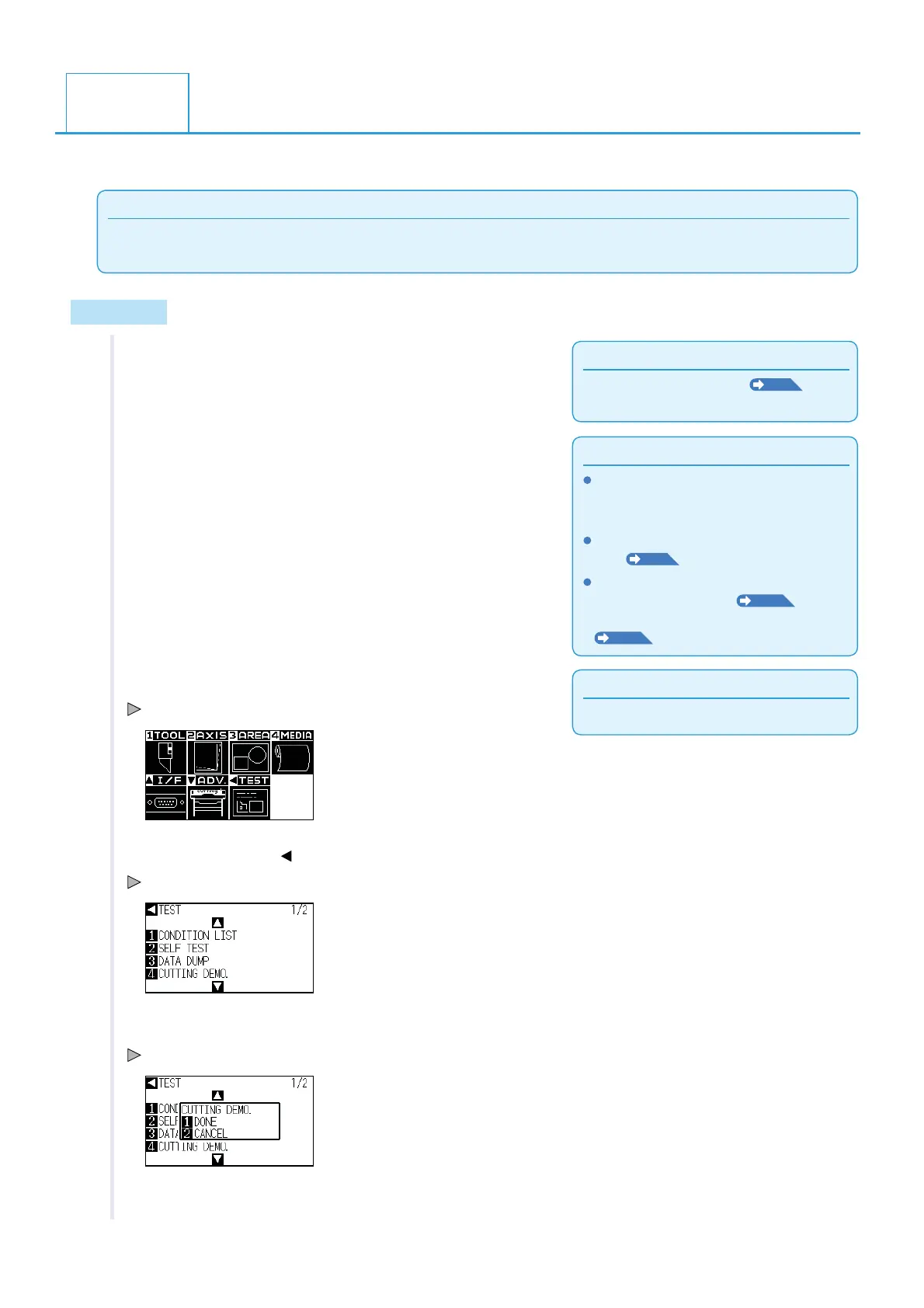
3 Press the [PAUSE/MENU] key in the default screen.
MENU screen is displayed.
4 Press the POSITION ( ) key (TEST).
TEST menu screen (1/2) is displayed.
5 Press [5] key (CUTTING DEMO.).
CUTTING DEMO. screen is displayed.
6 Confirm that the pen tool is set.
12.5
Cutting a CUT DEMO












 To Next Page