10-2
Related to Command Processing
Setting the Command (COMMAND)
There are 2 types of commands, the GP-GL and the HP-GL, that the plotter can use. Match it to the software
you are using.
Operation
Supplement
Perform the settings in Normal menu.
In Simple menu there are no settings. (It's in
HP-GL mode.)
When a faulty judgment has been made in
Simple menu, please use Normal menu where
commands can be set.
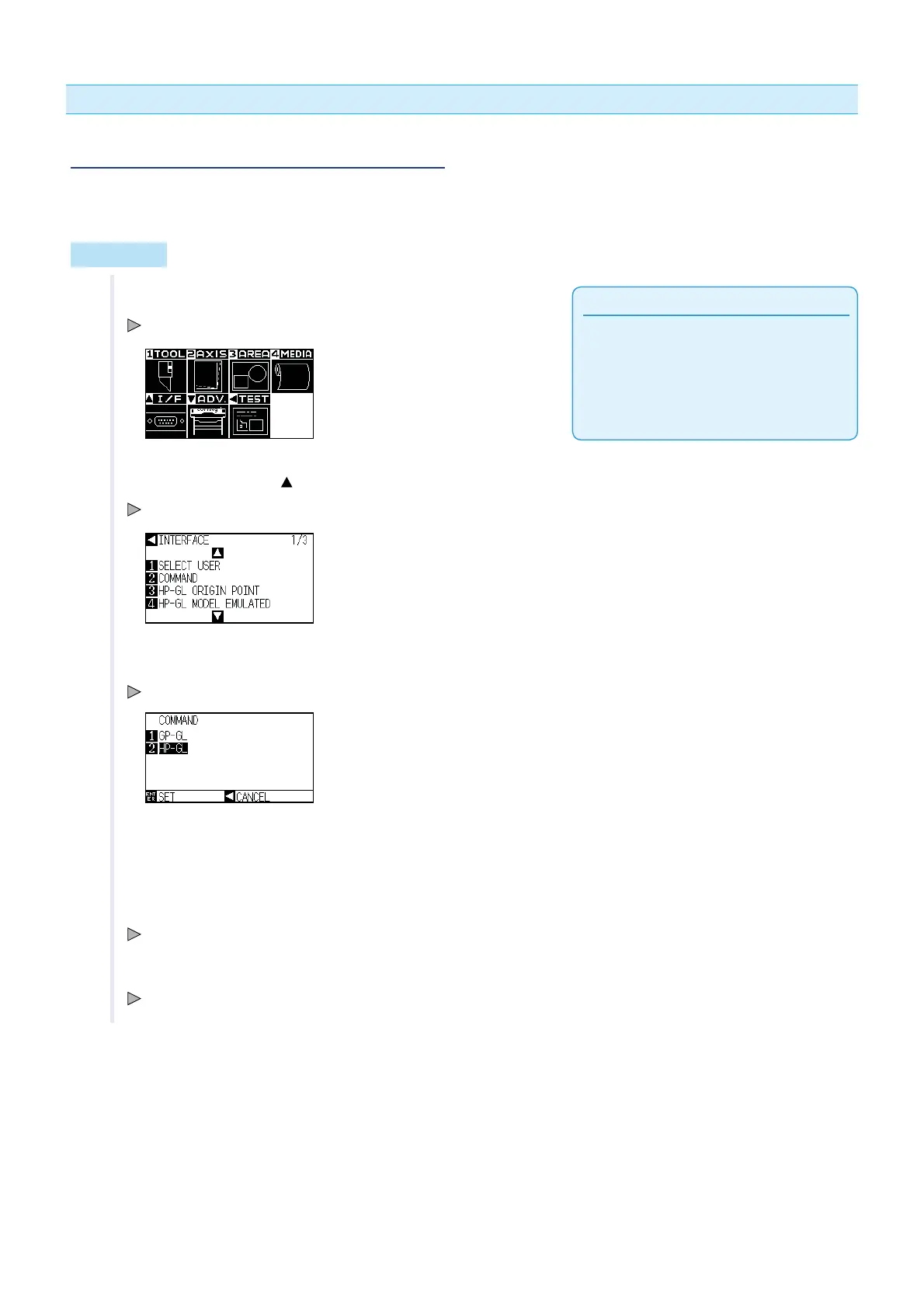
1 Press the [PAUSE/MENU] key in the default screen.
MENU screen is displayed.
2 Press the POSITION ( ) key (I/F).
INTERFACE setting screen (1/3) is displayed.
3 Press the [2] key (COMMAND).
COMMAND setting screen is displayed.
4 Press [1] key (GP-GL) or [2] key (HP-GL).
5 Confirm the setting and press the [ENTER] key (SET).
Setting will be set, and it will return to INTERFACE setting screen (1/3).
6 Press the [PAUSE/MENU] key.
It will return to the default screen.












 To Next Page