2-38
Lines can be cut with perforated lines so the cut parts will not fall off. There are 8 different perforation patterns
of perforated lines set as 0 to 7, and the ratio of cut and uncut part differs in each. (Cut length decreases cutting
perforation length, up length decreases the perforation connection length or the connection cut force.)
The cut part becomes longer with a larger value, and becomes easier to separate the cut parts with a smaller up
value.
In addition to above 8 patterns, there are "OFF", which cuts by the solid line without perforation patter, "NONE",
which controls the perforation patter with the command, and "USER", where user can specify a unique pattern.
The processing in the part is not cut with perforation patter is adjusted in "UP MODE".
The perforation patter can be set for each condition number.
Supplement
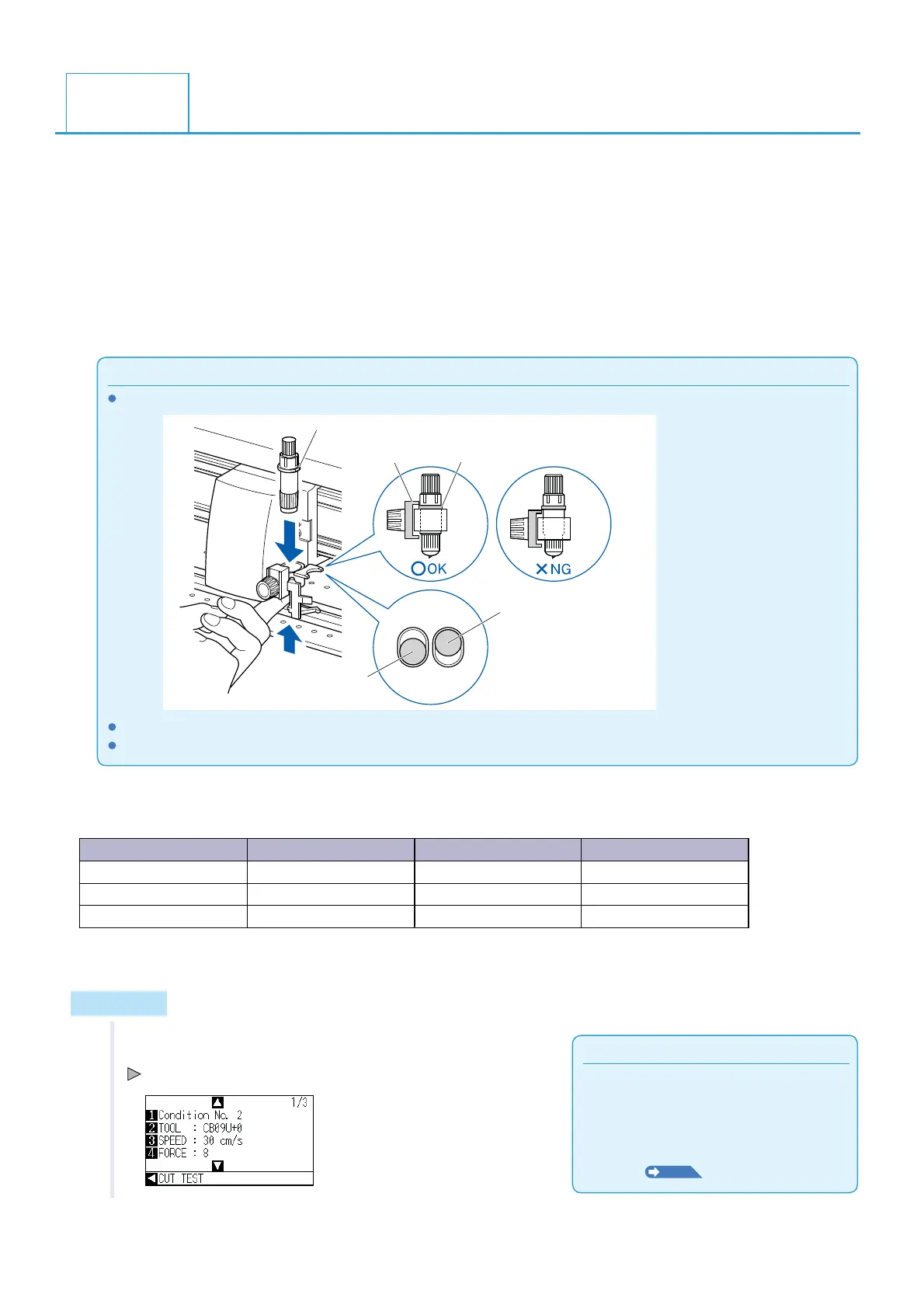
Use the holder (forward).
Flange
Bracket to hold tool
This cutter holder is
not set backward.
Cutter holder
(Forward)
Flange
Damaged marking mats can be replaced at the owner's expense.
When controlling the perforated pattern with FORCE setting command, set to "NONE".
Guideline to perforation pattern
Thickness of material Pattern number Cutting length (L) Up length (L)
Approx. 130 g/m
2
3
30.00 mm 1.00 mm
Approx. 80 g/m
2
5
30.00 mm 1.40 mm
Approx. 65 g/m
2
1
15.00 mm 1.40 mm
* The materials of 60g/m
2
or less are not suitable for cut with perforation pattern. We recommended that they
are used for a pen plotting.
Operation
Supplement
Condition No.1 is pen specific. When setting
up tool conditions for the cutter plunger, please
choose from Condition No.2 to Condition
No.8 under "Selecting the Tool Condition". For
more information, see "2.10 Selecting Tool
Condition"
P. 2-2 9
.
1 Press the [COND/TEST] key.
CONDITION setting screen (1/3) is displayed.
2.11
Setting Cut Line Pattern












 To Next Page